©2024 Comba Telecom. All Rights Reserved.
568 Gibraltar Drive, Milpitas, CA 95035 | +1 408 526 0180
3.16 V3 BDA/MU/RU GENERAL SETTINGS
Below are some general information settings which you are recommended to change upon logging into the
system for the first time.
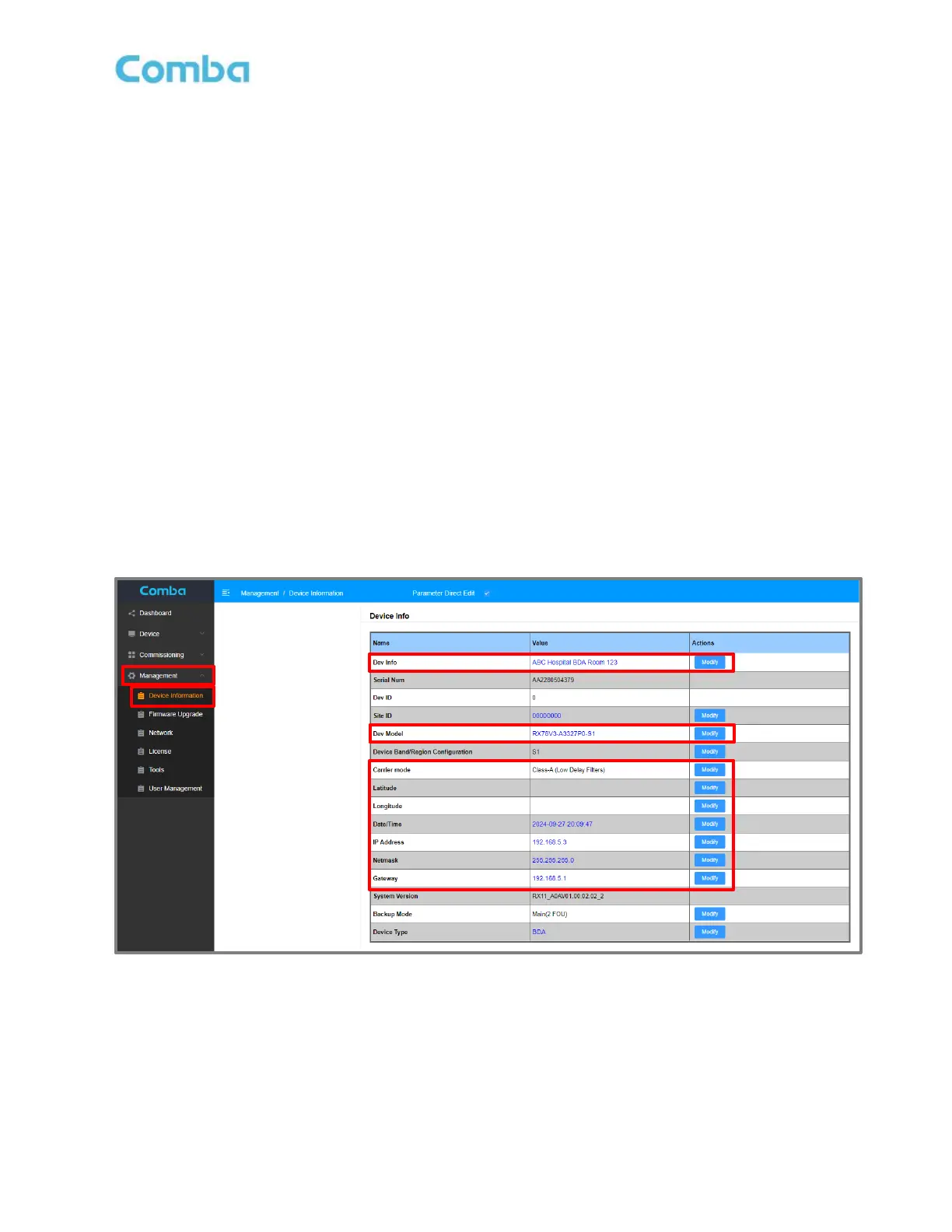
• Login to the BDA/MU and navigate to <Management – Device Information>.
• Modify the Device Information <Dev Info> if desired. Use this field to create an ID and/or location for
the device. These details appear in the main dashboard for easy viewing.
• Modify the Device Model <Dev Model> if desired. Use this field to enter the full device part number
so it can be viewed through a remote connection to the web GUI. These details appear in the main
dashboard for easy viewing.
• Modify the <Carrier Mode> to select the desired set of digital filter options. Choose between Class A
High Rejection, Class A Low Delay, and Class B Filters (License Dependent). See section 3.17
• Modify the <Latitude> of the device if desired for location identification purposes.
• Modify the <Longitude> of the device if desired for location identification purposes.
• Modify the <Date/Time> if it has not been set automatically by synchronization from the laptop.
• Modify the device <IP Address>, <Netmask>, and <Gateway> as desired. Modifying this IP address
only applies to the device LAN port. The device OMT port has a fixed IP address.
See Figure 97 below showing the General Information settings in the device web GUI.
Figure 97: V3 BDA/MU/RU General Information Settings



 To Next Page