©2024 Comba Telecom. All Rights Reserved.
568 Gibraltar Drive, Milpitas, CA 95035 | +1 408 526 0180
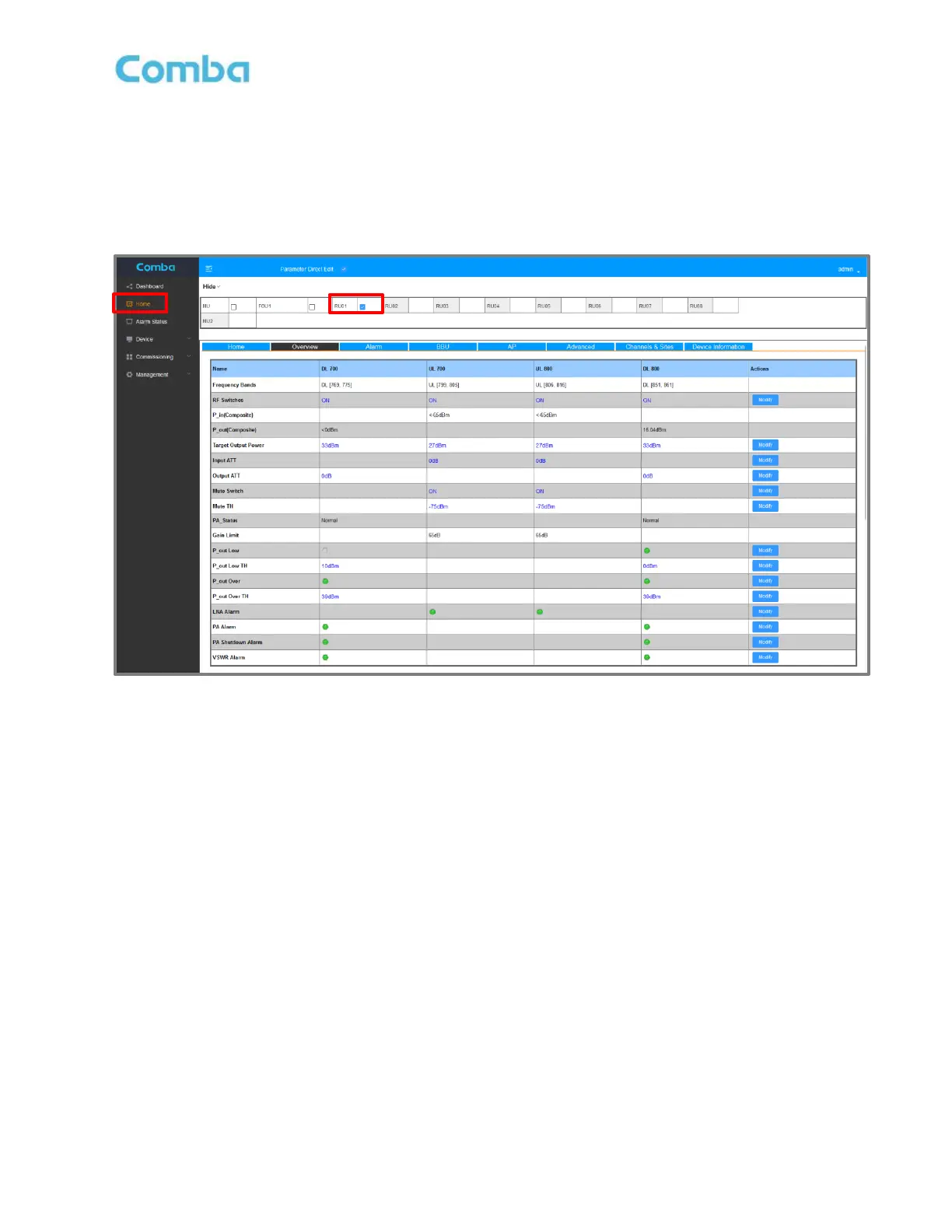
Accessing FOUs and RUs from Main Menu – Home:
From the BDA/MU Main Menu, clicking on <Home> will also allow you to access each of the devices from the
device checkbox list at the top of the window. Clicking on a device checkbox will take you to that device’s
settings. The tabs provide commonly used features. Some features are omitted, such as License
Management. Full functions can be found from Dashboard – Table View or by connecting locally to a
specific device.
Figure 96: V3 Fiber DAS – Accessing FOUs and RUs from Home screen



 To Next Page