EasyManua.ls Logo

COMBA CriticalPoint V3 7 BDA - V3 Bbu Lifepo; Battery Installation and Wiring

Default Icon
257 pages
Print Icon
To Next Page IconTo Next Page
To Previous Page IconTo Previous Page
Loading...
CRITICALPOINT 700/800MHZ BDA/DAS/BBU V3 USER MANUAL
©2024 Comba Telecom. All Rights Reserved.
568 Gibraltar Drive, Milpitas, CA 95035 | +1 408 526 0180
Rev. 1-0-2 Rev. Date: 11-1-2024
Page: 64
2.12 V3 BBU LIFEPO
4
BATTERY INSTALLATION AND WIRING
Install the LiFePO
4
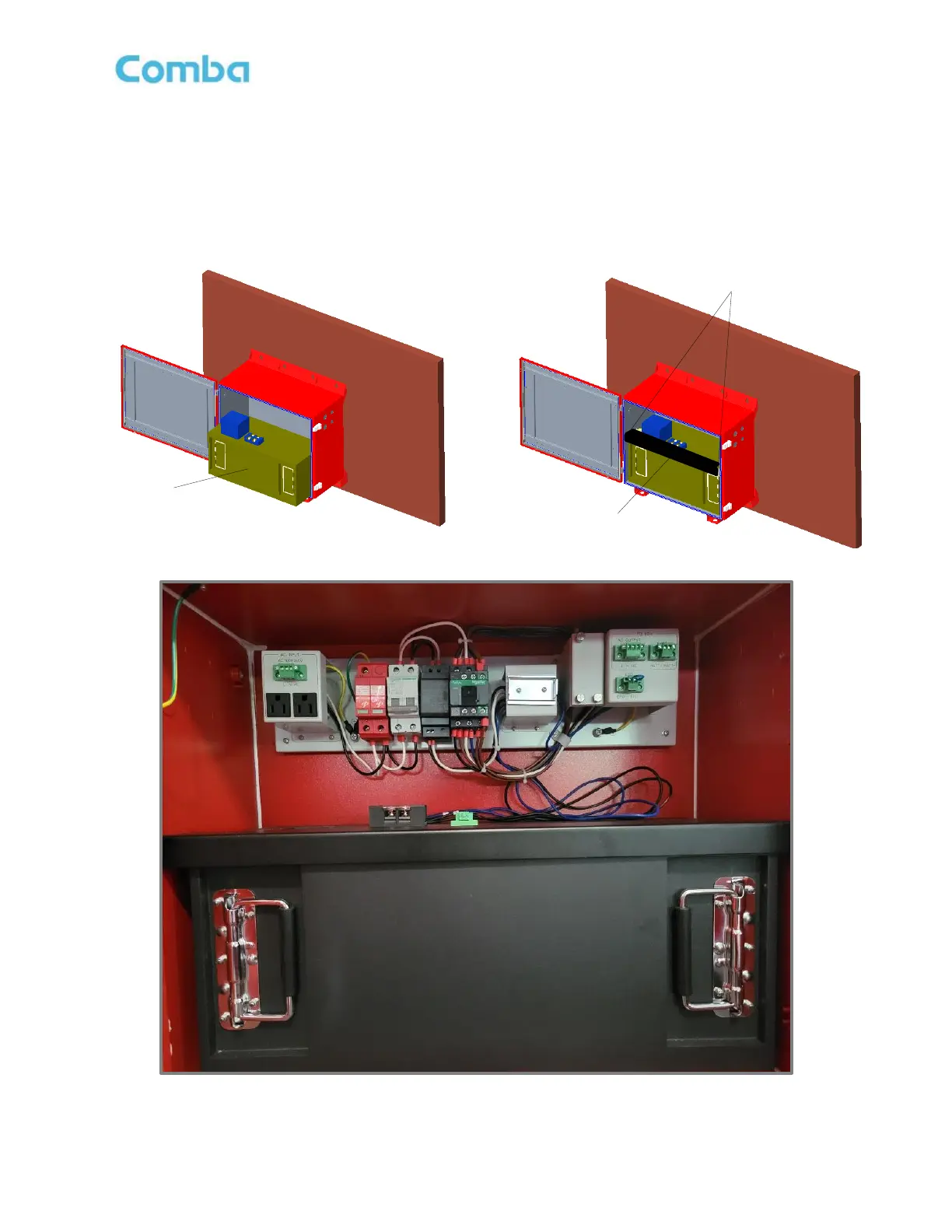
battery into the BBU cabinet as shown in Figure 31. This step may require two
people. Gently slide the battery assembly into position.
Install the battery retaining bracket and secure with 4 x M6 Screws as shown in Figure 31.
Figure 31: Battery Installation and Retaining Bracket
Battery Bracket
Battery Bracket Mounting
Screw Location
LiFePO
4
Battery

Table of Contents