©2024 Comba Telecom. All Rights Reserved.
568 Gibraltar Drive, Milpitas, CA 95035 | +1 408 526 0180
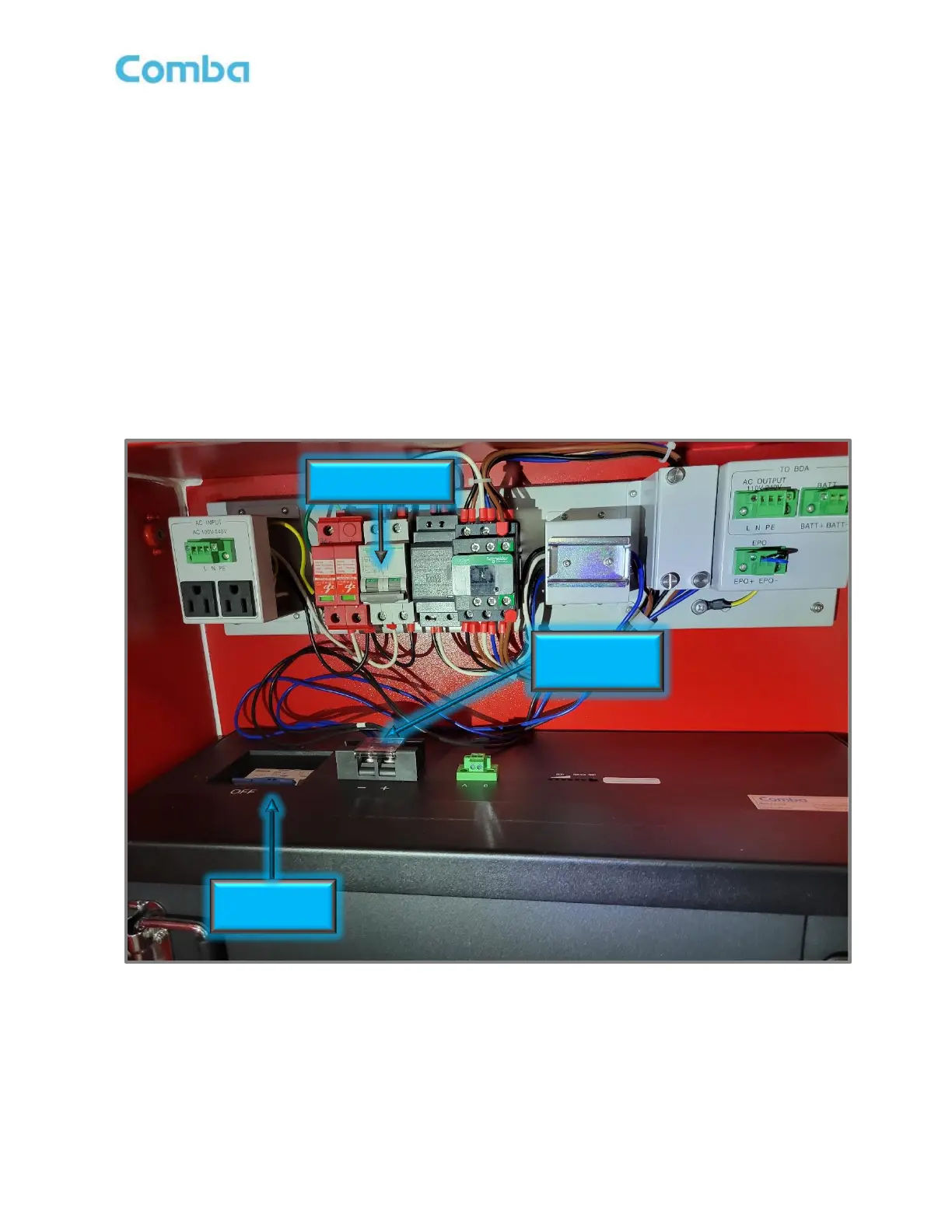
• Make sure the AC Breaker in the BBU V3 and Battery Breaker on the battery are both OFF.
• Connect the wire(s) labeled “BATT+” to the battery positive (+) terminal; The wire(s) labeled “BATT-” to
the battery negative (-) terminal as shown in Figure 32. Due to different design revisions and production
batches, wires colors are in one of the following combinations:
1. 2 x Positive Wires (Black and Brown)
2 x Negative Wires (Blue and Blue)
2. 2 x Positive Wires (Black and Black)
2 x Negative Wires (Blue and Blue)
3. 1 x Positive Wire (Black)
1 x Negative Wire (Blue)
Figure 32: V3 BBU AC Breaker, Battery Breaker, and Battery Wiring



 To Next Page