CRITICALPOINT 700/800MHZ BDA/DAS/BBU V3 USER MANUAL
©2024 Comba Telecom. All Rights Reserved.
568 Gibraltar Drive, Milpitas, CA 95035 | +1 408 526 0180
Rev. 1-0-2 Rev. Date: 11-1-2024
3.37 TOOLS (DEVICE RESET / ALARM LOG / REPORT)
There are multiple tools available in the <Management – Tools> page of the GUI.
Follow the instructions below to access the Tools page of the GUI:
• For BDA or MU, Login to the BDA/MU and navigate to <Management – Tools>.
For DAS RU, Login to the BDA/MU and navigate to <Dashboard – Table Style - MU/RU Checkbox –
Tools>.
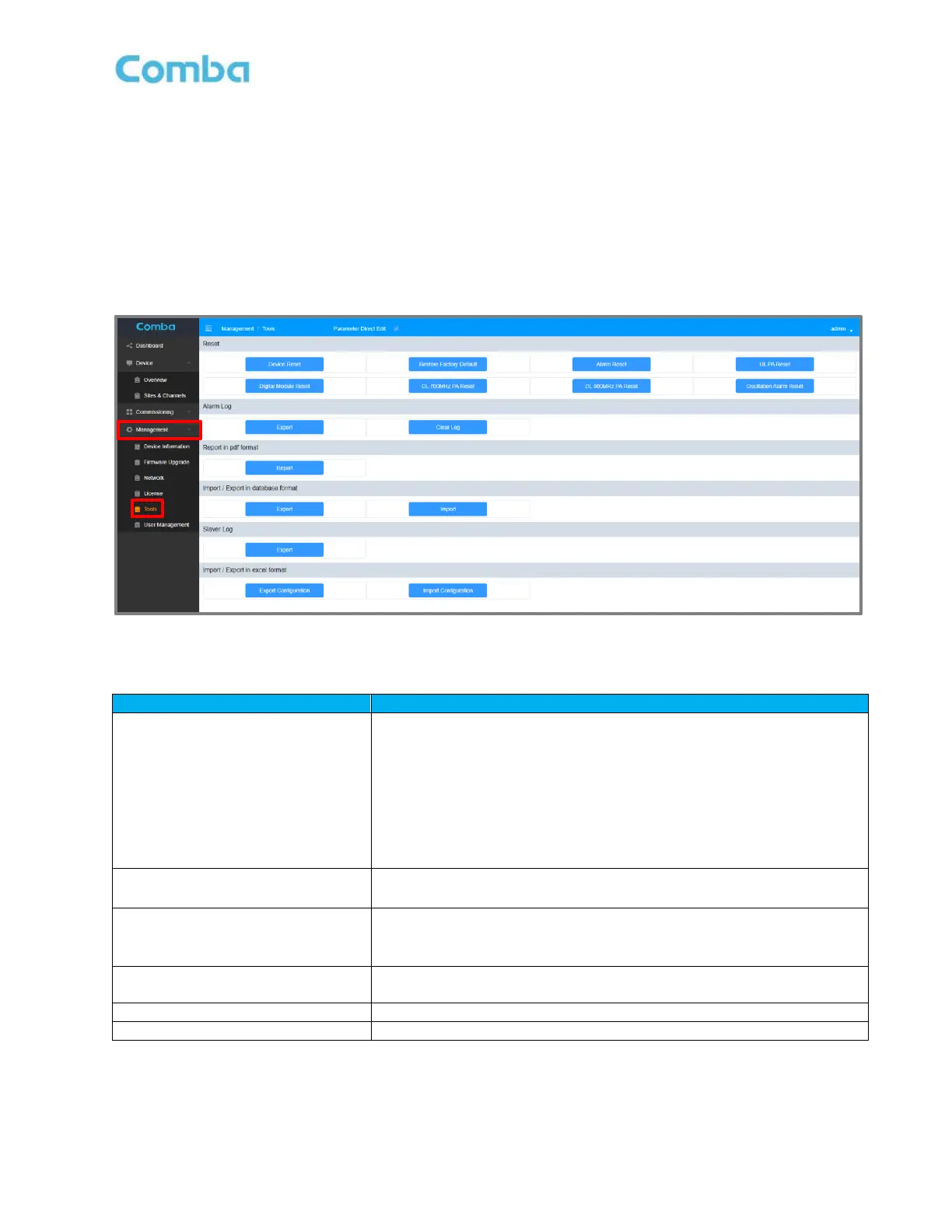
See Figure 158 and Table 24 below for a detailed explanation of the available tools.
Figure 158: Management – Tools (Device Reset/Alarm Log/Reports)
Table 24: Management – Tools Explained (Device Reset/Alarm Log/Reports)
Device Reset: Reset device controller.
Digital Module Reset: Reset device digital board.
DL 700MHz PA Reset: Reset 700MHz Downlink Power Amplifier.
DL 800MHz PA Reset: Reset 800MHz Downlink Power Amplifier.
UL PA Reset: Reset Uplink Power Amplifier.
Alarm Reset: Temporarily Clear all alarms
Oscillation Alarm Reset: Clear oscillation alarms.
Restore Factory Default: Reset to factory settings.
Export: Export Alarm log of BDA/MU/RU individually
Clear Log: Clear Alarm log
Report: Generate a pdf report documenting system settings
If BDA is in DAS Mode, MU can generate reports for each device in
the system.
Import / Export in database format
Export / Import BDA/MU/RU configuration individually in database
format.
Use only when requested by Comba Tech Support
Import / Export in excel format
Export / Import BDA/MU/RU configuration individually in excel format.



 To Next Page