©2024 Comba Telecom. All Rights Reserved.
568 Gibraltar Drive, Milpitas, CA 95035 | +1 408 526 0180
2.20 V2 FOU POWER AND COMMUNICATIONS WIRING
• Ensure all equipment (BDA/MU, BBU, and third-party power sources) is powered down and all power
switches are in the OFF position. Refer to previous sections for power switch locations.
• Turn OFF FOU Power Switch
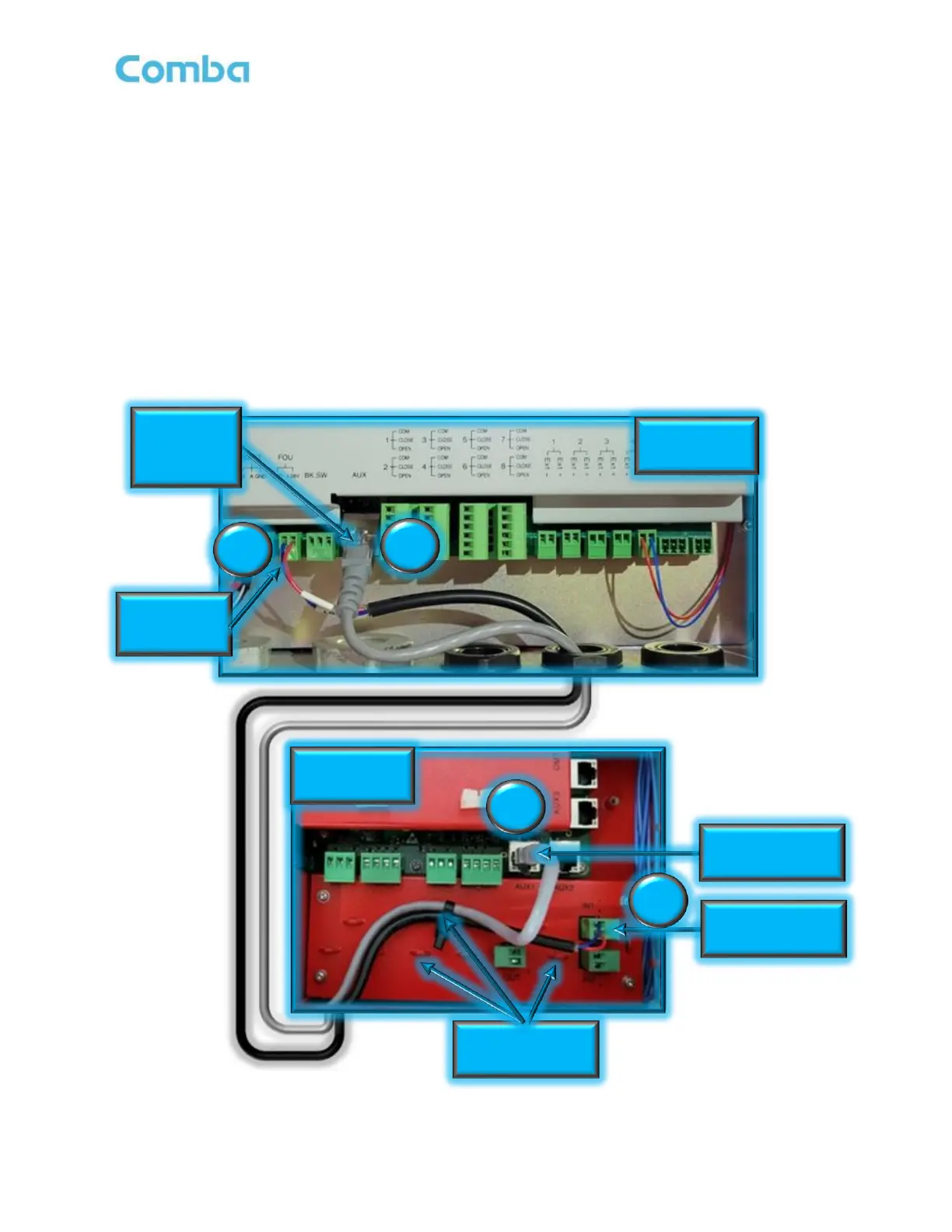
• Connect BDA/MU to FOU:
1. BDA/MU FOU (+28V, GND) to FOU IN1 as shown in Figure 53
2. BDA/MU AUX (Ethernet Port) to FOU AUX1 as shown in Figure 53
Note: The DC Power Cable and Ethernet RJ45 cable are both included with the V2 FOU. These cables are
both approximately 5ft in length. If the length is not sufficient for the installation, you must source a longer
cable from a third party. Make sure to follow the local code requirements.
Figure 53: V3 BDA/MU to and V2 FOU Power and Communication Wiring
V3 BDA/MU



 To Next Page