©2024 Comba Telecom. All Rights Reserved.
568 Gibraltar Drive, Milpitas, CA 95035 | +1 408 526 0180
3.22 CREATE A NEW SITE AND ADD CHANNEL FILTERS (CLASS A ONLY)
Before setting up Class A Channel Filters, a Site must be created. Creating a Site in the BDA/MU allows the
user to create a group of channels filters that can be individually managed. For example, a Site can contain
the Radio Channels for one donor site, or a group of test channels a user desires to use for staging
purposes. If all Radio Channels will be transmitted from the same radio site with the same TX ERP, you only
need to create one site. If your system requires two separate donor antennas pointed at two different Radio
Systems with different characteristics, it is recommended to create a Site for each different Radio System.
This allows individual control of BDA channel parameters for each Radio System.
Create a New Site (Class A Configurations Only; Same for BDA and DAS mode):
Follow the procedure below to create a new Site:
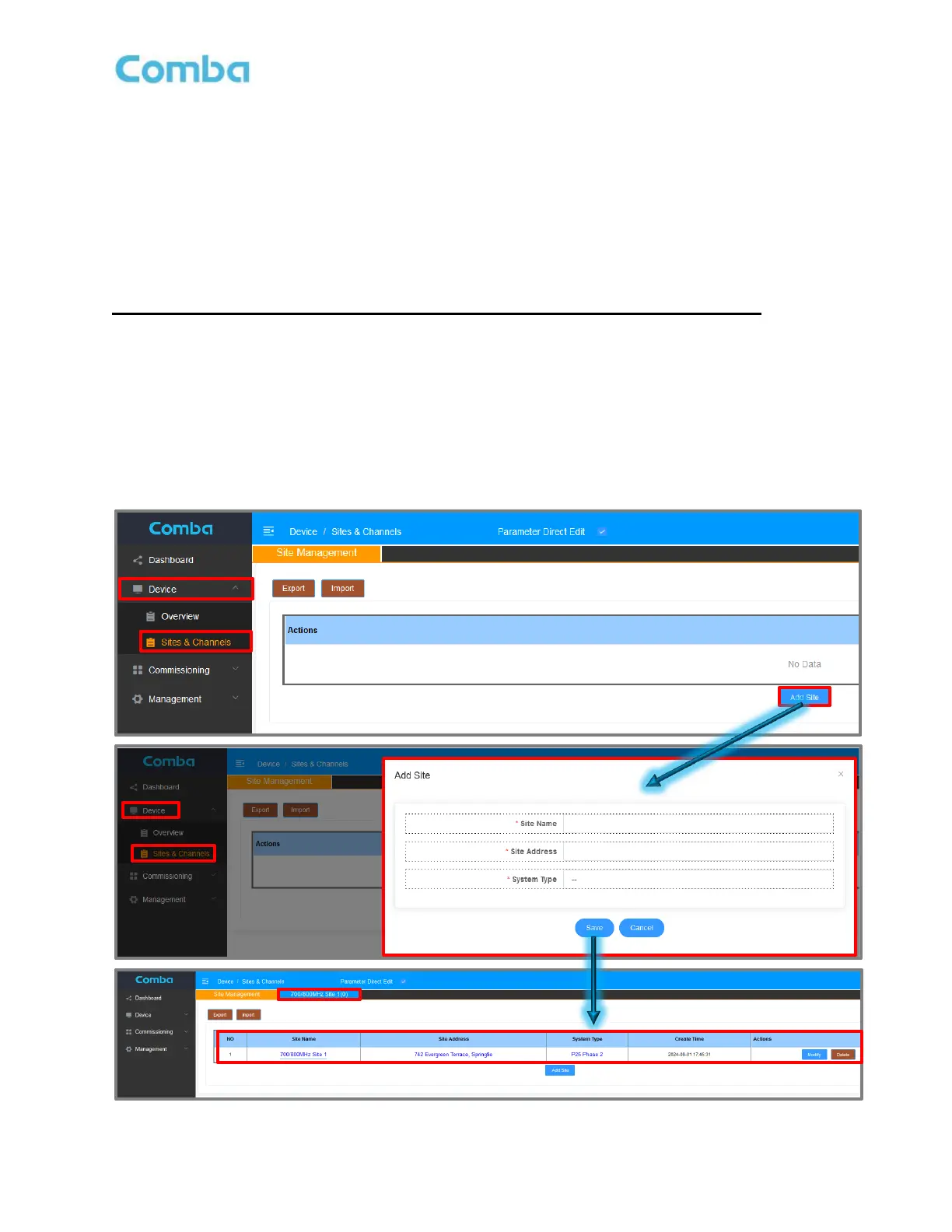
• Navigate to the <Device – Sites & Channels> page.
• Click <Add Site>. A pop-up window will appear.
• Enter the <Site Name>, the <Site Address>, and the <System Type>
(Example: Site Name: Tower Site 1; Site Address: 123 ABC Street; System Type: P25 Phase 2)
• Click <Save>
• A new tab will be created in the <Sites & Channels> page to access the Site Channel Filter Setup.
Figure 110: V3 BDA/MU Creating a New Site



 To Next Page