©2024 Comba Telecom. All Rights Reserved.
568 Gibraltar Drive, Milpitas, CA 95035 | +1 408 526 0180
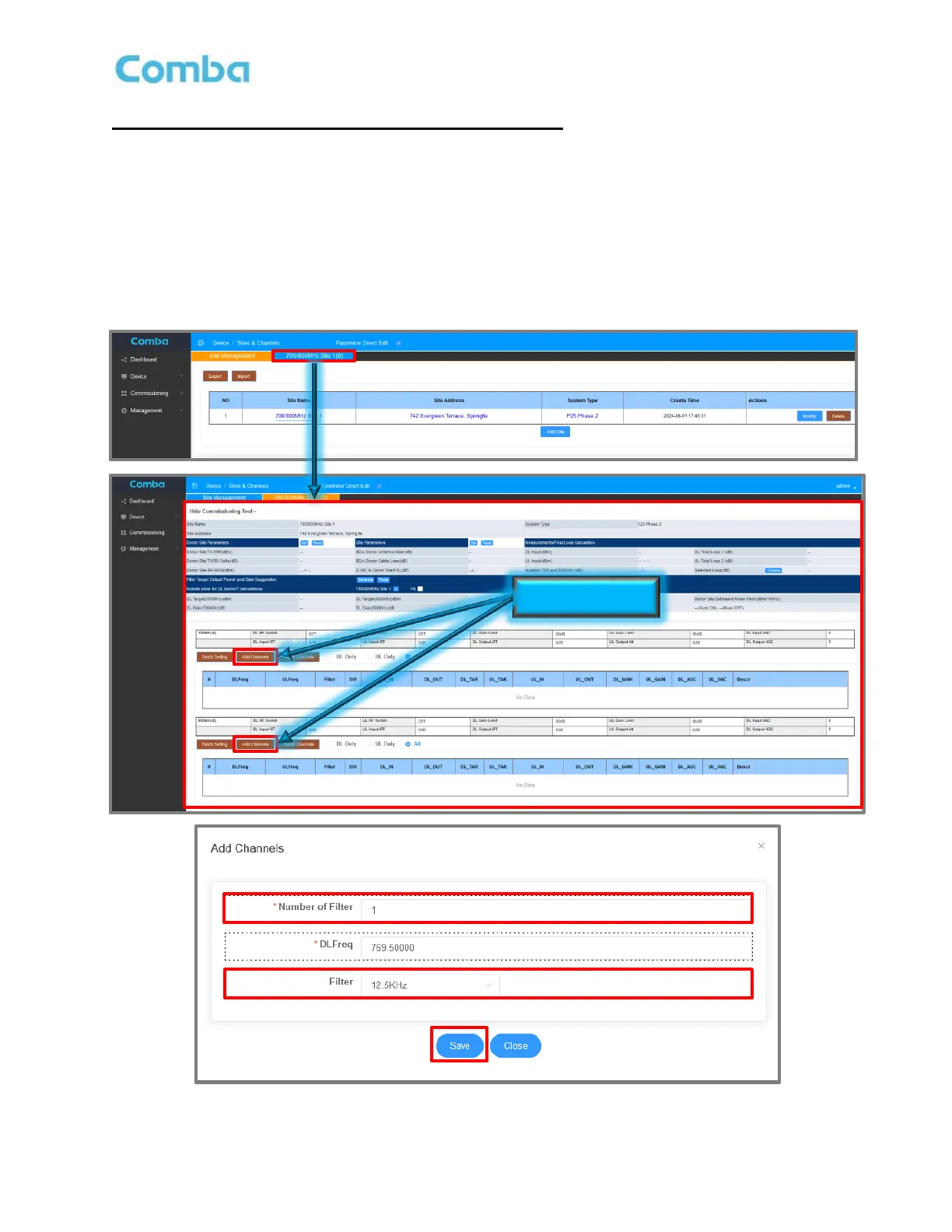
Adding Channel Filters (Same for BDA and DAS mode):
Once a new Site has been created, a new tab will appear in the BDA/MU <Sites & Channels> page.
• Click on the Site Tab to configure Class A Channel Filters for both 700MHz and 800MHz bands.
• Click on <Add Channels> for a specific band to add the channel filters for that band.
• Enter the <Number of Filters> required and the desired Filter BW <Filter>. Click <Save>.
• Repeat for both bands if applicable.
• Note: The DL Frequencies <DL Freq> will not be set at this time and will be modified in later step.
Figure 111: V3 BDA/MU Adding Channel Filters (Class A Only)



 To Next Page