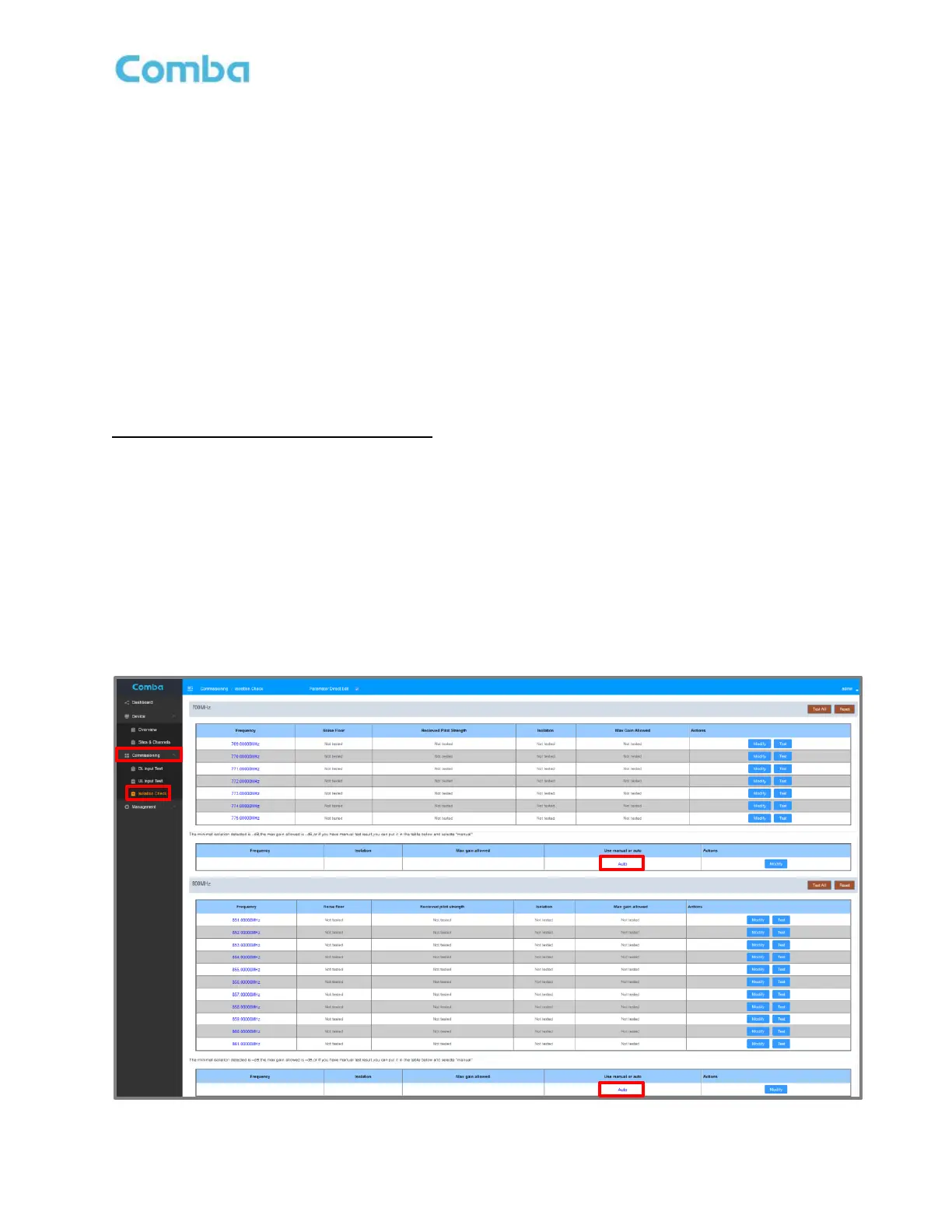
3.26 COMMISSIONING TOOLS – ISOLATION CHECK
The Isolation Check is a commissioning tool provided to assist users with estimating commissioning
parameters. The user can perform a <Isolation Check> to have the GUI measure the Isolation between the
Donor Antenna Branch (Donor Terminal) and the Indoor Antenna Branch (Mobile Terminal). The measurement
is then used to limit the Maximum DL/UL Gain of the BDA to prevent oscillation and meet code requirements.
This is an optional tool, and the technician can perform a Manual Override measurement and enter the result
instead if that is preferred.
The BDA is configured to provide the user up to 7 frequencies for 700MHz and 11 frequencies for 800MHz to
test the isolation across the desired passband. The user can run the Isolation Check using a single test
frequency or multiple test frequencies in the passband. The device will begin by performing measurements on
the DT port of the device to see if there is any power detected on the test frequencies that have been selected.
If there is power detected on a test frequency above the <Noise Floor TH(Isolation Test)> which is set, that
test will be skipped as the results will not be accurate. If the device does not measure any power on the test
frequency, it will move forward with performing the Isolation Measurement for that frequency.
Isolation Check (GUI Commissioning Tool):
• Set the <Noise Floor TH(Isolation Test)> parameter. The <Noise Floor TH(Isolation Test)> can be
found and set in the <Device – Overview – Advanced Settings> page. This parameter should be set
above the actual measured UL Noise Floor (10KHz Resolution Bandwidth) measured at the BDA
Mobile Terminal. If unable to perform this measurement, leave at the default setting of -85dBm.
• Navigate to <Commissioning Tools – Isolation Check>
• Ensure the Isolation Measurement type is set to “Auto” in the <Use manual or auto> section.
• Set the test frequencies to be used for each band.
Note: Test frequencies should not be set to actual radio channel frequencies (Including neighboring
radio sites/channels)! Use vacant frequencies that land between actual DL radio channels to avoid
false measurements!
Figure 122: V3 BDA/MU Commissioning Tools – Isolation Check



 To Next Page