©2024 Comba Telecom. All Rights Reserved.
568 Gibraltar Drive, Milpitas, CA 95035 | +1 408 526 0180
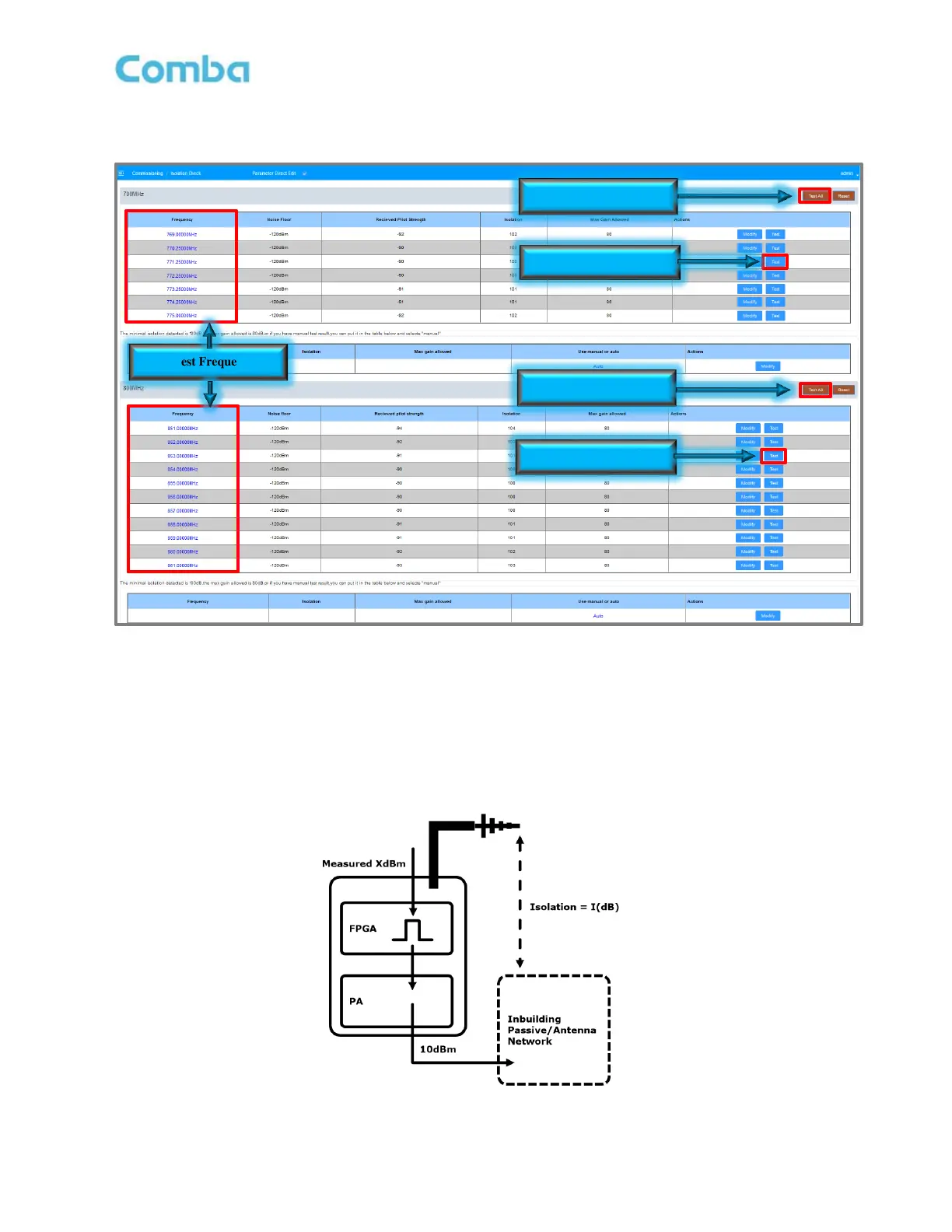
• Click <Test All> to run a test on all the test frequencies for that band. Click <Test> for a specific
frequency to test isolation for that specific frequency only. Wait for all tests to be completed.
Figure 123: V3 BDA/MU Commissioning Tools – Performing Isolation Check
During the test, the device will generate a +10dBm tone out of the Mobile Terminal on each of the test
frequencies, then measure the received power at the Donor Terminal. The difference between the generated
signal power and the received signal is the resultant Isolation.
Example:
Isolation = Generated Signal Power – Received Signal Power = +10dBm – (-85dBm) = 95dB
Figure 124: Commissioning Tools – Isolation Check Diagram



 To Next Page