©2024 Comba Telecom. All Rights Reserved.
568 Gibraltar Drive, Milpitas, CA 95035 | +1 408 526 0180
4.2 V2 FOU AND V3 RU FIRMWARE UPGRADE EXPLANATION
For the FOU and RU, firmware can be upgraded locally or can be deployed over the fiber from the
Master Unit.
- Performing a local upgrade to an FOU or RU is the same basic process as described above for the
BDA/MU and must be performed by connecting directly to the device OMT port with a computer and
ethernet RJ45 cable. Any urgent firmware upgrade is recommended to be done locally as deploying
the firmware over fiber from the BDA/MU takes a longer time.
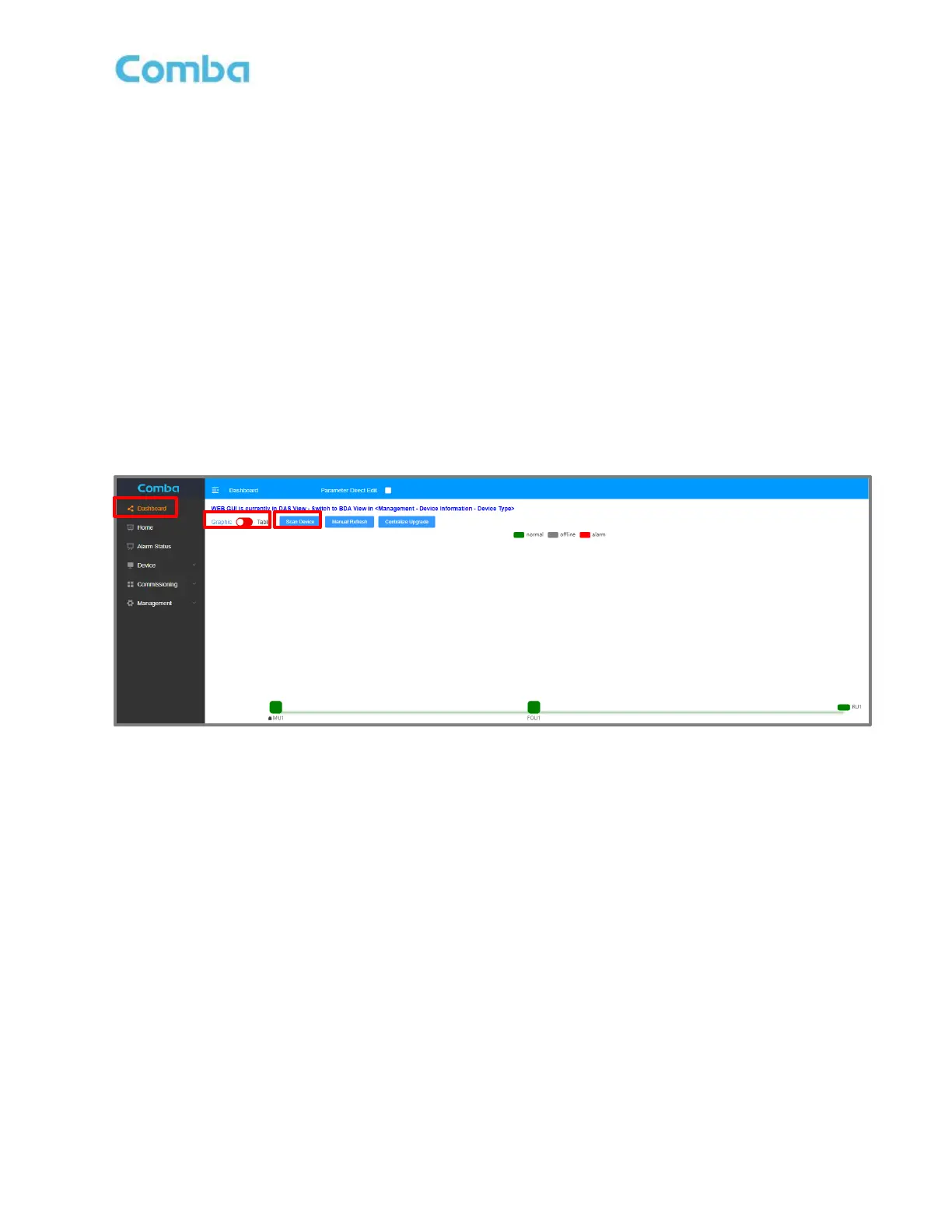
- To upgrade the FOU or RU firmware from the BDA/MU, the FOU and/or the Remote Unit must first
be discovered by the Master Unit by performing a scan in the Dashboard screen Dashboard ->
Graphic -> Scan. While the FOU upgrade is quite fast (5-10 minutes), the firmware upgrades for RUs
are much slower due to deploying the firmware data over the fiber link. Each RU can take
approximately 25-35 minutes to upgrade. Furthermore, when deploying new firmware to multiple
RUs using the Centralize Upgrade feature, the firmware is deployed one RU at a time in series. The
total upgrade time can become quite long. See Figure 161 below.
Figure 161: V3 BDA/MU Dashboard Scan for FOUs and RUs



 To Next Page