3.24 COMMISSIONING TOOLS – DL INPUT TEST (CLASS A BDA ONLY)
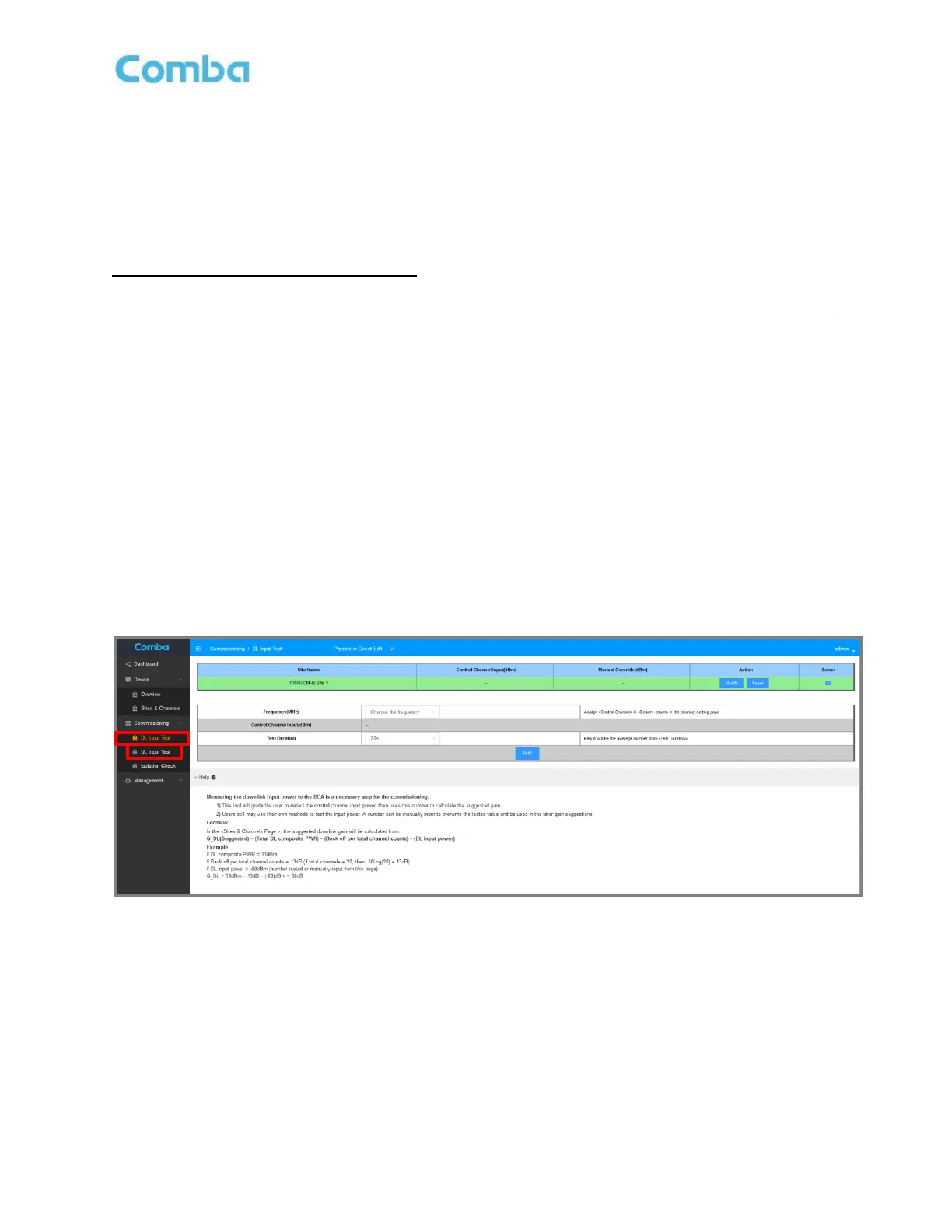
The DL Input Test is a commissioning tool provided to assist users with estimating commissioning parameters.
The user can perform a <DL Input Test> to have the GUI measure the Signal Strength of the configured DL
control channel received at the BDA/MU Donor Terminal. The measurement is then used in calculations to
estimate the DL Pathloss and DL Gain setting. This is an optional tool, and the technician can perform a
Manual Override measurement and enter the result instead if that is preferred.
DL Input Test (GUI Commissioning Tool):
• Ensure a Control Channel has been assigned. The DL Input Test only works if there is an active
Control Channel. The selected Control Channels will appear in the drop-down list in the DL Input
Test section. See section 3.22 Setting Channel Filter Frequency.
• Navigate to <Commissioning – DL Input Test>.
• Select the “Site” that you want to commission by checking the corresponding box.
• Select the Control Channel from the drop-down list.
• Select the <Test Duration>. The Average Power will be measured during this duration.
• Click <Test>. Wait until the test is completed.
• Complete a <DL Input Test> for each site if there are more than one.
The results will be displayed in the top window in the <Control Channel Input (dBm) section highlighted in
green. The results will also be displayed in the <Commissioning Tool> table when you navigate to <Device –
Sites & Channels – Site>. The result can be used later to generate estimated RF parameters.
Figure 115: V3 BDA/MU Commissioning Tools – DL Input Test



 To Next Page