©2024 Comba Telecom. All Rights Reserved.
568 Gibraltar Drive, Milpitas, CA 95035 | +1 408 526 0180
7.10 APPENDIX J: V3 BDA/MU/RU CAVITY FILTER REPLACEMENT
The Comba V3 BDA/MU and RU devices have several different cavity filter/triplexer options to allow the
customer to choose the best performing BDA for their application. The cavity filters are also field replaceable
should a jurisdiction change their frequency requirements and require a narrower or wider passband. The
cavity filter/triplexer options that are available can be found on the device datasheet and in the General
Information section of this user manual. Contact your Comba Sales Rep. for more information. The BDA/MU
will have both a Base/Donor Filter/Triplexer and a Mobile/Service Filter/Triplexer. The RU devices will only
have a Mobile/Service Filter/Triplexer installed on the right side. The replacement procedure is the same for
both the BDA/MU and RU devices, there is just one less Filter/Triplexer to replace for an RU device.
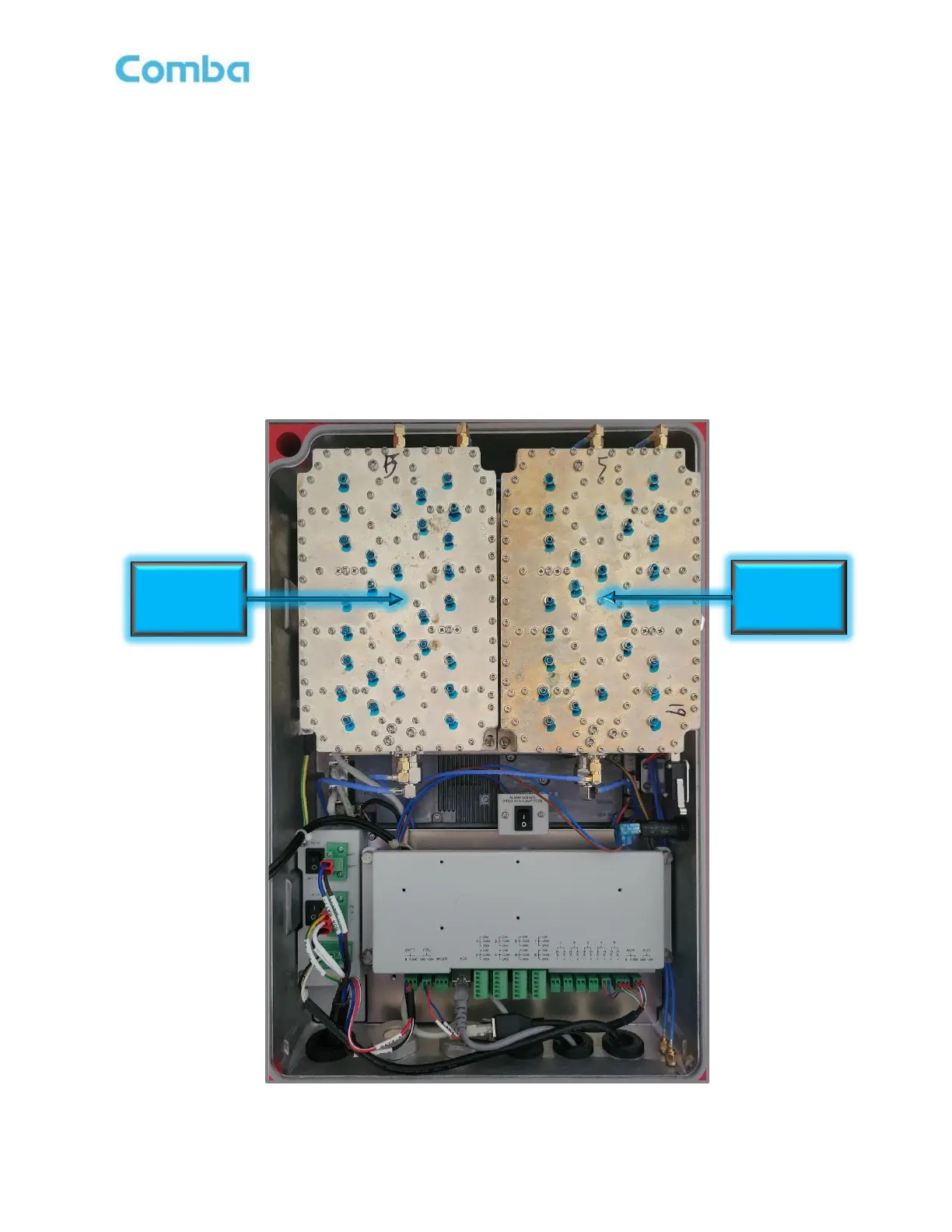
Follow the below instructions and refer to the following Figures 192 - 196 to replace the cavity filters/triplexers
inside a V3 BDA/MU or RU device:
• Open the BDA/MU/RU door to access the Filters/Triplexers
Figure 192: V3 BDA/MU/RU Cavity Filters/Triplexers
Base/Donor
Cavity



 To Next Page