©2024 Comba Telecom. All Rights Reserved.
568 Gibraltar Drive, Milpitas, CA 95035 | +1 408 526 0180
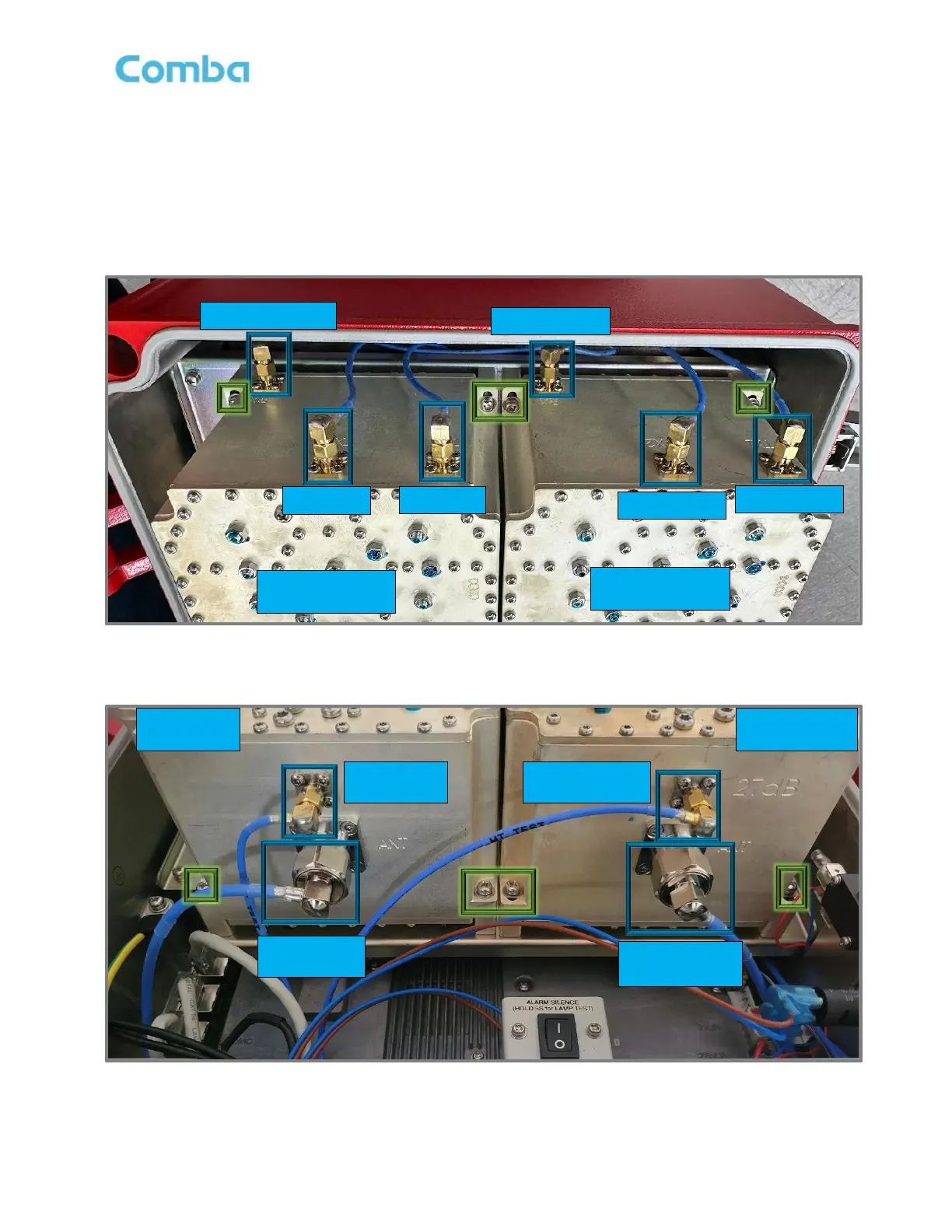
• Loosen and disconnect all RF connections to the Filter/Triplexer. Cables are labeled from the factory
accordingly for ease of identification. See below Figures 193 and 194 where RF connections are
highlighted in BLUE boxes.
• Remove the 4 Philips head screws securing the Filter/Triplexer to the chassis. Do not discard as
these screws will be reused. See below Figures 193 and 194 showing Screw Locations highlighted
in GREEN boxes.
Figure 193: V3 BDA/MU/RU Cavity Filter/Triplexer TOP RF Connections and Screws
Figure 194: V3 BDA/MU/RU Cavity Filter/Triplexer BOTTOM RF Connections and Screws



 To Next Page