©2024 Comba Telecom. All Rights Reserved.
568 Gibraltar Drive, Milpitas, CA 95035 | +1 408 526 0180
2.18 V2 FOU WALL MOUNTING
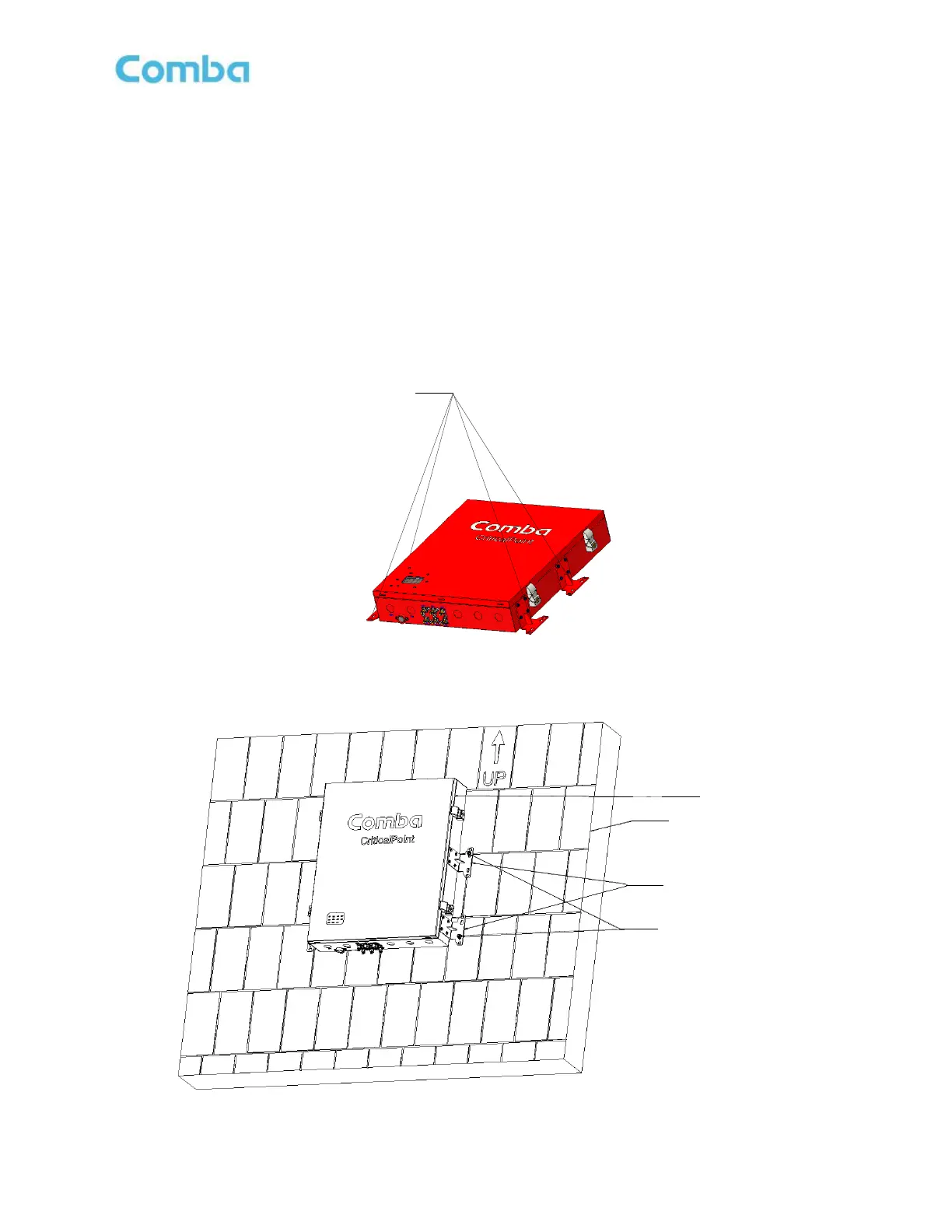
The V2 FOU has 4 x mounting brackets. Two of the mounting brackets are attached to the FOU from the
factory and the other two are in the accessory kit.
• Remove the two mounting brackets that come attached to the V2 FOU from the factory, adjust the
direction according to Figure 50, and install the remaining 2 mounting brackets from the accessories kit.
• Drill 8 holes on the wall/plywood using the position of eight holes on the V2 FOU mounting brackets as a
guide.
• Install the V2 FOU cabinet on the wall as shown in Figure 51. It is recommended to use 3/16” x 1-1/2”
screws and fender washers when mounting to 3/4” fire treated plywood. If mounting to a concrete wall,
DIN Rails, or any other materials, refer to the local building code.
Figure 50: V2 FOU Installing and Adjusting Mounting Brackets
Figure 51: V2 FOU Wall Mounting



 To Next Page