©2024 Comba Telecom. All Rights Reserved.
568 Gibraltar Drive, Milpitas, CA 95035 | +1 408 526 0180
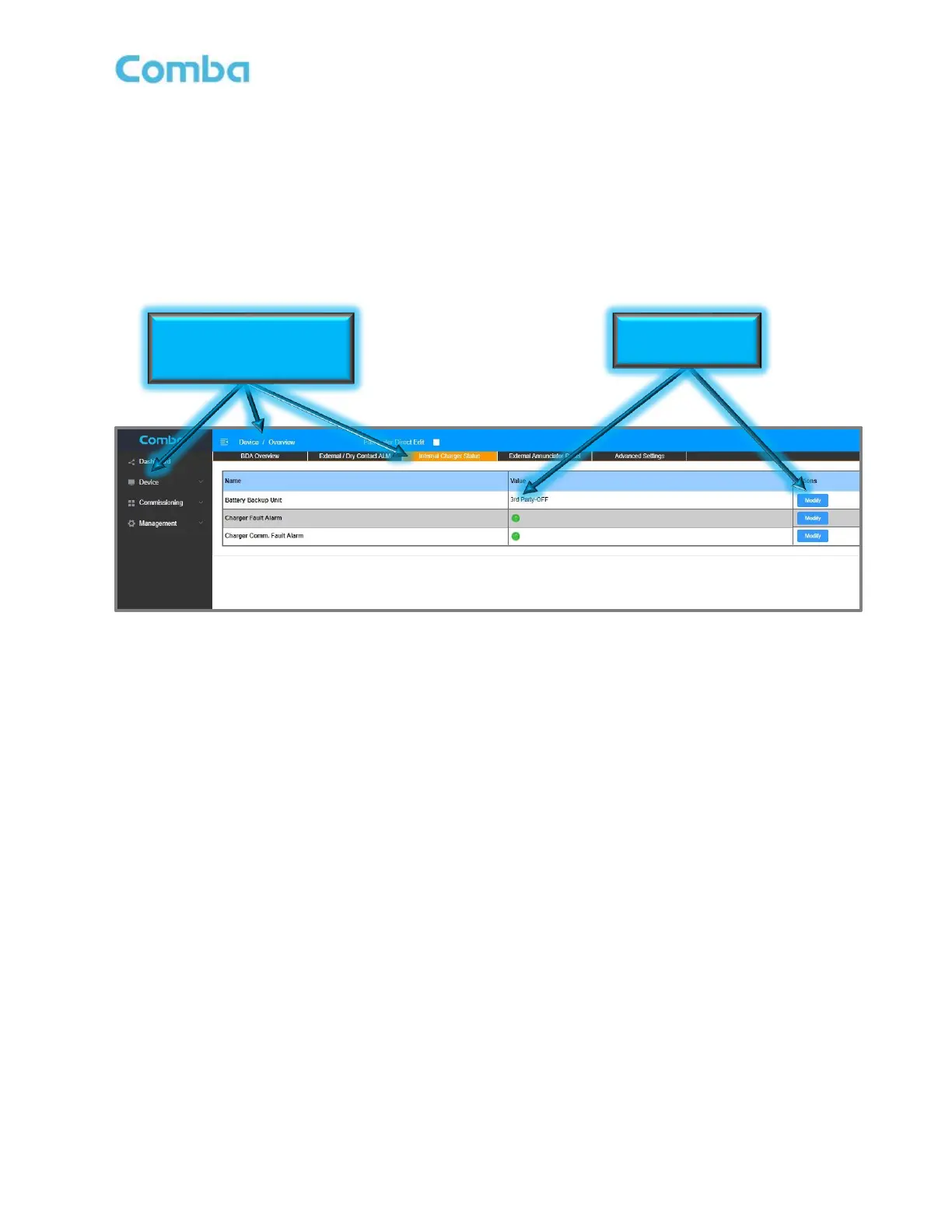
When the application only calls for 120VAC Power to be fed to the device without any battery backup, the
user must login to the device GUI, navigate to the Internal Charger Status/BBU page, and modify the Battery
Backup Unit setting to change from “Internal” to “3
rd
party” as shown in Figure 28 below. Otherwise, the
BDA/MU/RU will expect to see communication from a Comba V3 BBU and will generate false alarms.
• Login to the device GUI, navigate to the <Device – Overview – Internal Charger Status/BBU –
Battery Backup Unit – Modify>
• Change the Battery Backup Setting from “Internal” to “3
rd
party”
Figure 28: Disabling BBU in the BDA/MU/RU GUI for AC Only Application
Go to the Device > Overview >
Internal Charger Status Section



 To Next Page