©2024 Comba Telecom. All Rights Reserved.
568 Gibraltar Drive, Milpitas, CA 95035 | +1 408 526 0180
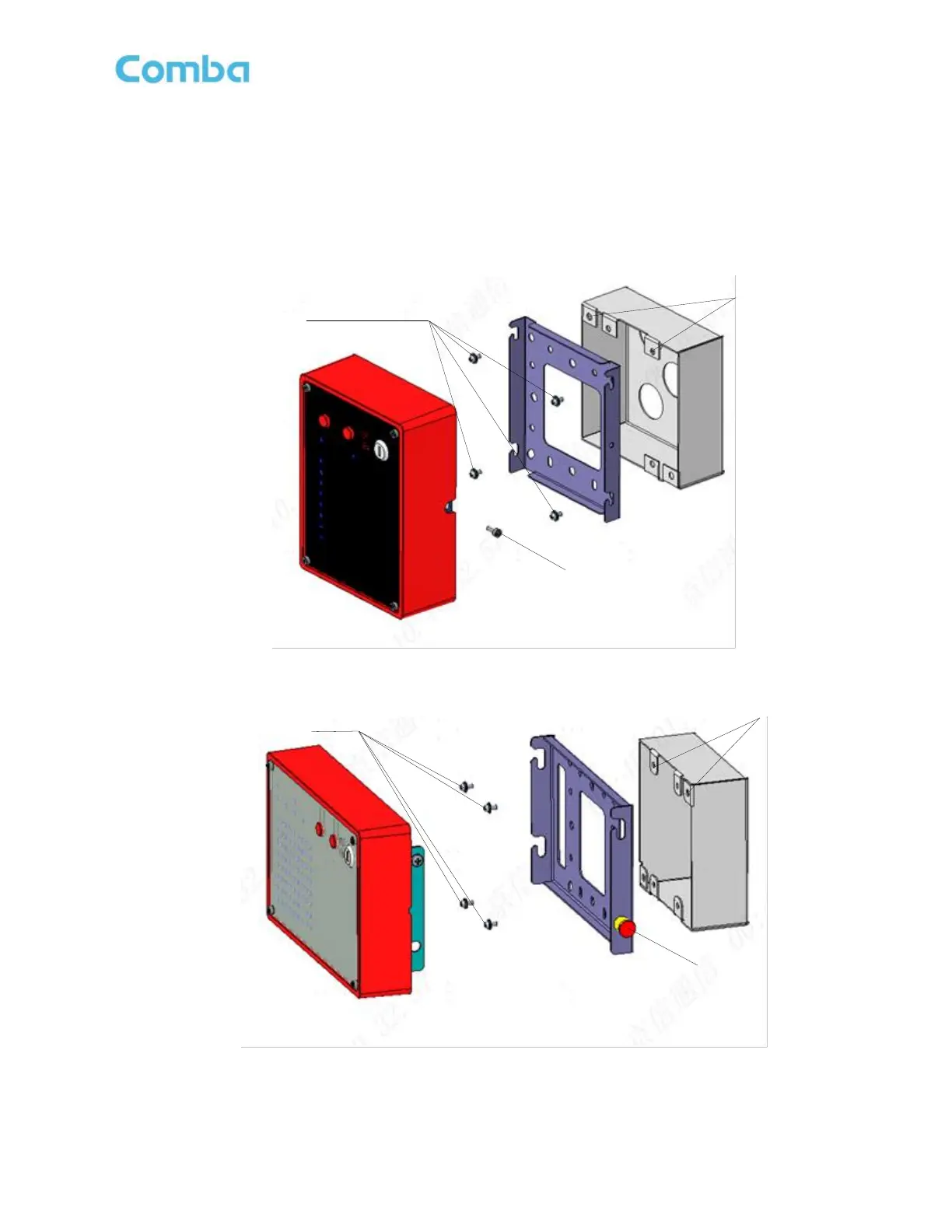
Follow the below instructions to mount the V3 AP to a 2-gang junction box. See Figures 65 and 66 below.
• Install the AP mounting bracket on the 2-gang junction box using the installation holes and
corresponding (4) screws according to the specific junction box. Screws are not included.
• Run the ethernet RJ45 cable through the center of the mounting bracket and connect to the AP device.
• Align and hang the AP on the mounting bracket. For APV3-BDA, secure the AP to the bracket using the
provided Hex screw. For APV3-DAS, secure the AP to the bracket using the provided spring pin lock.
Figure 65: APV3-BDA – Mounting - Gang Box
Figure 66: APV3-DAS - Mounting - Gang Box



 To Next Page