©2024 Comba Telecom. All Rights Reserved.
568 Gibraltar Drive, Milpitas, CA 95035 | +1 408 526 0180
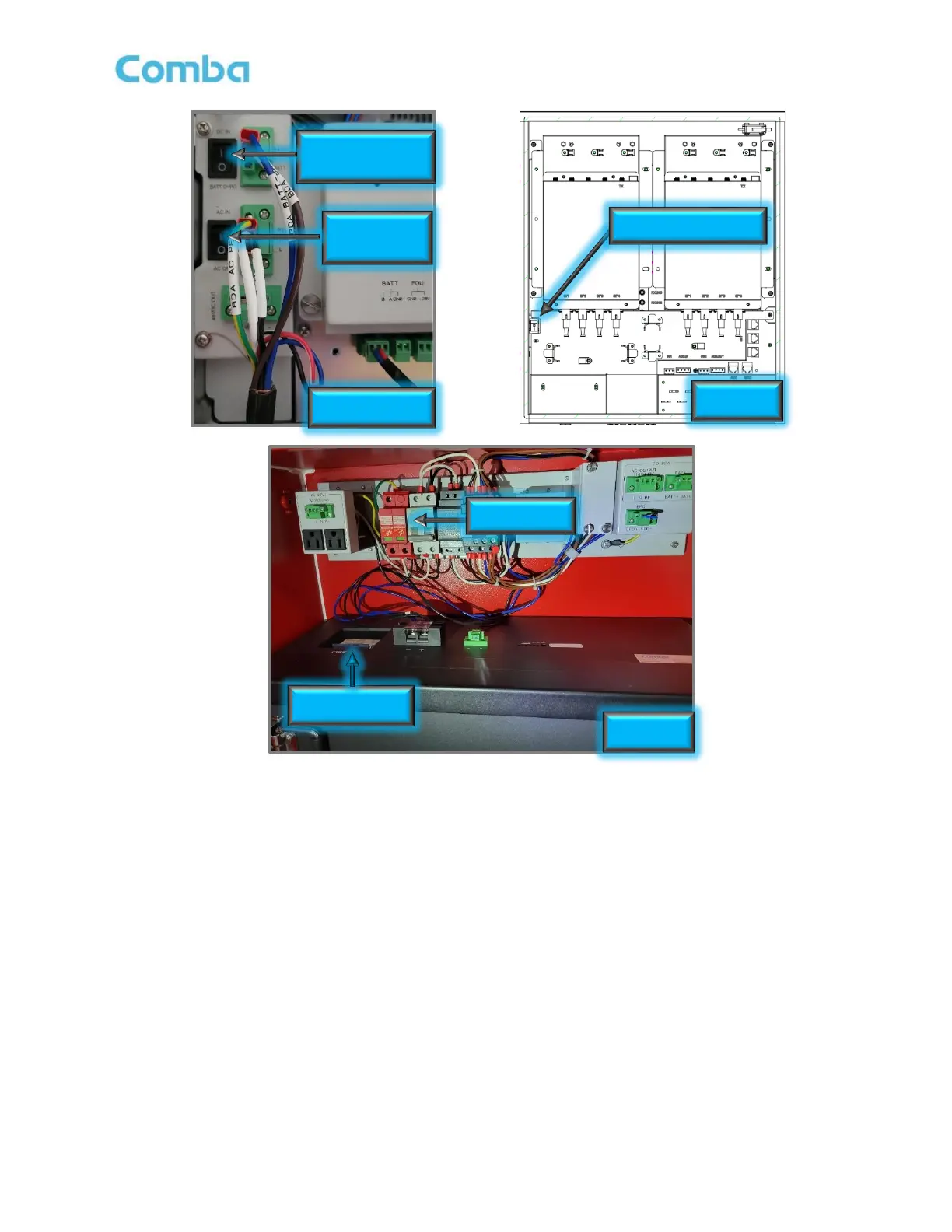
Figure 84: BDA/MU/RU, BBU, and FOU Power Switches and Breakers
Note: For V3 BDA/MU/RU devices using a Comba V3 BBU, the DC (DC IN / BATT CHRG) switch in the BDA
can be used to turn on the system when there is no main AC power source established, and the system can
boot up with DC Battery power only. It is highly recommended to leave it to “BATT CHRG” when using BBU
V3. Switch to DC IN to power up from battery only or when using Comba BBU V2 or other third party BBU
products.
Caution: During the construction phase of a project, the main AC power to the system might be intermittent
due to temporary service outages. It is highly recommended to keep the system powered down and to put
the battery to sleep until the device is commissioned for permanent use. If an active V3 system loses AC
power for more than its designed backup runtime (typically 12-24 hours), the battery may drain to a point
where it will automatically go into sleep mode to prevent itself from being damaged and unrecoverable. If the
battery automatically goes to sleep, you must manually wake up the battery again to restore normal
operation. See section 3.6 for details on awakening/turning ON the battery.



 To Next Page