©2024 Comba Telecom. All Rights Reserved.
568 Gibraltar Drive, Milpitas, CA 95035 | +1 408 526 0180
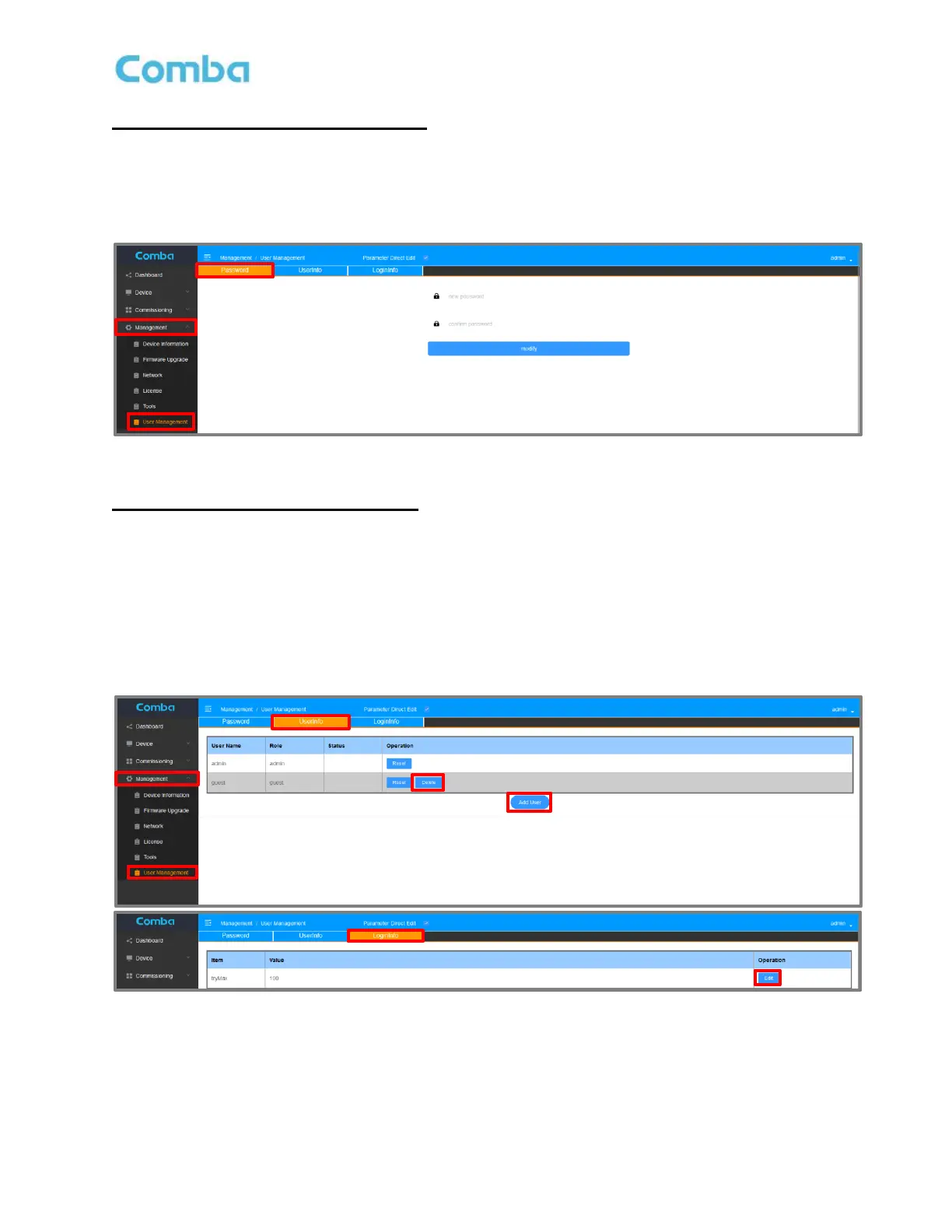
User Management – Change Password
• To change login password, navigate to the <Management – User Management – Password> Tab for
the account which is currently logged in. Enter the new password and click <modify>. If the Admin
account password has been lost, please call Comba Technical Support for assistance.
Figure 85: User Management - Change User Password
User Management – Add/Delete users
• Add/Delete users in <UserInfo> tab.
• In the <LoginInfo> tab, set <tryMax> to limit the MAX number of login attempts before the
account is locked. If the Max Attempt is reached, this account will be locked.
The <guest> account can be unlocked in <UserInfo> tab using <admin> login. If <admin> account is locked,
call Customer Service for assistance to unlock.
Figure 86: User Management - Add/Delete Users



 To Next Page