©2024 Comba Telecom. All Rights Reserved.
568 Gibraltar Drive, Milpitas, CA 95035 | +1 408 526 0180
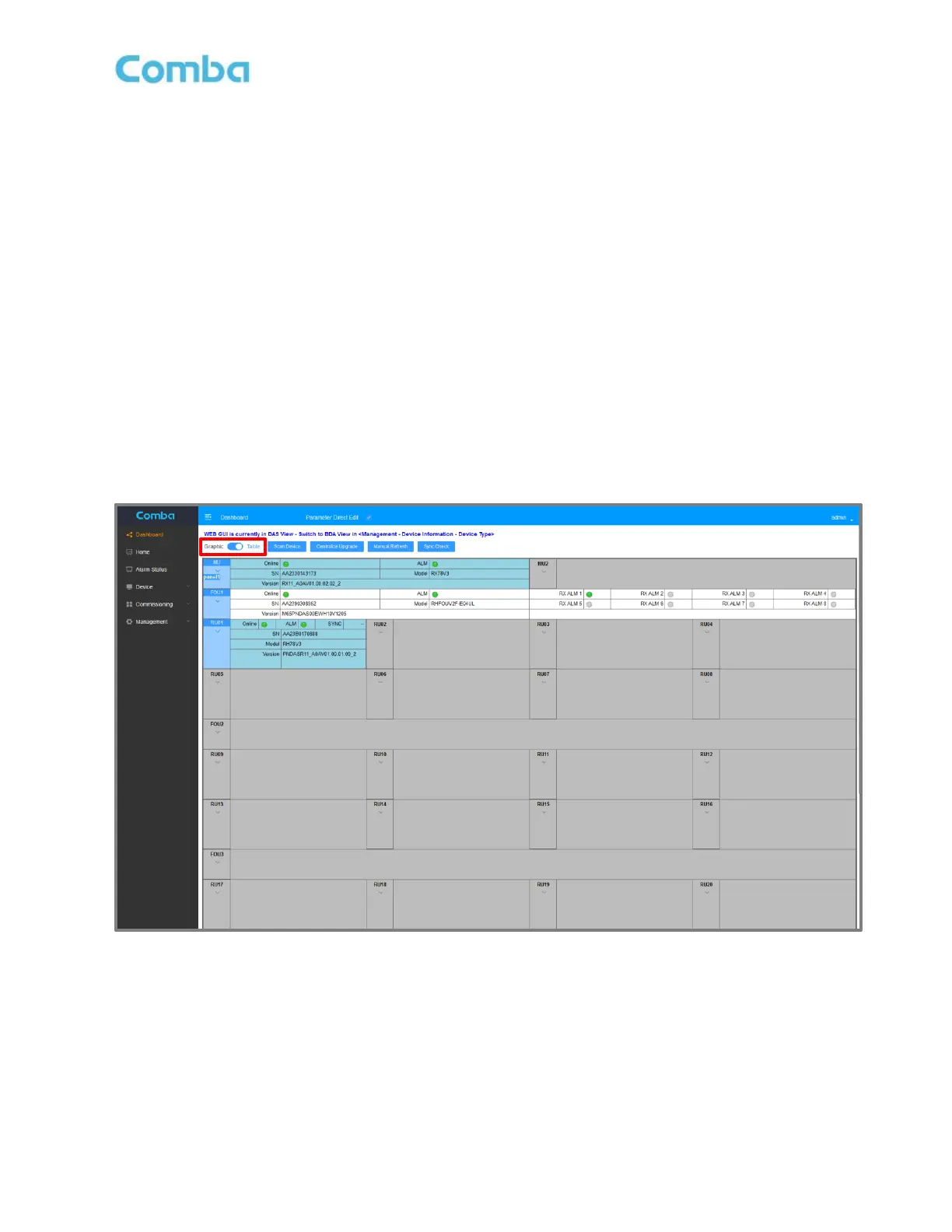
Table View:
If Table View is selected, the system devices will be displayed in a table structure. Each device within the
table will display status indicators as well as the device Model Number, Serial Number, and Current Firmware
Version.
Online Status Indicators:
• Green: Normal/Device is Communicating
• Gray: Device is Disconnected
ALM Status Indicators:
• Green: Normal/No Alarms
• Red: Alarm(s) Active (Any device alarm, not limited to Dry Contact Alarms)
• Gray: Device is Disconnected
Table View is used for viewing the system structure, basic device details, and to access device programming
pages. Clicking on a device icon will take you to the web programming screens for that device (with some
limitations compared to direct local access). FOU and RU are clickable and accessible from Table View.
Figure 94: V3 Fiber DAS – Dashboard Table View



 To Next Page