©2024 Comba Telecom. All Rights Reserved.
568 Gibraltar Drive, Milpitas, CA 95035 | +1 408 526 0180
The V1 AP annunciator is designed to display alarms according to the UL2524 2
nd
Rev Oct 2018
standard. To match the alarms of the V3 BDA/MU/RU Annunciator to the V1 AP, you must
select the “UL2524 Oct 19, 2018 “option in the GUI. If you would like to use a different alarm
configuration for the V1 AP, you must manually install new labels over the factory installed
label and update the software GUI accordingly.
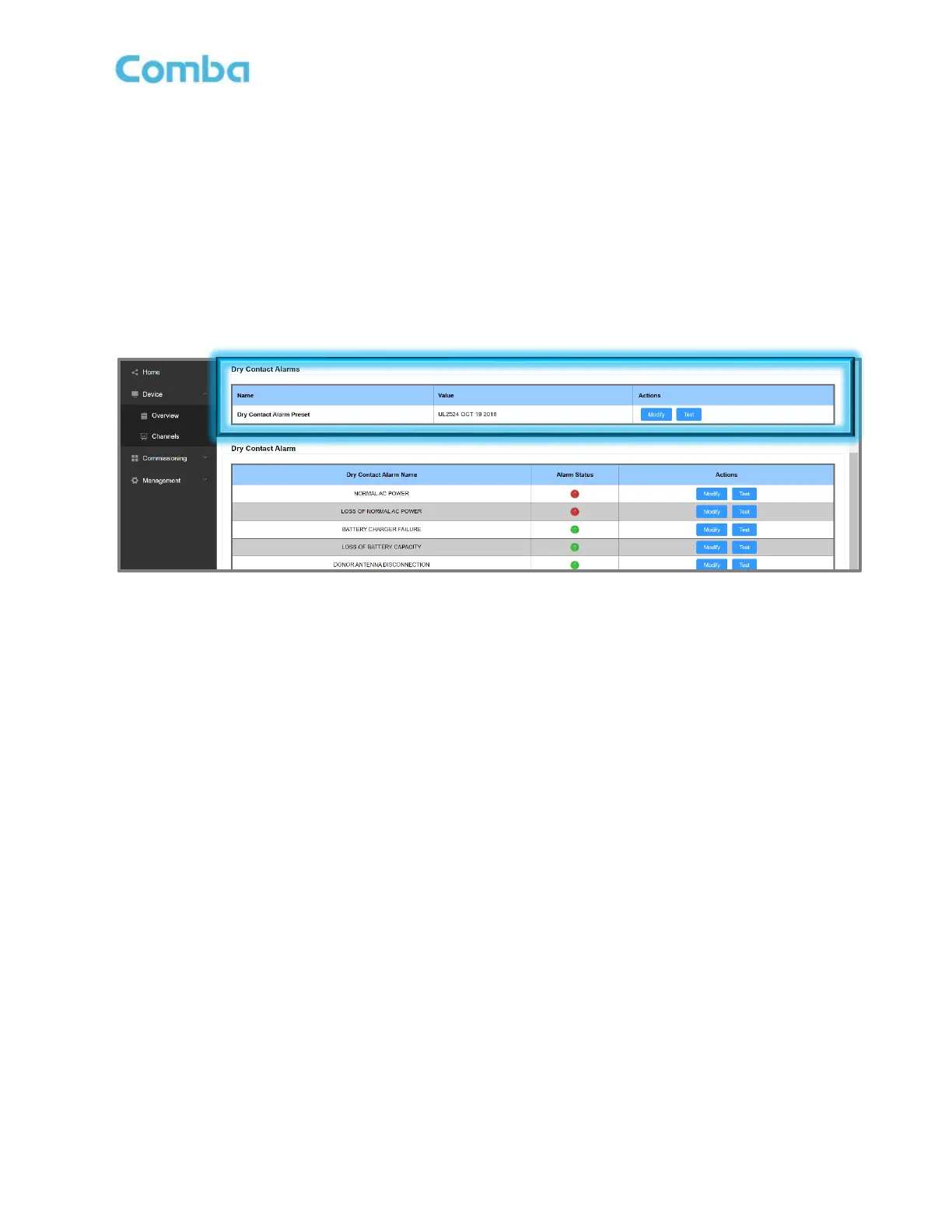
• Login to the Web GUI and click on Device -> Overview -> External/Dry Contact ALM.
• Click “Modify” to update the Dry Contact Alarm preset to “UL2524 OCT 19 2018”.
Figure 179: V1 AP Alarm Matching Setting in V3 BDA/MU/RU WEB GUI



 To Next Page