©2025 Copeland LP.
026-1803 R13 Supervisor I&O User Guide 9 - 31
9.17.3 Status and Detail Screen
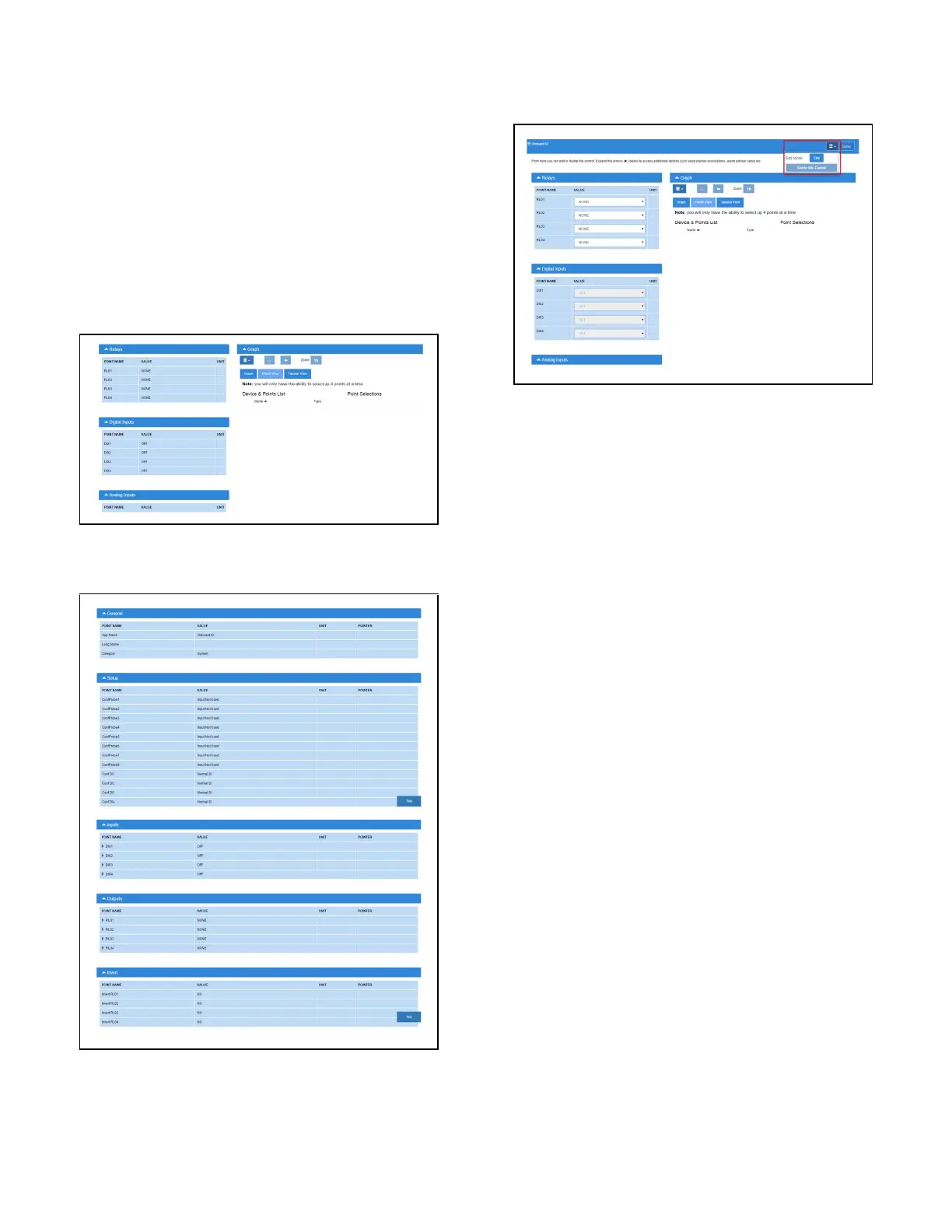
The Onboard I/O status screen, contains the following
information:
• Relays status
• Digital inputs status
• Analog inputs status.
• General status
• Setup status
• Inputs status
• Outputs status
• Invert status
The Onboard I/O properties can be configure by setting the
Edit Mode to ON on the screen drop-down menu on the
upper right side of the screen.
9.17.4 Alarming
The alarm Read Data Failed AI# is generated if sensors are
configured but disconnected.
If the advisory is reset, and the alarm/notice condition still
exists, the delay period is honored.
Advisories returns to normal if the command value stays in
the non-alarm/notice condition.
9.18 XR75CX 5.6
The XR75CX is a microprocessor based controller, suitable
for applications on medium or low temperature ventilated
refrigeration units. It has four (4) relay outputs to control
compressor, fan, and defrost, which can be either electrical or
reverse cycle (hot gas) and light (configurable).
It can also have up to four (4) NTC, CtC (EU or US type) probe
inputs. The first probe is used for temperature control. The
second probe is used to control the defrost termination
temperature at the evaporator. One of the two (2) digital
inputs can operate as a third temperature probe. The fourth
probe is used to control the condenser temperature (for
condenser alarm management) or to display a temperature
value. Set the PbC parameter to CtC to support standard
Copeland temperature sensors (factory default).
The controller is fully configurable through special
parameters that can be easily programmed through the
keyboard.
Figure 9-4 - Onboard I/O Status Screen
Figure 9-5 - Onboard I/O Status Screen
Figure 9-6 - Onboard I/O Detail Screen



 To Next Page