©2025 Copeland LP.
026-1803 R13 Supervisor I&O User Guide C - 2
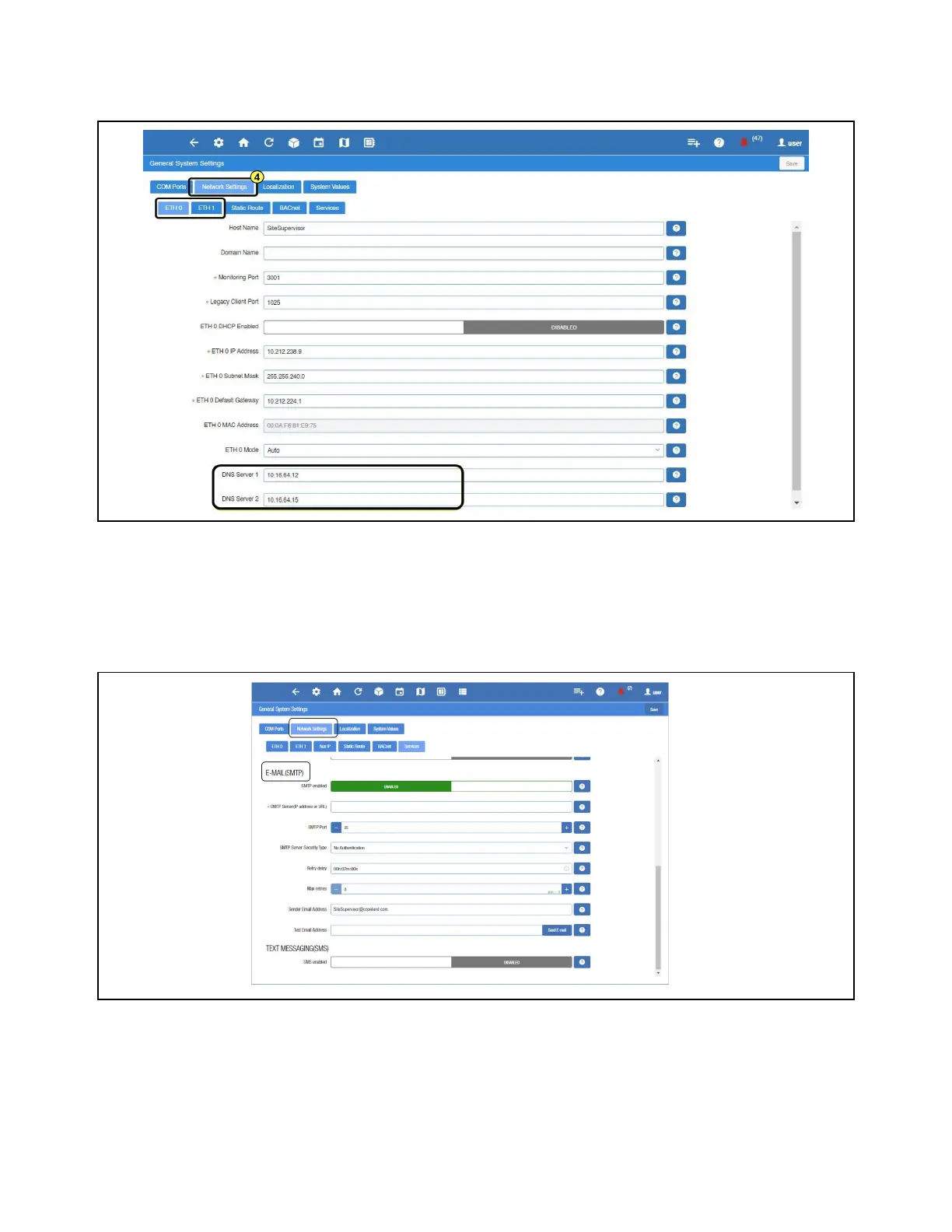
If Using Gmail, You Must Set Up a DNS Server:
For DNS Server 1 and 2 - A valid DNS server must be supplied to resolve “smtp.gmail.com.”
Messaging Setup
Email Messaging Setup
1. Scroll down to the bottom of the page to locate the options for email and text messaging:
2. Click the gray box to toggle ENABLED for SMTP email messaging. The setup options will appear after enabling.
Network Settings for Internet (TCP/IP)
Email Messaging



 To Next Page