©2025 Copeland LP.
026-1803 R13 Supervisor I&O User Guide 1 - 4
1.5 How to Change the IP Address
1.5.1 Method 1: Direct Connect
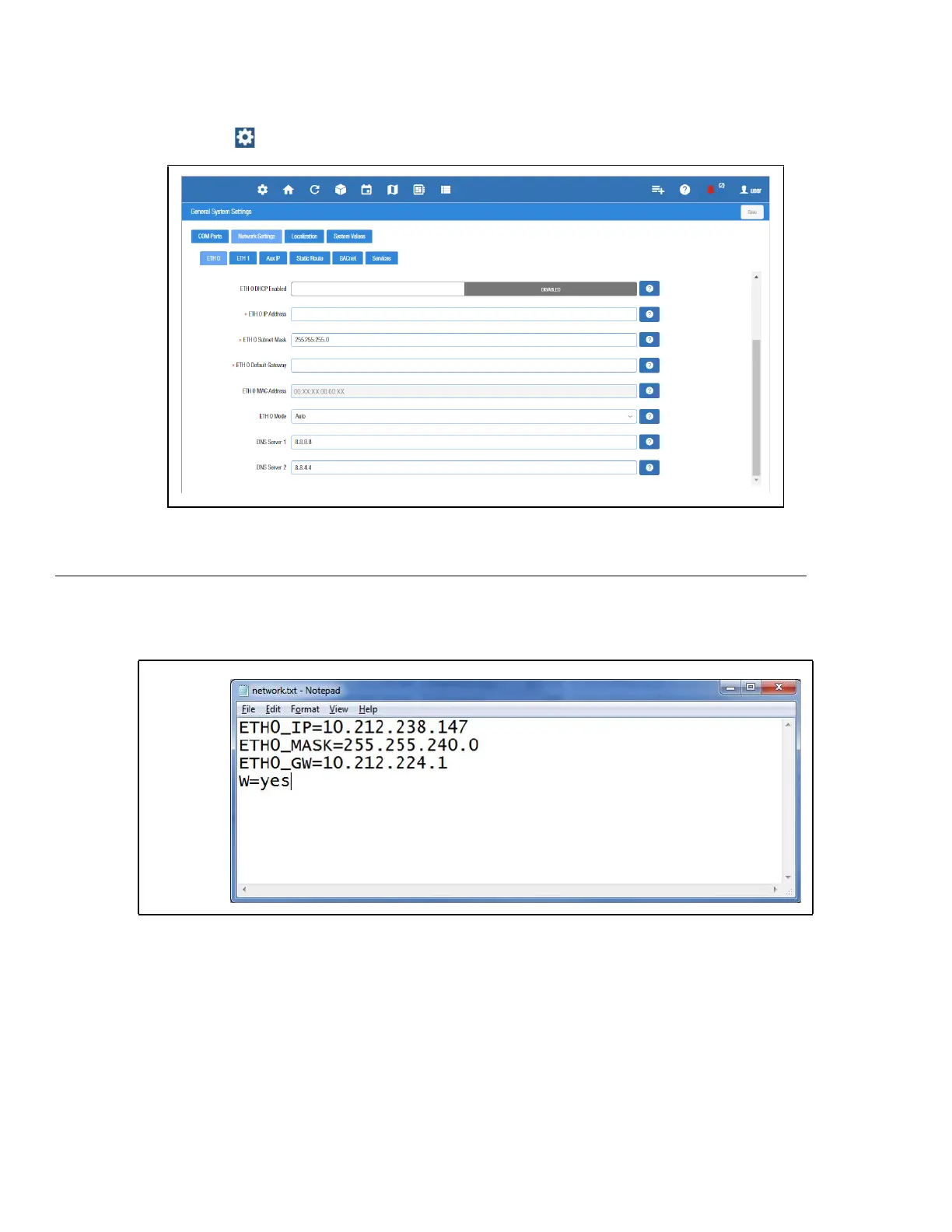
1. Select the Main Menu icon > Configure System > General System Settings > Network Settings:
2. On the INTERNET (TCP/IP) section on the screen, enter the IP Address in the ETH 0 IP Address field.
Note that you can set up the Peer Group, Unit Number, Network Mask, and Default Gateway on this screen.
1.5.2 Method 2: USB Port
1. Create a “network.txt” with your desired settings (Figure 1-5):
2. Save to the root folder of a thumb drive. Insert the thumb drive into the USB port of E3.
3. Power cycle the E3. The new IP Address will be saved.
Figure 1-5 - Enter IP Address in the ETH 0 IP Address Field
Figure 1-6 - Network.txt Notepad



 To Next Page