©2025 Copeland LP.
026-1803 R13 Supervisor I&O User Guide 3 - 6
3.6.2 Using a DC Volt Meter to Check
Termination and Bias
Unplug connector from the Site Supervisor Serial port and
make DC voltage measurements on the Serial port pins. Place
the meter common probe on the Serial Comm pin and
measure voltage on the Serial port “+” pin and the Serial port
“-” pin. See the table below for expected voltages.
*Note that for both Termination and Bias OFF, the voltage on
both pins are undetermined but typically equal and near
2.4Vdc.
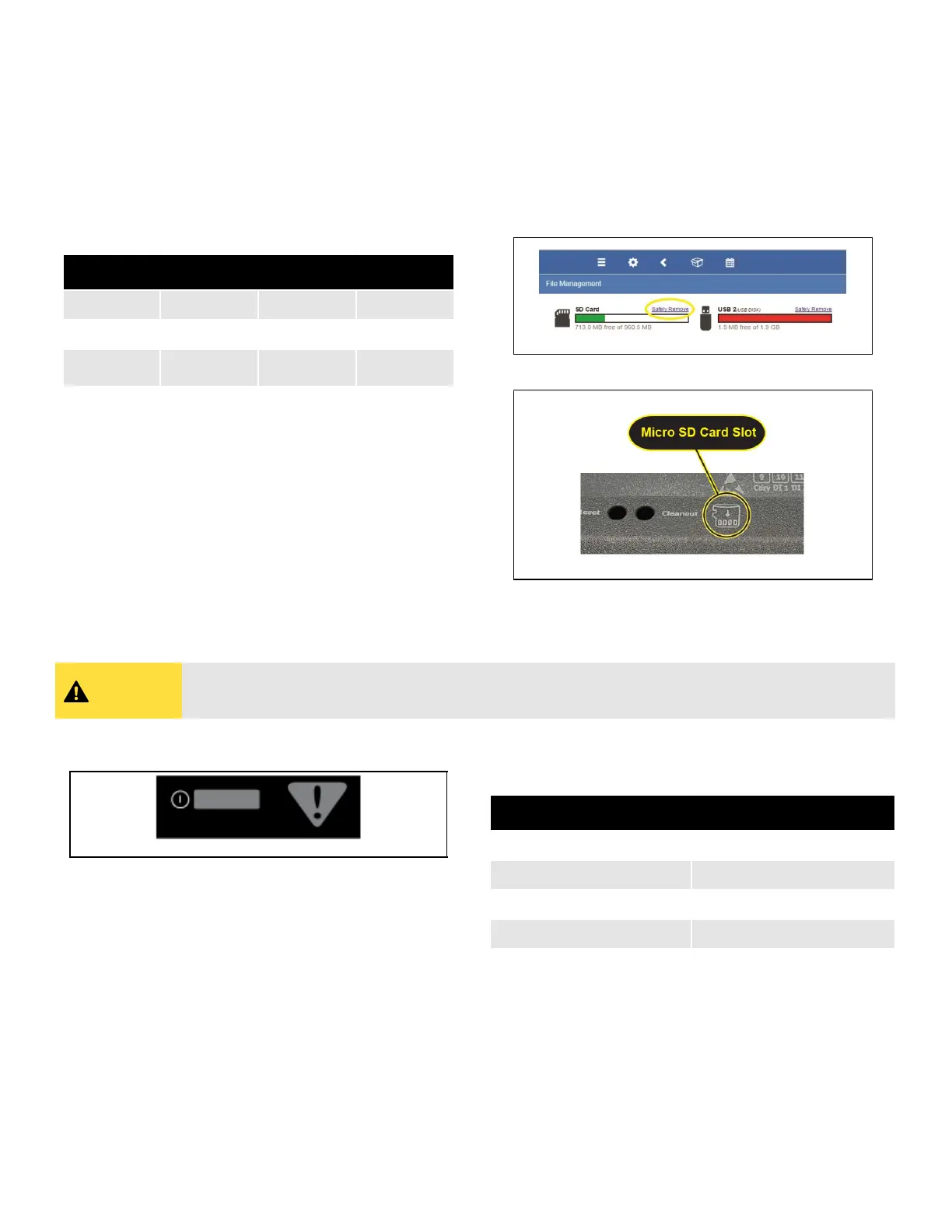
3.6.3 Removing The SD Card
If present, the user can manage the SD card or USB drive in
order to upgrade controller firmware, set the Ethernet TCP/IP
configuration, and read the Ethernet TCP/IP settings. The SD
card must be inserted in the SD socket. To remove the SD
card safely from the Site Supervisor without shutting down,
click Safely Remove under File Management and remove
the SD card from the socket.
3.6.4 LEDs
Table 3-3 - Termination and Bias Voltages
Term Bias Serial + Serial -
OFF ON 5Vdc 0Vdc
ON ON 2.7Vdc 2.3Vdc
OFF OFF
*
2.4Vdc
*
2.4Vdc
Figure 3-7 - Safely Remove the SD Card
Figure 3-8 - Micro SD Card Slot
CAUTION
CAUTION! DO NOT remove the cover. Removing the cover will void the warranty.
Figure 3-9 - LEDs on Front Enclosure
Table 3-4 - LED States and Definitions
State Description
Solid red Starting up
Flashing red - 1 Hz Loading OS/Application
Solid green Running - Normal Status
Flashing red - 2 Hz Failure to load



 To Next Page