©2025 Copeland LP.
026-1803 R13 Supervisor I&O User Guide 4 - 13
4.13 Using the Help Menu
This section contains instructions for using the help menu on
the Site Supervisor.
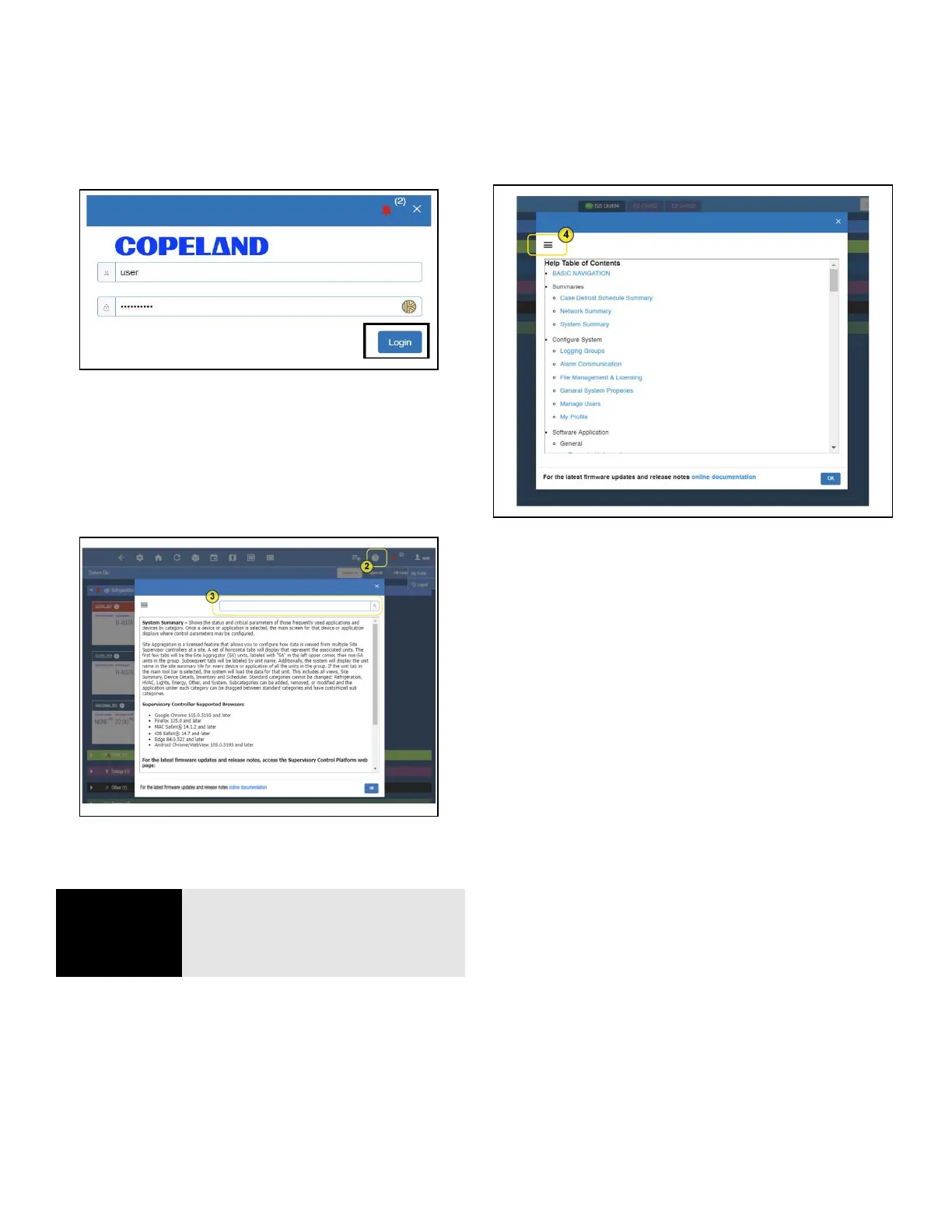
1. Log into the Site Supervisor and enter the username and
password.
2. From anywhere in the controller, click the Help icon
(question mark inside a circle).
3. A search field is available at the top of each help page.
Enter a keyword into the search field and the help page
you are currently viewing will be searched for the
keyword.
4. Click the Main Menu button (three horizontal lines) to
show the complete menu. It will provide links to the
complete help menu with links per topic on the table of
contents.
5. Search key words on the search box to narrow down
topics to search.
Figure 4-22 - Logging In to the Supervisory Controller
Figure 4-23 - Click Help Icon for Page Help
NOTE
NOTE: The HELP menu is context
sensitive and will display information
about the function, application, or
device the user is viewing.
Figure 4-24 - Click Help Icon for Page Help



 To Next Page