©2025 Copeland LP.
026-1803 R13 Supervisor I&O User Guide 4 - 3
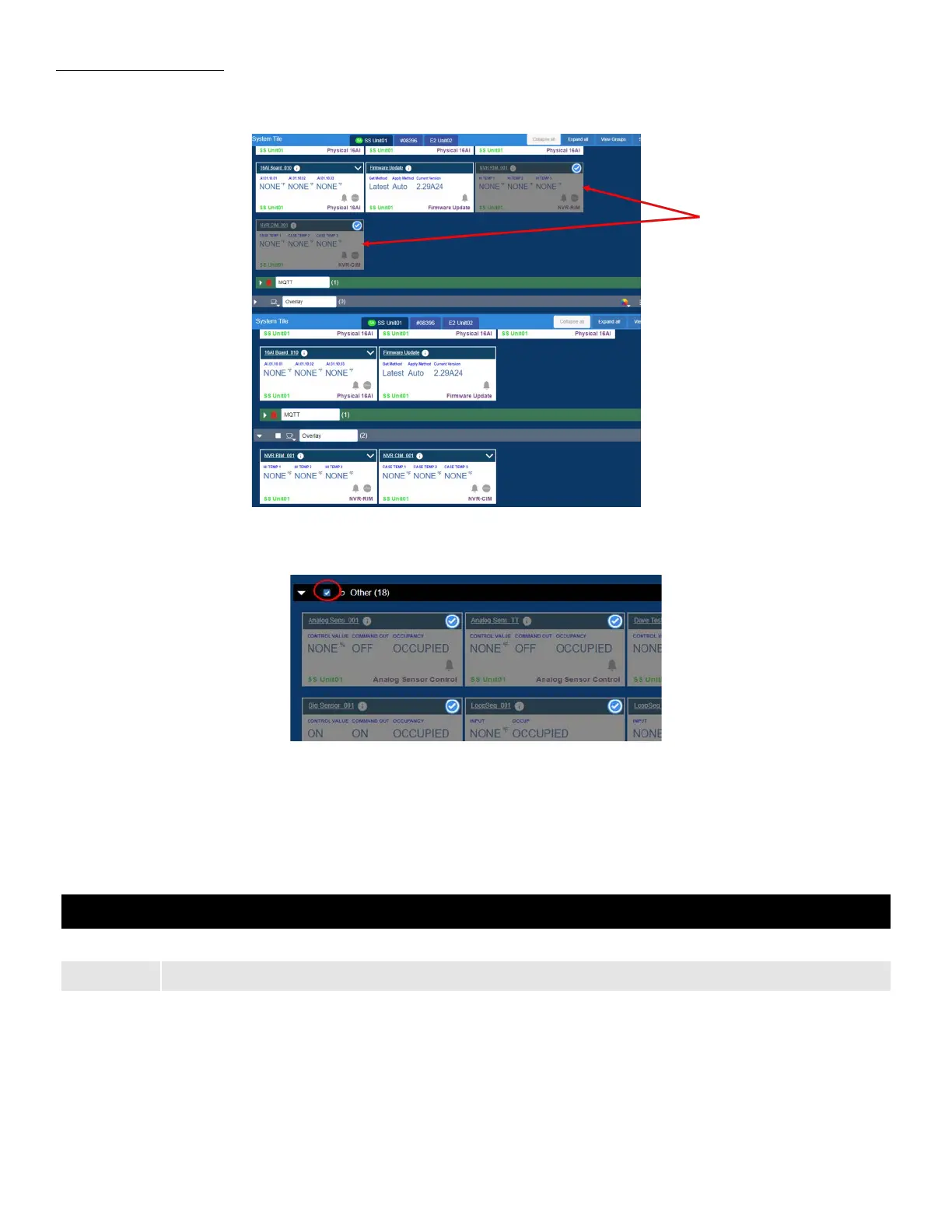
Moving Multiple Tiles
1. While still in the edit groups mode, you can select multiple tiles by simply clicking on the ones you want, and then drag
them to the group where you want them.
2. Clicking the white box next to the group name will automatically select all tiles in that group (group must be expanded to do
this).
4.3 COM Port Bandwidth Color Scheme
General Changes Color Scheme Help Description
Table 4-1 - COM Port Color Scheme
Color Description
Green Lite Network Load - The connection is operating smoothly with no delays in data transmission.
Yellow
Marginal Network Load - The connection is moderately busy with no noticeable delays in data transmission.
Orange
High Network Load - The connection is highly utilized and data transmission may be slower than usual.



 To Next Page