©2025 Copeland LP.
026-1803 R13 Supervisor I&O User Guide 4 - 2
4.2 Logical Groups
Creating a new Top Level Group
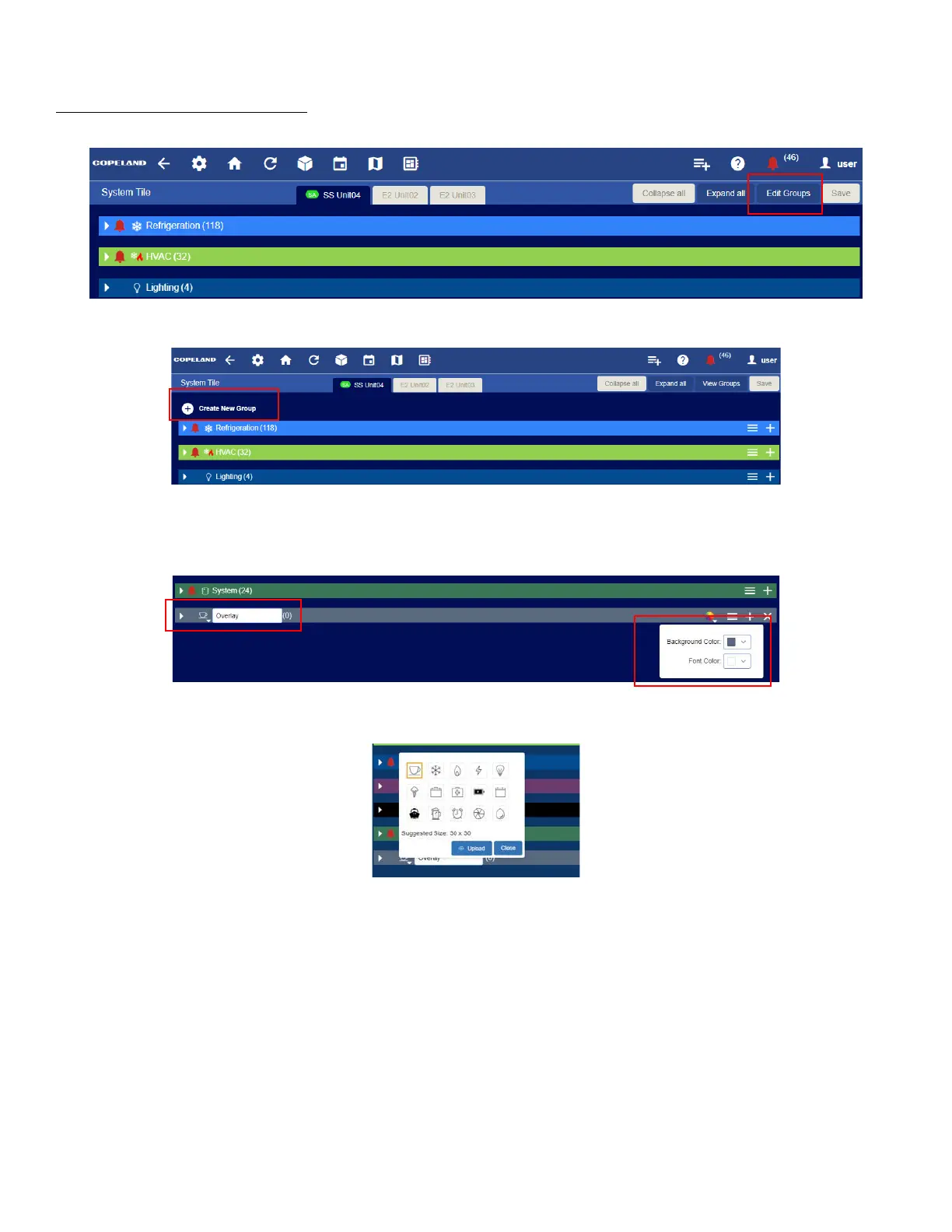
1. From the system tile screen, click Edit Groups.
2. To create a new top level group, click on the + at the top of the list that says “Create New Group”.
3. Type a name in for the new group.
4. On the right side, you can choose a color from the color picker.
5. Change the icon next to the name if desired by clicking the down arrow and selecting a new one. You can also upload an
icon to use.



 To Next Page