©2025 Copeland LP.
026-1803 R13 Supervisor I&O User Guide C - 1
Appendix C: Setting Up Email and Text Alerts in Your Supervisory Controller
How to Send Emails and SMS Alarm Messages
Logging In
1. Launch a preferred web browser.
2. Enter the IP Address of the device.
3. The default IP Address is 192.168.1.250 for ETH0 and 192.168.1.250 for ETH1.
4. Log into the Supervisory Controller by selecting Login located at the upper right side of the screen and enter your
username and password.
How to Go to Network Settings
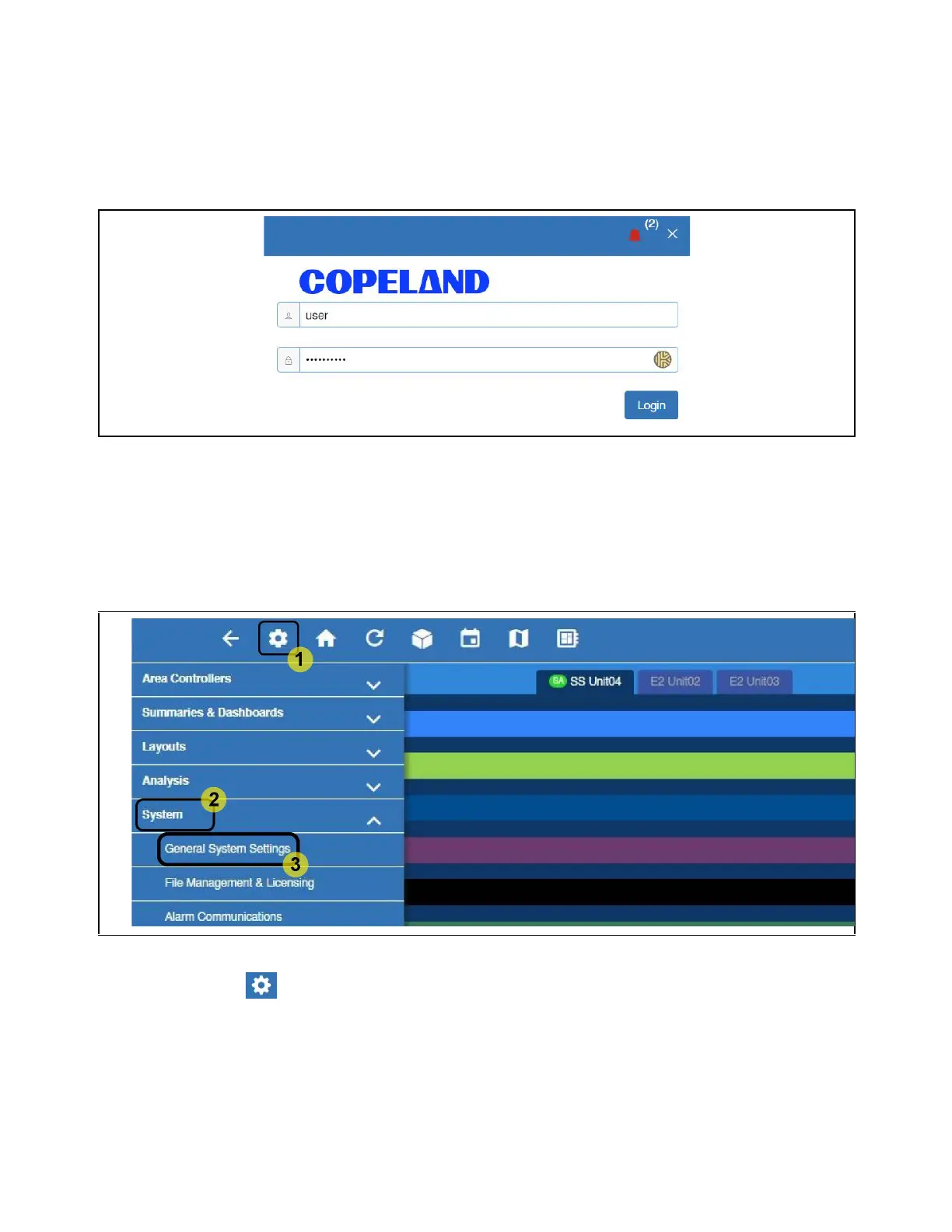
1. Click the Setup (gear) icon.
2. Click System.
3. Click General System Settings.
4. Click Network Settings on the General System Settings page. Click Advanced to see all settings.
Log Into the Supervisory Controller
Access General System Properties



 To Next Page