©2025 Copeland LP.
026-1803 R13 Supervisor I&O User Guide 9 - 35
9.20 XC645CX 2.5
The XC645CX is designed to manage both compressors and
fans in a condensing system such as a pack. The
compressors can be digital scroll, simple, multistage. Control
is by means of a neutral zone or proportional band and is
based on the pressure or temperature sensed in the LP
suction (compressors) and HP (condenser) circuits. A special
algorithm balances the run hours of the compressors to
distribute the work load uniformly. The controllers can
convert both LP and HP pressures and displays them as
temperatures. The front panel offers complete information on
the system's status by displaying the suction and condenser
pressure (temperatures), the status of the loads, possible
alarms or maintenance conditions. Each load has its own
alarm input that is able to stop it when activated. Additionally,
there are two inputs for low and high pressure switches:
when these are activated, the system is stopped. The
controller can be easily programmed at power-on by using
the Hot Key. The controller can be connected to the XWEB
controlling and monitoring system, through the TTL output,
using the standard MODBUS RTU protocol.
How To Add an XC645 2.5 Device on the
Supervisor:
1. From the Home screen, click the Control Inventory icon
(box). Click the drop-down arrow for Add Control in the
appropriate category and select from the list.
2. Select the Control or Application Type - XC645CX 2.5,
enter the Quantity, Control Name and Serial Type. Note
that Serial Type information can be enter later. Click Save
to add the application.
3. A Confirmation box will appear saying that the
application is successfully added to the system, click
Close or Edit these controls.
4. The system will display the new application(s) on the Site
Summary screen.
5. Click the XC645CX 2.5 application panel box to view the
application.
6. The system will display the XC645CX 2.5 application
parameters.
7. The user can view and configure the properties of the
application by setting the Edit Mode to ON on the screen
drop-down arrow on the upper right of the screen.
9.20.1 Application Advisories
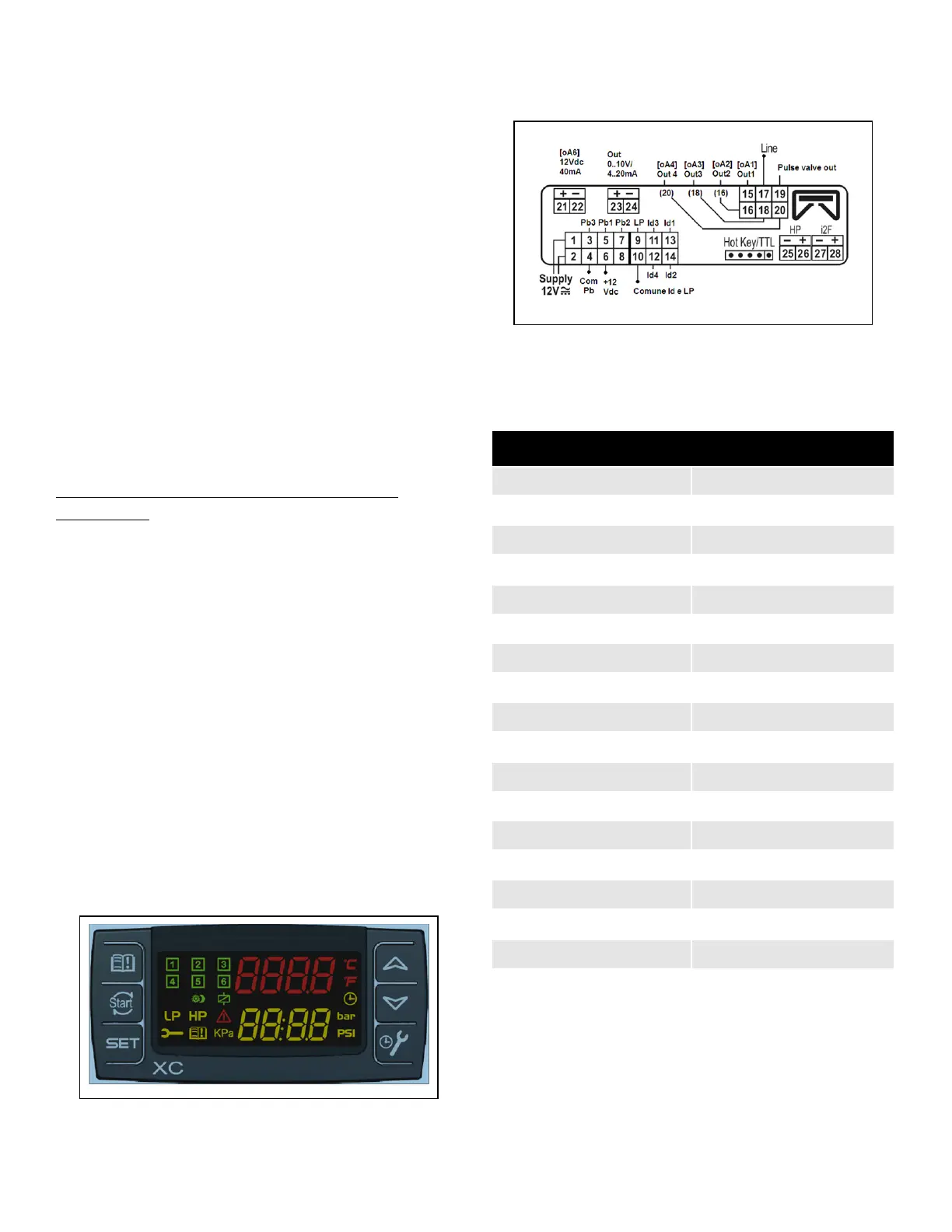
Figure 9-8 - XC645CX 2.5 Device
Figure 9-9 - XC645CX 2.5 Wiring
Table 9-15 - XC645CX 2.5 Application Advisories
Alarm Description
ERROR PB1 Error Pb1
ERROR PB2 Error Pb2
ERROR PB3 Error Pb3
LIQUID LEVEL Liquid Level Alarm
LOW SUCT ALARM Low Suction Alarm
HIGH SUCT ALARM High Suction Alarm
LOW COND ALARM Low Condens. Alarm
HIGH COND ALARM High Condens. Alarm
LOAD 1 ALARM Load 1 Alarm
LOAD 2 ALARM Load 2 Alarm
LOAD 3 ALARM Load 3 Alarm
LOAD 4 ALARM Load 4 Alarm
LOAD 5 ALARM Load 5 Alarm
LOAD 6 ALARM Load 6 Alarm
LP SWITCH ALARM Low Press. LP Switch
HP SWITCH ALARM High Press. HP Switch
ELECTRONIC LP Electronic low press
DGS DLT ALARM Digital Scroll High Discharge
Line temp



 To Next Page