©2025 Copeland LP.
026-1803 R13 Supervisor I&O User Guide 1 - 3
1.4 Logging Into the Supervisory Controller
1. Launch a preferred web browser: Google Chrome 105.0.5195 and later, Firefox 105.0 and later, MAC Safari 14.1.2 and later,
iOS Safari 14.7 and later, Microsoft Edge 84.0.522 and later, and Android Chrome/WebView 105.0.5195 and later
2. Enter the IP Address of the Supervisor.
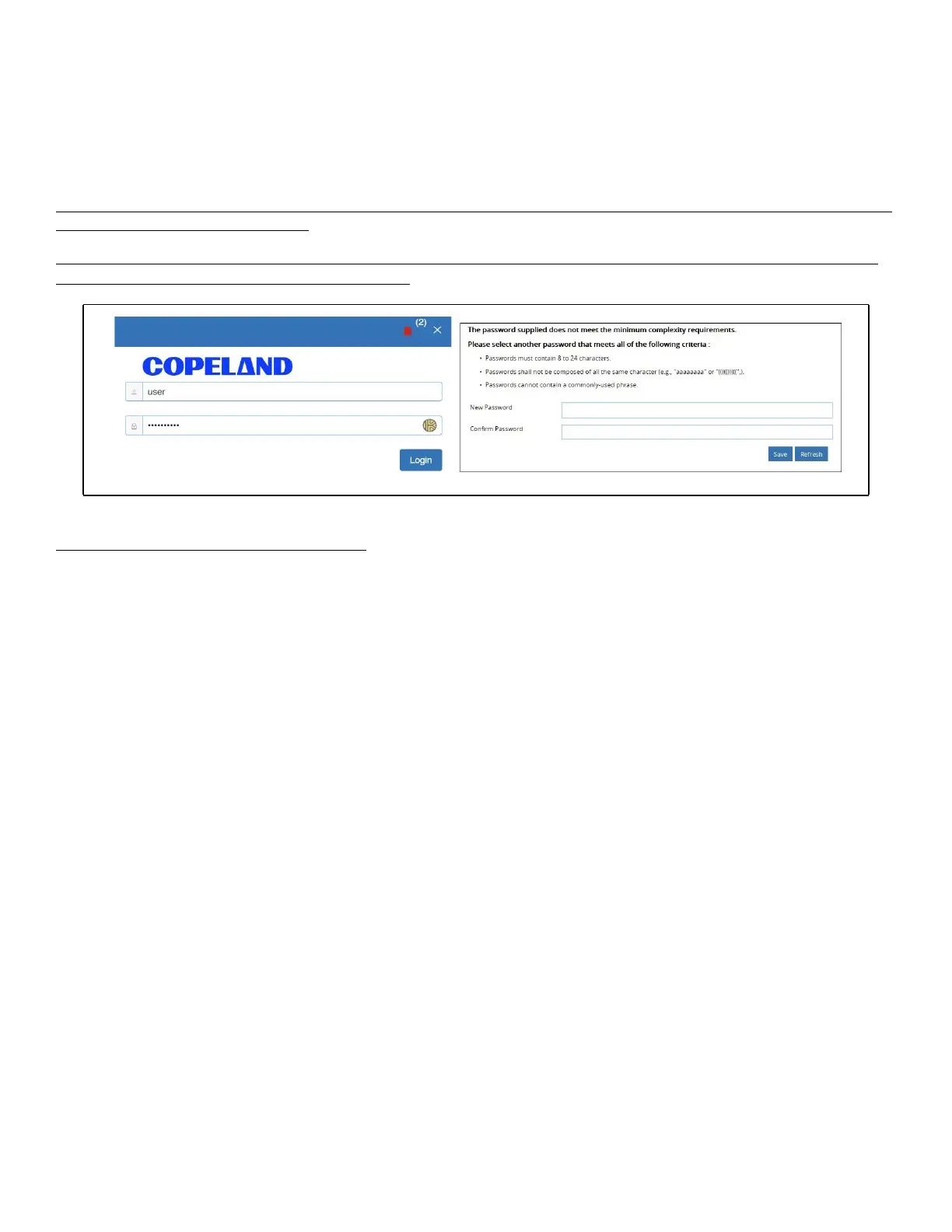
3. Enter your Username/Password (default user/pass) and click Login. Update the password to the minimum complexity
requirements and click Save. Note that after the first login using the default user/pass, the password must be
updated.
Note that when directly connecting your laptop or PC to ETH1, enter the default IP into the browser address bar: ETH1
Default IP Address is 192.168.1.250
Note: If an incorrect password is entered 10 times in a row, the user will be locked out for 20 minutes. A message will
appear ti show the number of remaining attempts.
Password Standards - Security Enhancement
To ensure the highest level of protection and security, it requires users to create passwords for logging into Supervisory
controllers that meet certain criteria and National Institute of Standards and Technology (NIST) recommendations (nist.gov).
1. The password cannot contain the username.
• Example: Username: JSmith; Password: JSmith123 – this password will be rejected
2. The password cannot contain the following context-specific words from the general system properties setup:
• Site Name
• Unit Name
• Group Name
• Host Name
• Domain Name
3. Passwords must contain 8 to 24 characters.
4. Passwords cannot be composed of all the same characters (For example, “aaaaaaaa” or “&&&&&&&&”)
5. Passwords cannot contain a commonly-used phrase.
Figure 1-4 - Login Screen at Controller Startup and Update Password



 To Next Page