©2025 Copeland LP.
026-1803 R13 Supervisor I&O User Guide C - 3
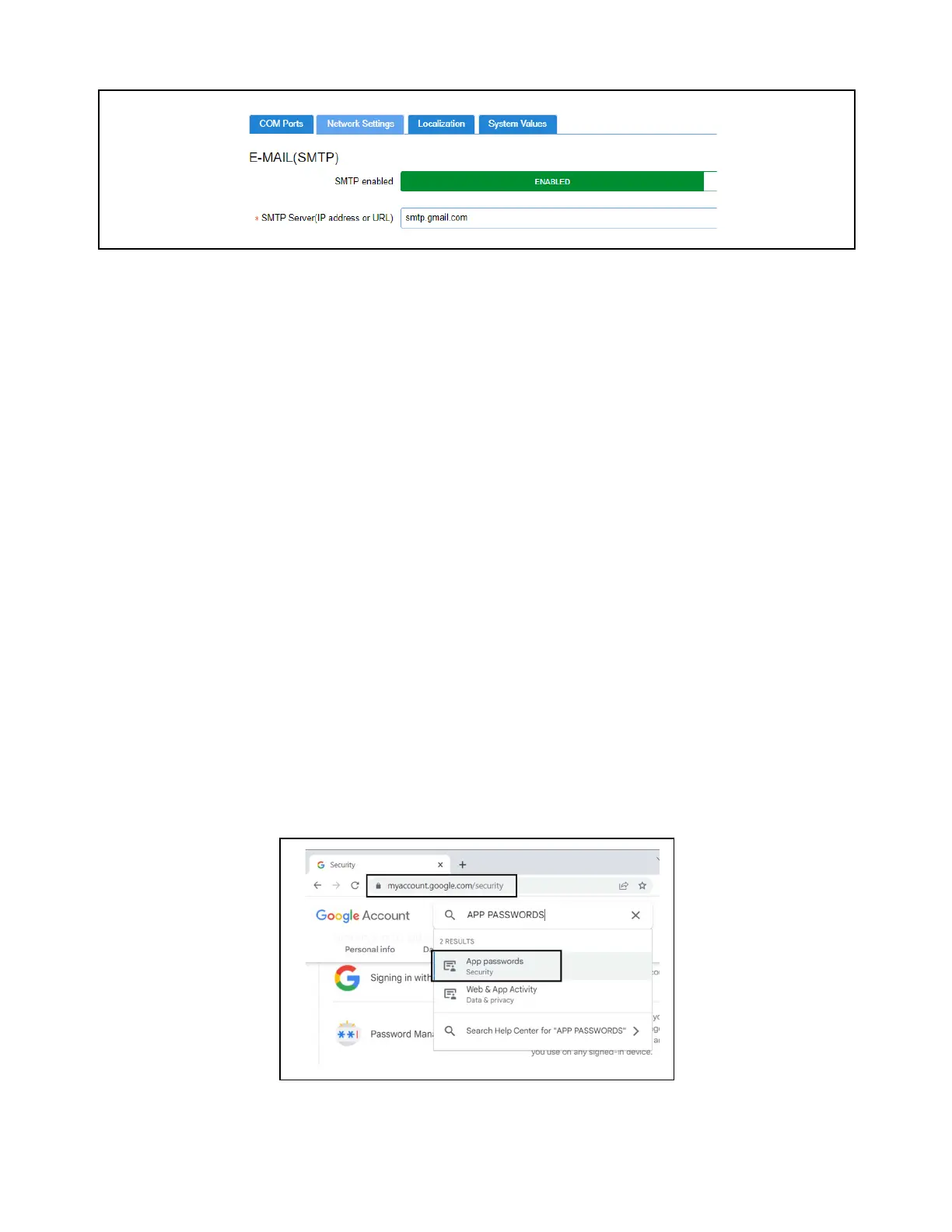
SMTP Server
• SMTP Server (Simple Mail Transfer Protocol) is an Internet standard for electronic mail transmission.
• SMTP Server can either be the server name or IP Address.
• Check with your local IT for the availability of SMTP on your local server.
• Example of an SMTP server that is available for public use is smtp.gmail.com.
• When SMTP has been enabled, the Test Email Address option becomes available. Enter the sender’s email address and
click Send E-mail to test and verify that notifications will be received by the correct email.
Default Gmail SMTP Settings
• Gmail SMTP server address: smtp.gmail.com
• Gmail SMTP username: Your full Gmail address (for example, yourusername@gmail.com)
• Gmail SMTP password: Use the app password created.
• Gmail SMTP port (TLS): 587 (for port 587, the Authentication type must be Username/Password TLS)
• Gmail SMTP port (SSL): 465
• Gmail SMTP TLS/SSL required: yes
IMPORTANT: For Gmail, access from inside the Gmail account must be enabled for less secure applications to receive
emails.
E3/Site Supervisor Gmail SMTP Setup
The Sender Email Gmail Account will need to enable two-factor authentication and setup an APP PASSWORD for the E3/SS to
use.
1. Navigate to myaccount.google.com/security and login with the SENDER EMAIL username and password.
2. Search App passwords in the Search Google Account search field.
3. Select App passwords from the results.
SMTP Server
Account Security



 To Next Page