©2025 Copeland LP.
026-1803 R13 Supervisor I&O User Guide E - 23
Appendix E: Peer to Peer Network Setup for Mixed Sites (Two Supervisors
and One E2)
A Peer network allows communication between multiple controllers to take place with one controller as the annunciator, which
will send alarms for all the controllers on the network.
Supervisory Controller Peer Network Setup
Step 1: Open a Browser
To begin setting up the controllers for a Peer Network, open a browser and enter the IP address of the Supervisory Controller
you wish to add to your Peer Network. You will repeat this process for each controller you are setting up on your Peer
Network.
Step 2: Click the Gear Icon
For each Supervisory Controller, click the gear and go to Configure System > General System Properties > System
Values. The System Values page is where you will set up the parameters for each controller on the Peer Network.
Step 3: Assign Unique Numbers and Names
When setting up a Peer Network, remember that each controller must have unique unit numbers and unique unit names. These
controller setup parameters are located on the System Values page under UnitNumber and Unit Name. For each controller
you are adding to your Peer Network, enter a unique unit name and then a unique unit number.
1. Enter a unique name in the Unit Name field.
2. Assign a unique number in the UnitNumber field.
3. Enter a Group Name for your Peer Network and keep that name identical
across all the controllers on your Peer Network.
Helpful Hints
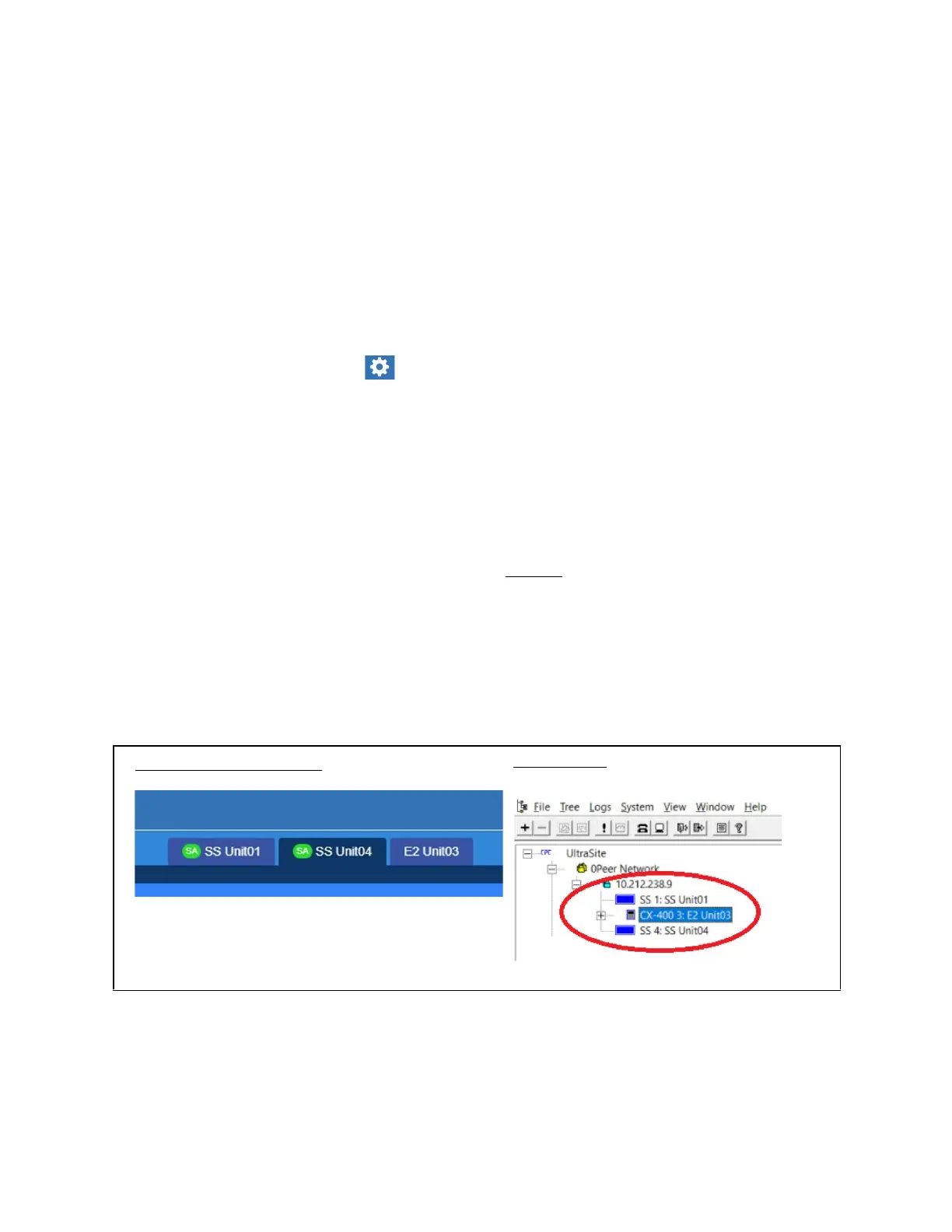
It is also recommended that the default name for the controllers (Unit Name) be changed to include the unique Unit
Number you assign, so it is easier to tell the controllers apart. For example, if the unique Unit Number you assign to the
Supervisory Controller is 4, update its Unit Name to SS Unit04. When you view the Alarms page, you can quickly and easily
differentiate the Supervisory Controllers and E2 controllers. For E2 controllers, consider using a name that contains “E2” in the
name. The Device Type column will show SS or E2.
Network Settings
Supervisory Controller View:
UltraSite View:



 To Next Page