©2025 Copeland LP.
026-1803 R13 Supervisor I&O User Guide H - 2
Performing a Reset - Rebooting the Controller
1. Press and hold the RESET button for one second. The E3 will reset with all programmed data retained.
Site Supervisor Reset and Clean Out on the Enclosure
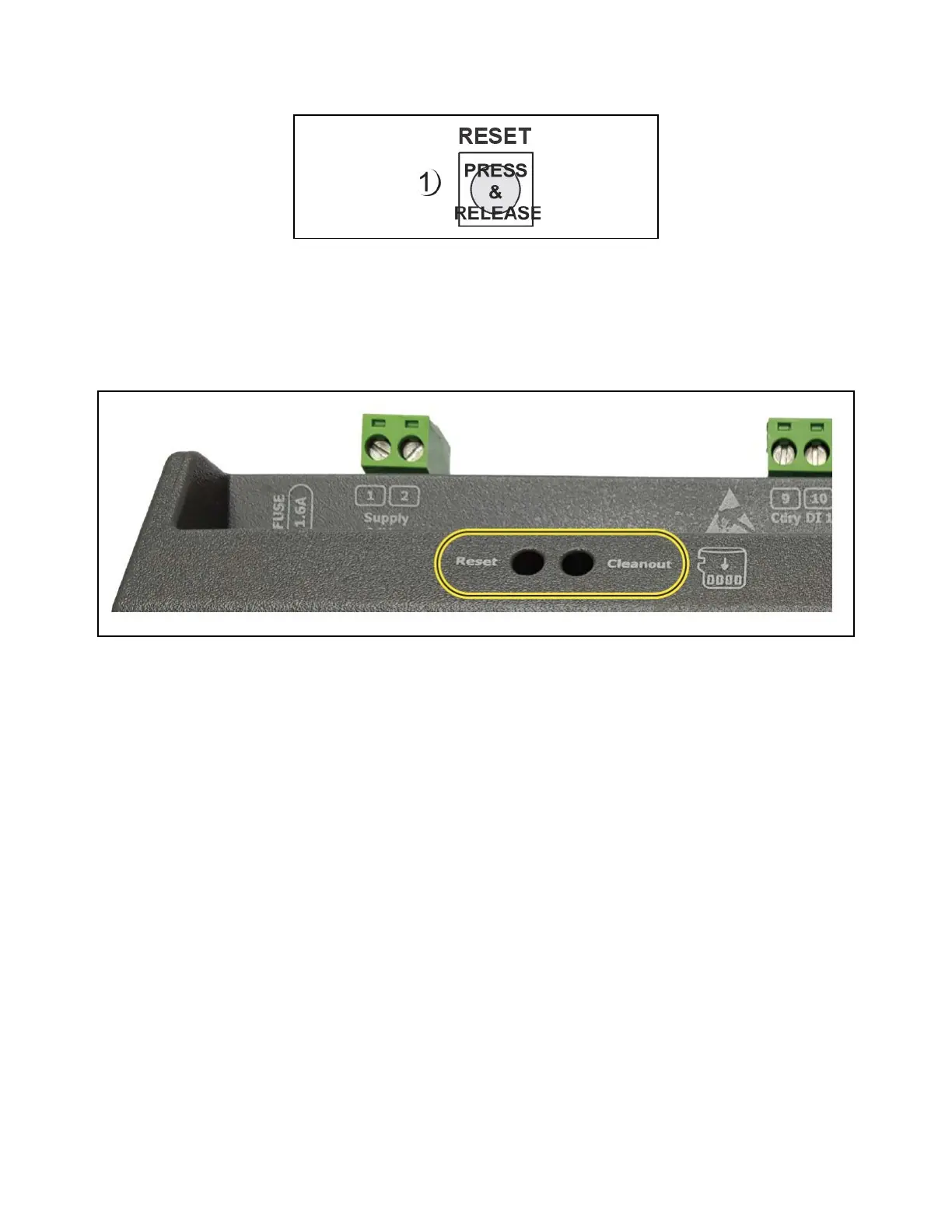
1. Locate the Reset and Cleanout buttons at the upper left of the Site Supervisor enclosure.
2. Use a small screwdriver or other instrument to access the Reset and Cleanout buttons by inserting into the access holes.
Performing a Reset
1. Use a small screwdriver or other instrument to access the Reset button located in the opening on the enclosure.
2. Press and release the Reset button.
3. The LEDs will flash green and the controller will reboot.
Rebooting the Controller
Site Supervisor Reset and Cleanout



 To Next Page