©2025 Copeland LP.
026-1803 R13 Supervisor I&O User Guide H - 3
Performing a Clean Out
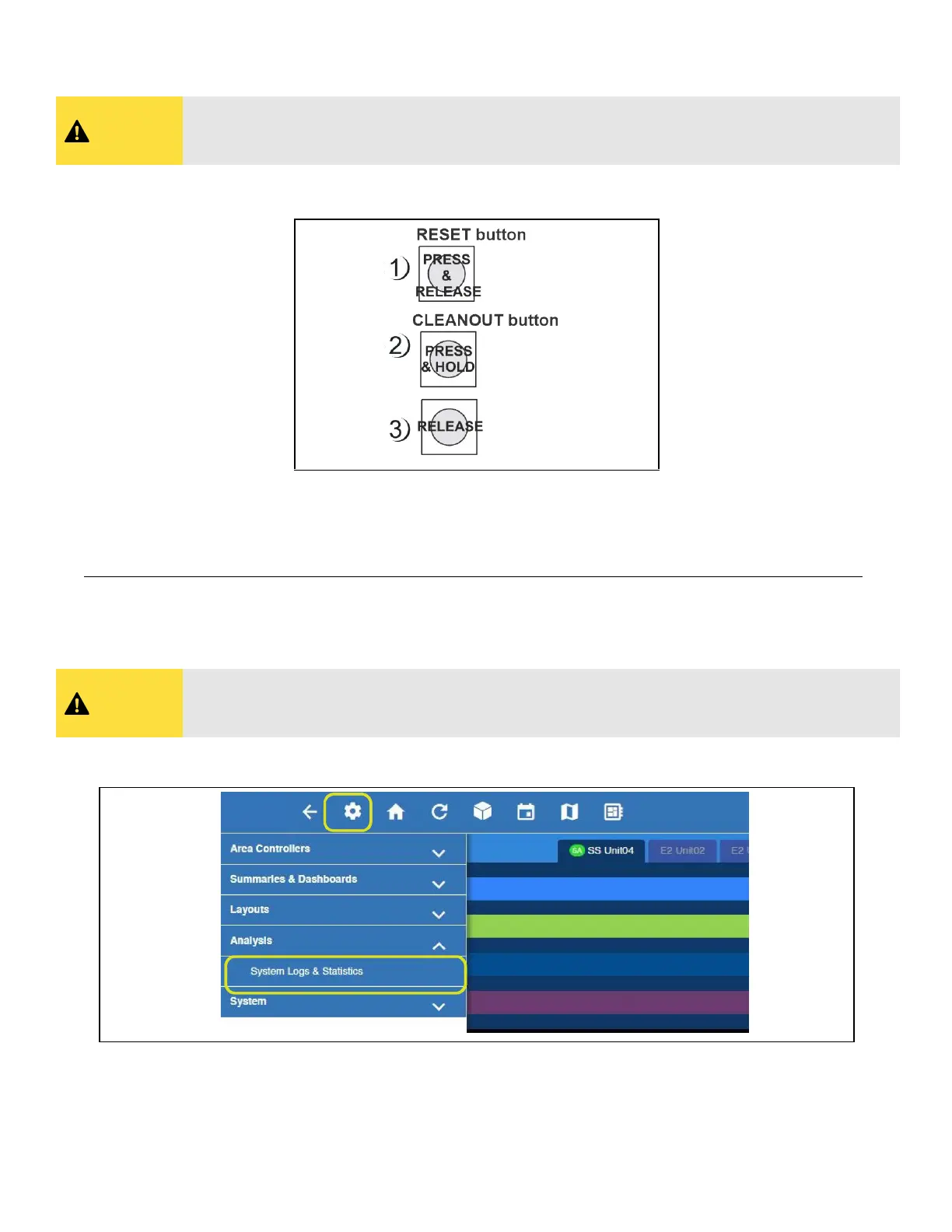
1. Press and release the Reset button quickly. The screen will clear.
2. Press and hold the Cleanout button.
After approximately 30 seconds, the LEDs on the front of the E3 will start alternating between orange and green.
3. Release the Cleanout button.
Clean Out from the UI for E3 and Site Supervisor
1. Login and click the gear icon > System Logs & Statistics > Service Log screen.
CAUTION
A clean out will erase all programmed parameters from memory. Do not follow these instructions
unless you are absolutely sure you wish to remove all applications and logs from memory. Best
practices is to Backup prior to a clean out.
Performing a Cleanout
CAUTION
A clean out will erase all programmed parameters from memory. Do not follow these
instructions unless you are absolutely sure you wish to remove all applications and logs from
memory. Best practices is to Backup prior to a clean out.
Cleanout from the UI



 To Next Page