©2025 Copeland LP.
026-1803 R13 Supervisor I&O User Guide H - 4
2. Click the Cleanout button.
3. A login prompt will appear. Enter your username and password to proceed.
4. A warning message will appear and ask if you are sure. Select Yes or Cancel.
5. Click Cleanout to proceed.
Reset from the UI for E3 and Site Supervisor
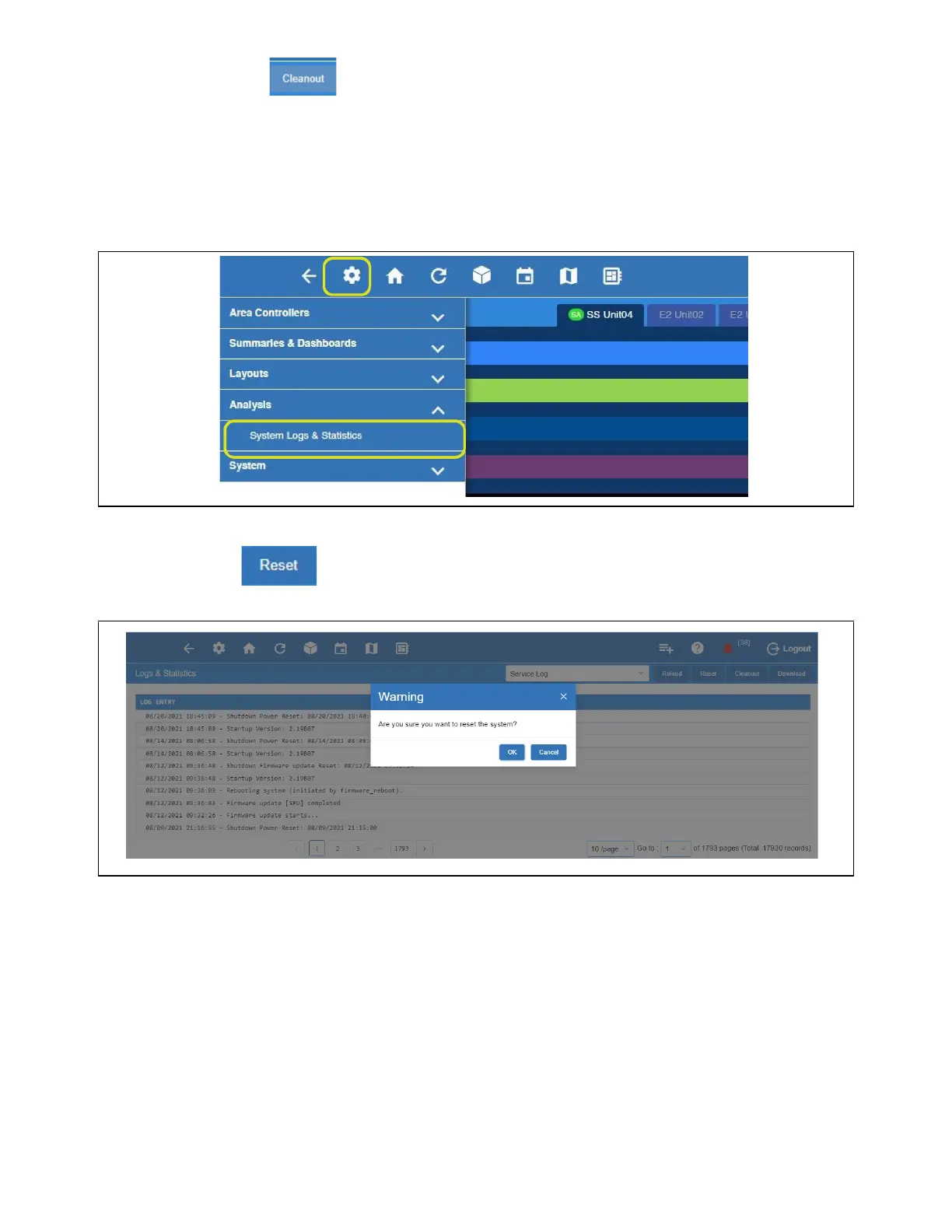
1. Login and click the gear icon > System Logs & Statistics > Service Log screen.
2. Click the Reset button.
3. A warning message will appear and ask if you are sure. Select OK or Cancel.
4. Click OK to proceed.
5. The controller will reboot.
Reset from the UI
Reset System Warning Message



 To Next Page