©2025 Copeland LP.
026-1803 R13 Supervisor I&O User Guide 1 - 7
1.7 Uploading Certificate
Note: Firmware version 2.29 contains the new certificate. Units upgraded to this version will automatically have the
certificate updated.
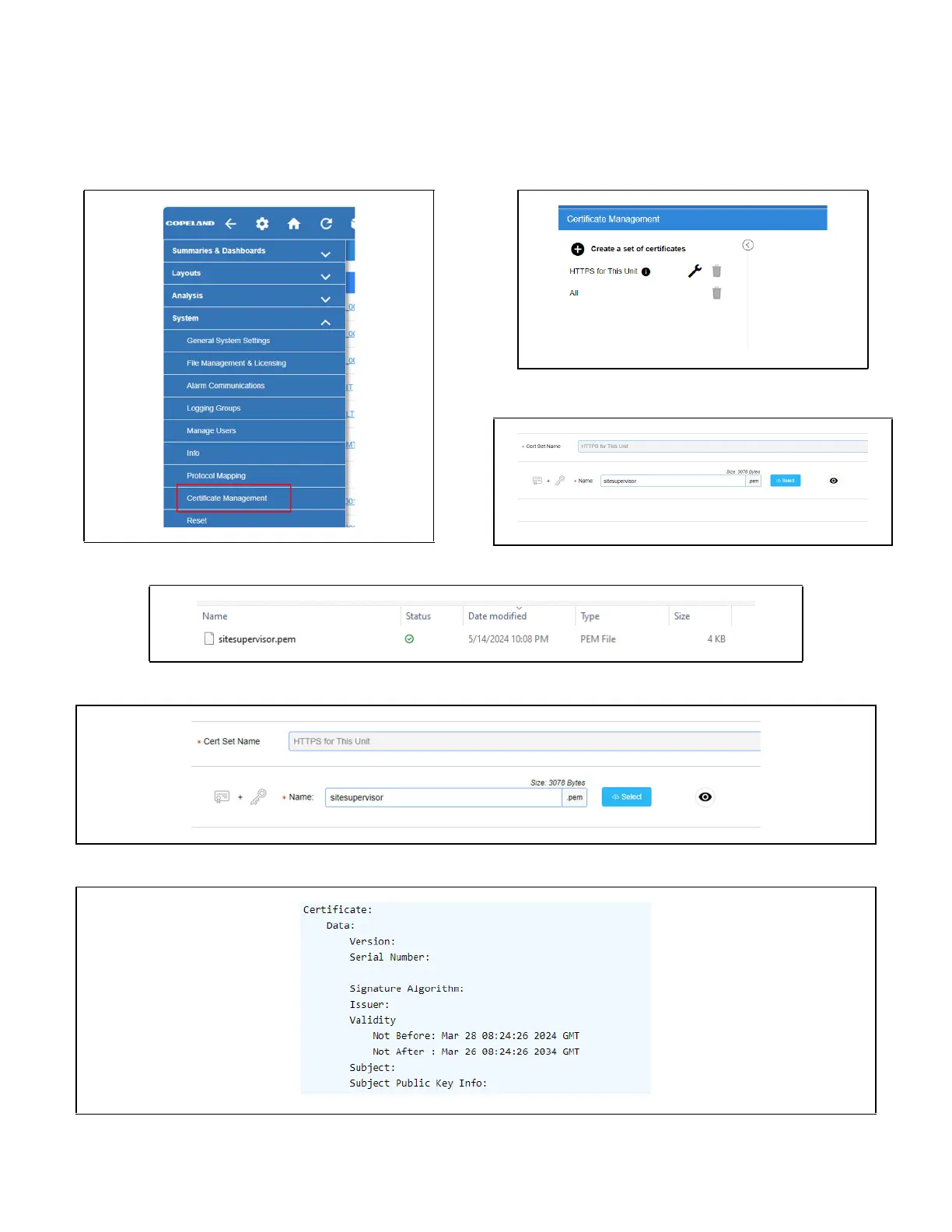
1. From the system menu, select “Certificate Management”, then click on the wrench icon.
2. Click “Select”, then pick the new certificate file from your laptop – click Save.
3. To ensure the certificate was properly loaded, click the eye icon which will show you the actual certificate.
4. Scroll down through the certificate and check the start and end date as shown below:



 To Next Page