©2025 Copeland LP.
026-1803 R13 Supervisor I&O User Guide 1 - 6
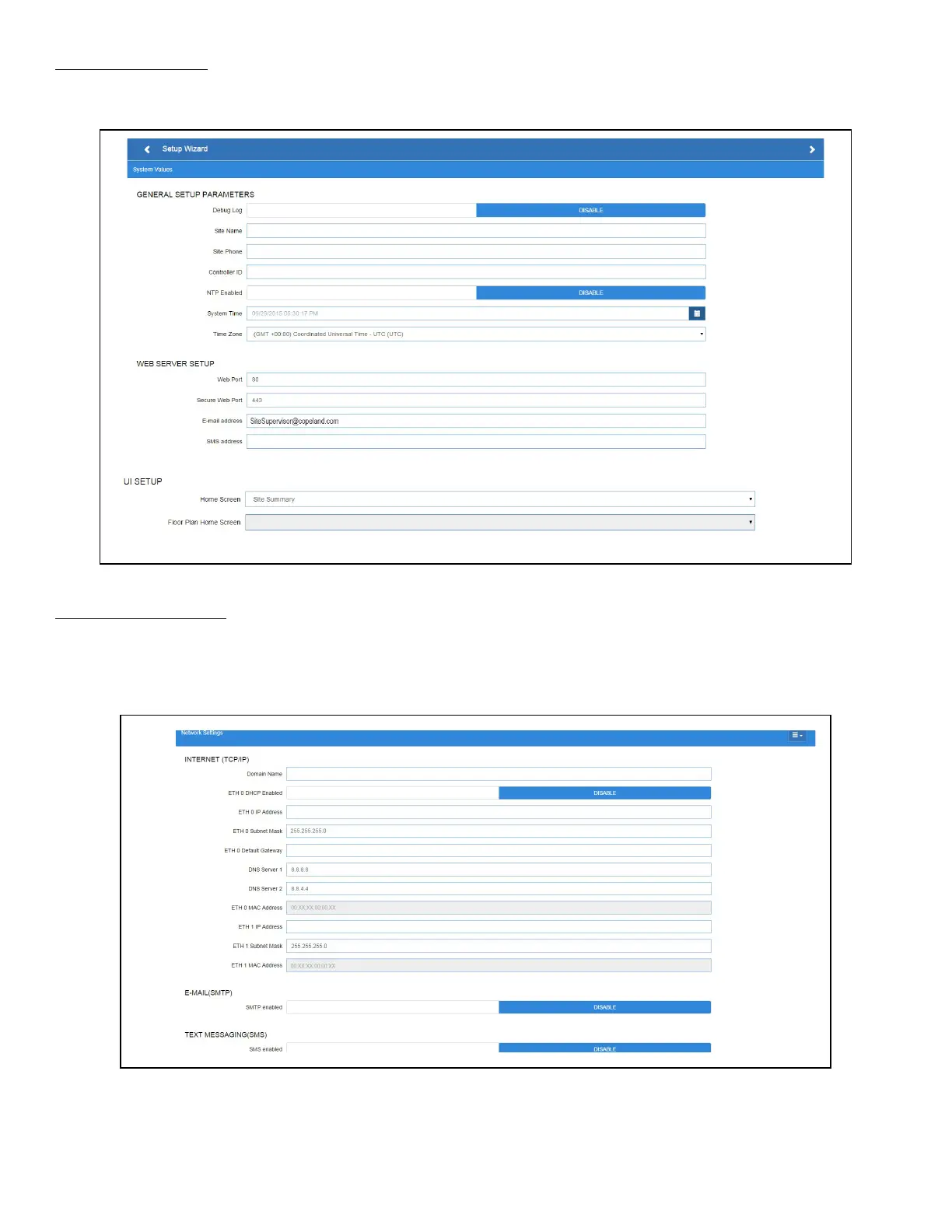
System Values Screen
From the System Values screen, name the unit by entering it in the Site Name field. The Confirmation window will slide open.
Click OK. Then click the right arrow > to proceed to the Network Settings Screen.
Network Settings Screen
Configure the settings on the Internet TCP/IP screen such as host name, text, and email settings. If you have Internet access,
enter the IP Subnet Mask and Default Gateway settings (see your IT Administrator). If connecting directly to a laptop, use the
Default IP and leave the DHCP set to Disable. For text messaging, enable the SMS setting and use the SMTP address (see your
IT Administrator).Click the arrow > to save and finish the Setup Wizard.
Figure 1-8 - System Values Screen
Figure 1-9 - Network Settings Screen



 To Next Page