©2025 Copeland LP.
026-1803 R13 Supervisor I&O User Guide C - 8
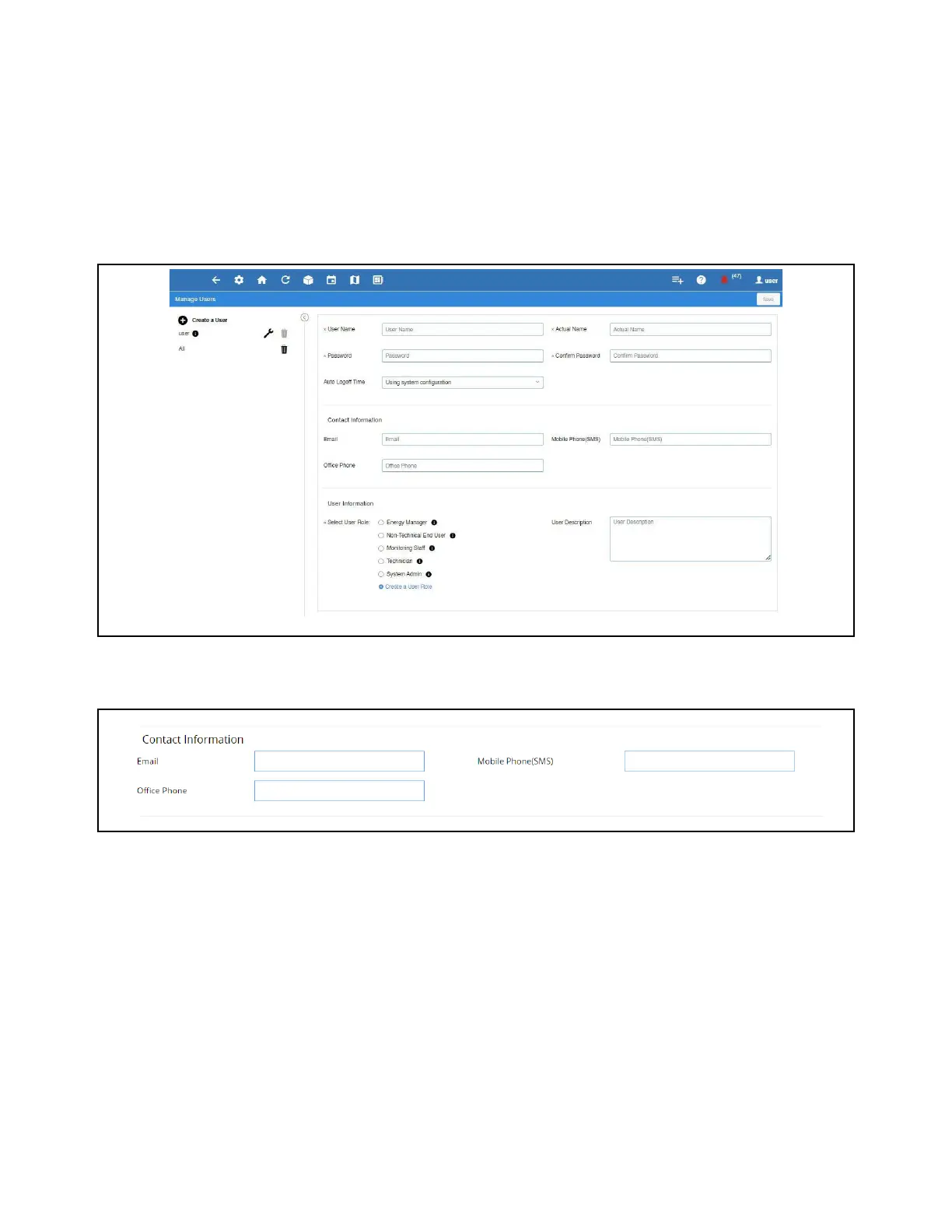
Create New User
1. Click Create a User.
2. The below fields are required:
• User Name
• Actual Name
• Password
• Confirm Password
Note: The User Name and Password created here can be used to log into the Supervisory Controller.
Note: These fields can be left blank if this user will not be receiving Alarm Communications via email or SMS.
3. Contact information for the user must be filled out for them to receive Alarm Communications via email or SMS.
• Email (Note to verify the email address is valid to receive emails)
• Mobile Phone (SMS) (Note to verify the mobile phone number is correct and in the following format:
phone_number@carrier_txt_domain (55512345678@txt.att.net)
• Office Phone
Create New User
Contact Information



 To Next Page