©2025 Copeland LP.
026-1803 R13 Supervisor I&O User Guide 1 - 5
1.6 Setup Wizard
Note that if setpoints have been pre-loaded in the unit, the Setup Wizard will not auto-start after logging in.
If your unit has been received directly from the Copeland factory, the Setup Wizard will open and take you through the following
setup screens:
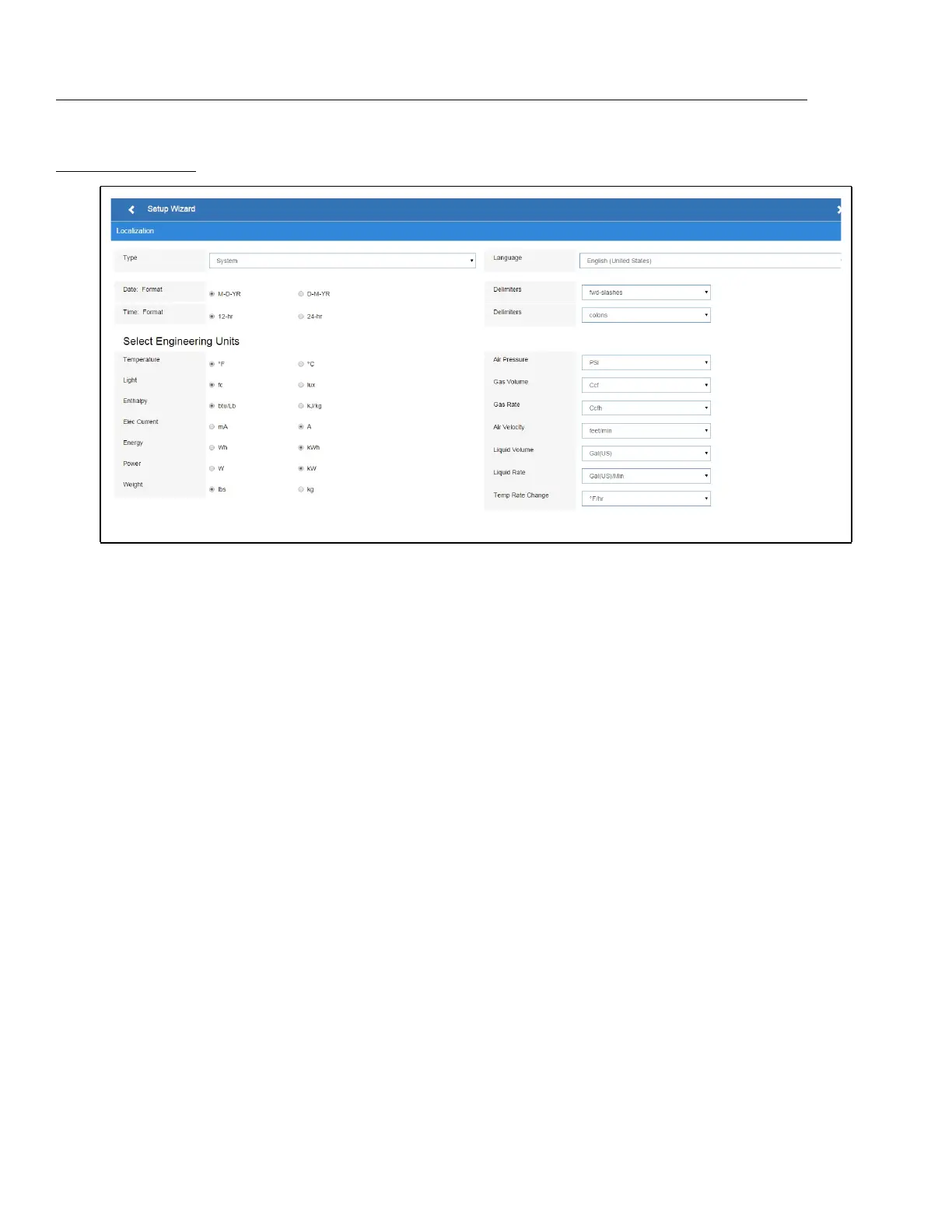
Localization Screen
Set the E3’s localization data such as language, date and time formats, and engineering units from the Localization screen.
Language: The default for the language selection is American English (United States). The system stores a setting for the
preferred system language (internal language code). The default language is used when no user is currently logged into the E3
or when the currently active preferred language does not have a translation for a given label, prompt, or display text.
Date: The Date format can be set to either Day, Month, and full Year (D-M-YR) or Month-Day and full Year (M-D-YR) format. The
day, month, and year values are separated by either a forward slash or a dash line depending on user selection.
The Date Format can be changed based on user preference and saved to user profiles. On initial E3 startup, the Date format
defaults to the format of the language selected. For example, en-US will default to D-M-YR and all others will default to M-D-YR.
Time: The Time format can be set to either a 12-hour (12-hr) format or 24-hour (24-hr) format. The hour, minute, and second
values are separated by either a colon or a period depending on user selection.
The Time format can be changed based on user preference and saved to user profiles. On initial E3 startup, the Time format
defaults to the format of the language selected.
Date and Time delimiters default to forward slashes and colons.
Engineering Units: The default engineering units are based on the assigned units for the chosen preferred language. Users
can choose or change their preferred set of engineering units and save them to their user profiles.
The default engineering units are based on the International System of Units (SI System) format.
Set the system language type in the Language drop-down menu. Click the right arrow > to save and proceed to the
System Values screen.
Figure 1-7 - Localization Screen



 To Next Page