©2025 Copeland LP.
026-1803 R13 Supervisor I&O User Guide E - 24
E2 Peer Network Setup Using UltraSite or Terminal Mode
UltraSite Setup
1. For E2 setup, open UltraSite and connect to the E2 controller you wish to add to the Peer Network.
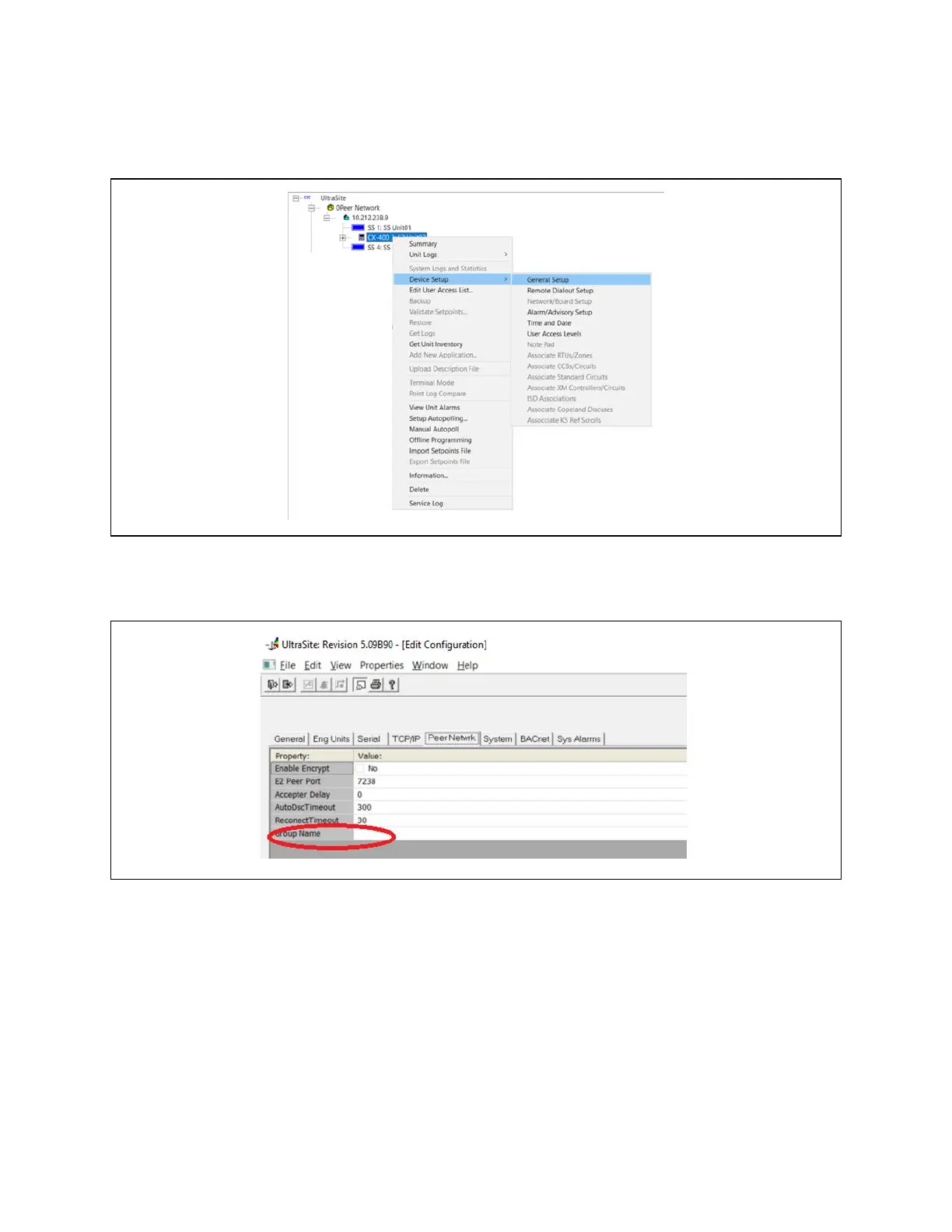
1. Once connected to the E2 controller, right-click Device Setup > General Setup:
2. Click the Peer Network tab and enter the Group Name that is the same across all the other controllers on the Peer
Network:
General Setup
Group Name



 To Next Page