©2025 Copeland LP.
026-1803 R13 Supervisor I&O User Guide C - 6
Text Messaging Setup
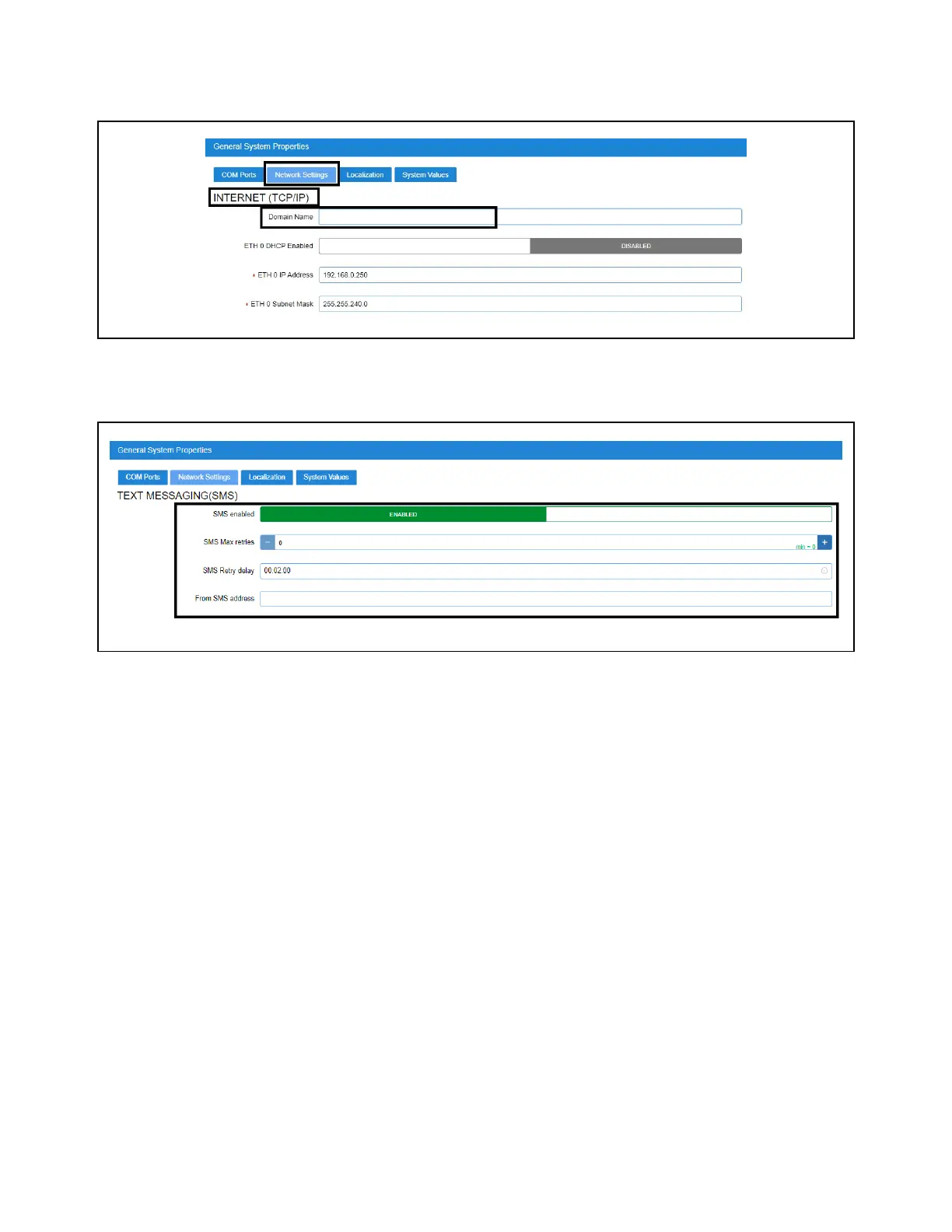
Enter the IP Address or DNS from the ISP in the Domain Name field:
Enabling SMS Setup
1. Under TEXT MESSAGING (SMS), configure the following:
• SMS enabled - Enables or disables the SMS network setup. SMS support must be ENABLED.
• SMS Max retries - Set the maximum number of retries for SMS Alarm Communications to 1.
• SMS Retry delay - Set the time interval between each retry. Leave at default setting of 00:02:00.
• From SMS address - Set the SMS address that will send SMS to mobile phones. This is determined by the mobile phone
number and mobile service provider used. Check with the local network provider to determine the SMS gateway address.
Enter the Domain Name
SMS Setup



 To Next Page