©2025 Copeland LP.
026-1803 R13 Supervisor I&O User Guide I - 3
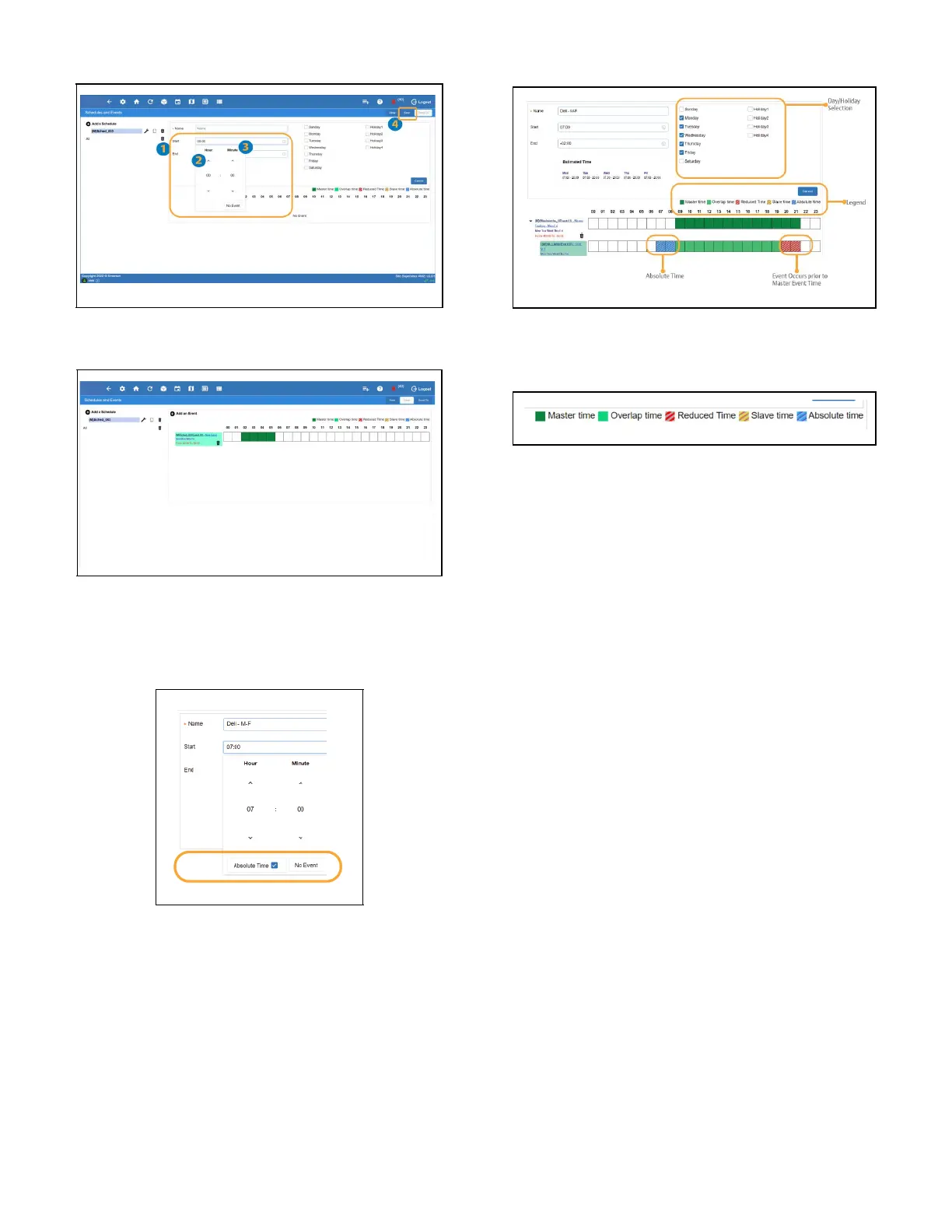
7. Once completed, click Save.
8. Upon finishing the schedule setup, the newly created
event will display as shown.
Absolute Time and Slave Events
• Addition of Absolute Time options
• Day Selection for Slave Events
Legend:
• Master time – Schedule for the master event
• Overlap time – Time of the slave event that is shared with
the master schedule
• Reduced time – Shown with the slave event is
scheduled to end before the master schedule event (may
be based on relative or absolute time)
• Slave time – Event starts prior to master event and/or
ends after master event schedule (based on relative time
only)
• Absolute time – Time shown in blue occurs before or
after the master event start and end times (based on
absolute time only)



 To Next Page