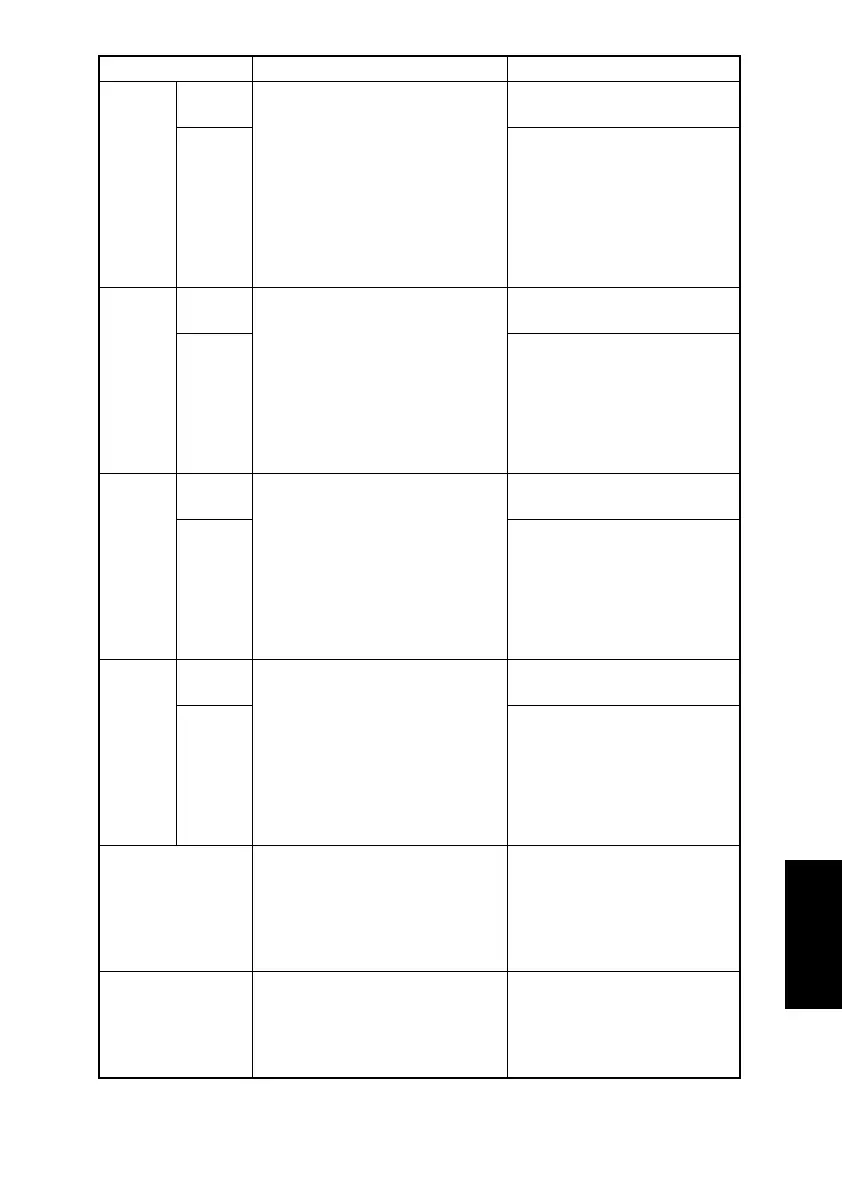
S-15
CCD
SUB
REGIST
TEST
COPY
To adjust for variations in the accu-
racy of IR parts and their mounting
accuracy by varying the scanning
start position in the sub-scanning
direction.
✽ When the Upper Cover Assy.
(Original Glass) has been
replaced
✽ When the Scanner Assy. has
been replaced
Press the Start key to begin
printing the test page.
ADJUST
The setting range is 90 to 110.
(1 increment = 0.5 mm)
ADF
SUB
ZOOM
TEST
COPY
To adjust for variations in the accu-
racy of all parts and their mounting
accuracy by varying the scanning
zoom ratio in the sub-scanning
direction when using the Automatic
Document Feeder.
✽ When the Upper Cover Assy.
(Original Glass) has been
replaced
Press the Start key to begin
printing the test page.
ADJUST
The setting range is 95 to 105.
(1 increment = 0.4%)
ADF
MAIN
REGIST
TEST
COPY
To adjust for variations in the accu-
racy of all parts and their mounting
accuracy by varying the scanning
start position in the main scanning
direction when using the Automatic
Document Feeder.
✽ When the Upper Cover Assy.
(Original Glass) has been
replaced
Press the Start key to begin
printing the test page.
ADJUST
The setting range is 90 to 110.
(1 increment = 0.5 mm)
ADF
SUB
REGIST
TEST
COPY
To adjust for variations in the accu-
racy of all parts and their mounting
accuracy by varying the scanning
start position in the sub-scanning
direction when using the Automatic
Document Feeder.
✽ When the Upper Cover Assy.
(Original Glass) has been
replaced
Press the Start key to begin
printing the test page.
ADJUST
The setting range is 90 to 110.
(1 increment = 0.5 mm)
SERIAL NO.
To specify the 8-digit serial num-
ber.
• Once the serial number is speci-
fied, “SERIAL NO.” does not
appear in the “ADJUST” menu.
–
CUSTOMER ID
To specify the customer ID.
• Once the customer ID is speci-
fied, “CUSTOMER ID” does not
appear in the “ADJUST” menu.
• The default setting is “0”
(Develop).
0 (Develop) 1 (OEM1)
2 (Generic)
Function Purpose Setting Details/Precautions












 To Next Page