98
13 Patients
The ‘Abacus 5’ analyzer allows the operator to define and store patients in the patient database during manual
measurement. Patients can also be predefined while creating a list for one of the automatic processing modes.
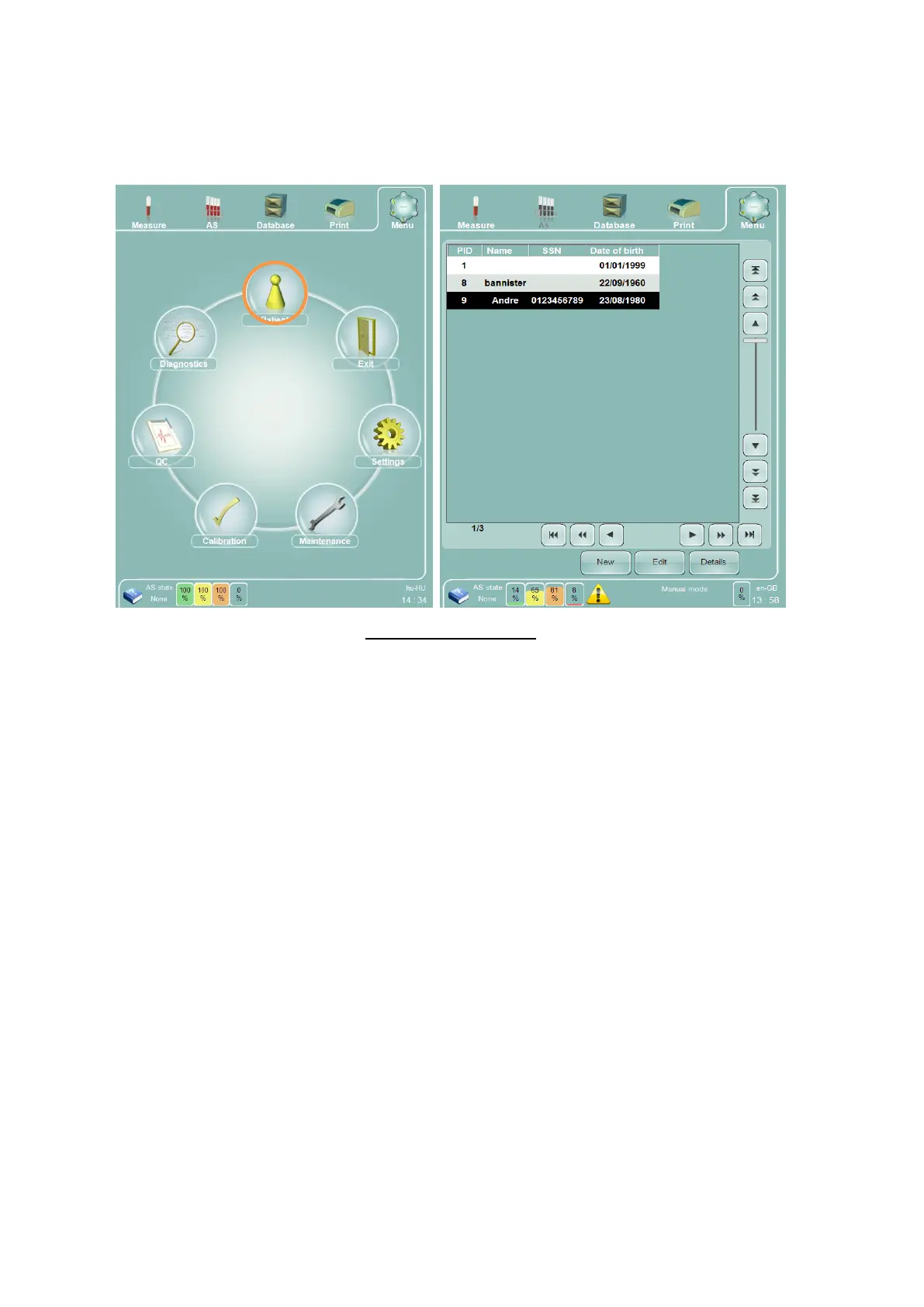
Select the Patients icon on the main menu to display the Patients panel.
Figure 67. Patients Panel
The Patients panel displays patient information in the familiar table format of the ’Abacus 5’ analyzer database,
and operates the same way as the database panel. Use the ’New’ function to define new patients, and ’Edit’ to
change existing patient information. ’Details’ displays patient data in a read-only mode.
The Patient panel can also be accessed by clicking or tapping the Name or Patient ID field in the Measurement
panel. Two additional function buttons are available if the Patient panel is accessed from the Measurement
panel.
The ‘Select ID’ function associates the currently selected patient to the sample measurement and returns to the
Measurement panel. The ‘Cancel’ function returns to the measurement panel without selecting any patient to
associate to the sample measurement.
You can select either Name or Patient ID to be displayed as the patient identifier in the Measurement panel by
changing the settings in the ‘Patient’s displayed data’ in the Main Menu/Settings/Customize panel.



 To Next Page