110
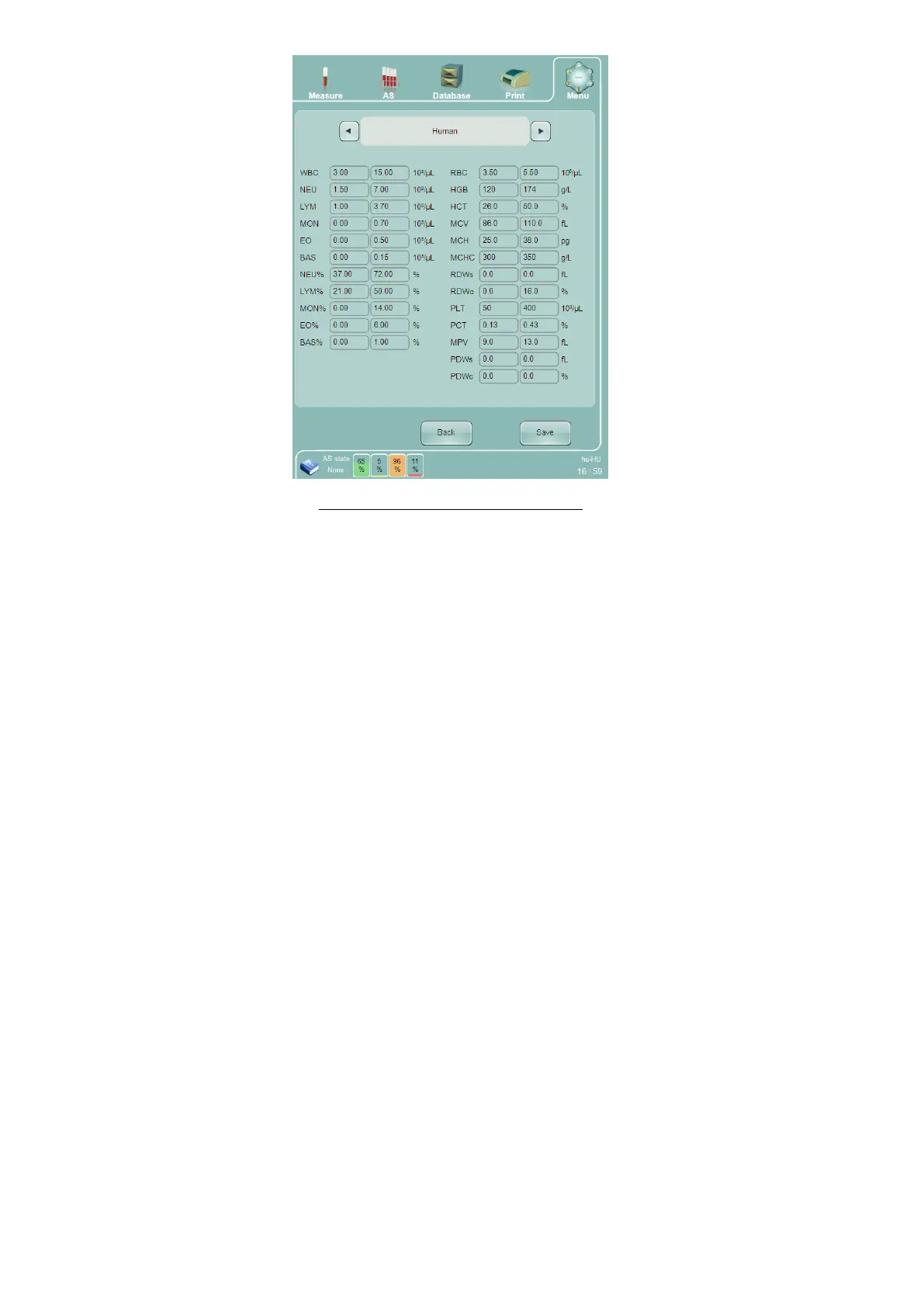
Figure 81. Profile Limits Settings Panel
15.8 X-B Settings
The X-B panel displays the currently selected X-B constants. Change the values as needed, then click or tap ‘Save’
to save the new values and return to the Settings panel, or select Back to discard any changes and return to the
Settings panel.
The following X-B settings are available:
Lower and upper limit – A parameter is usable in X-B statistics if its value is between these criteria
Target –The start value of the first batch in the X-B algorithm
Action limit(%) – Maximum percent deviation of the running average values from the target value. The
user needs to check the X-B diagrams regularly as no action is performed by the software if the action
limit is reached



 To Next Page