122
17.5 Software Maintenance Functions
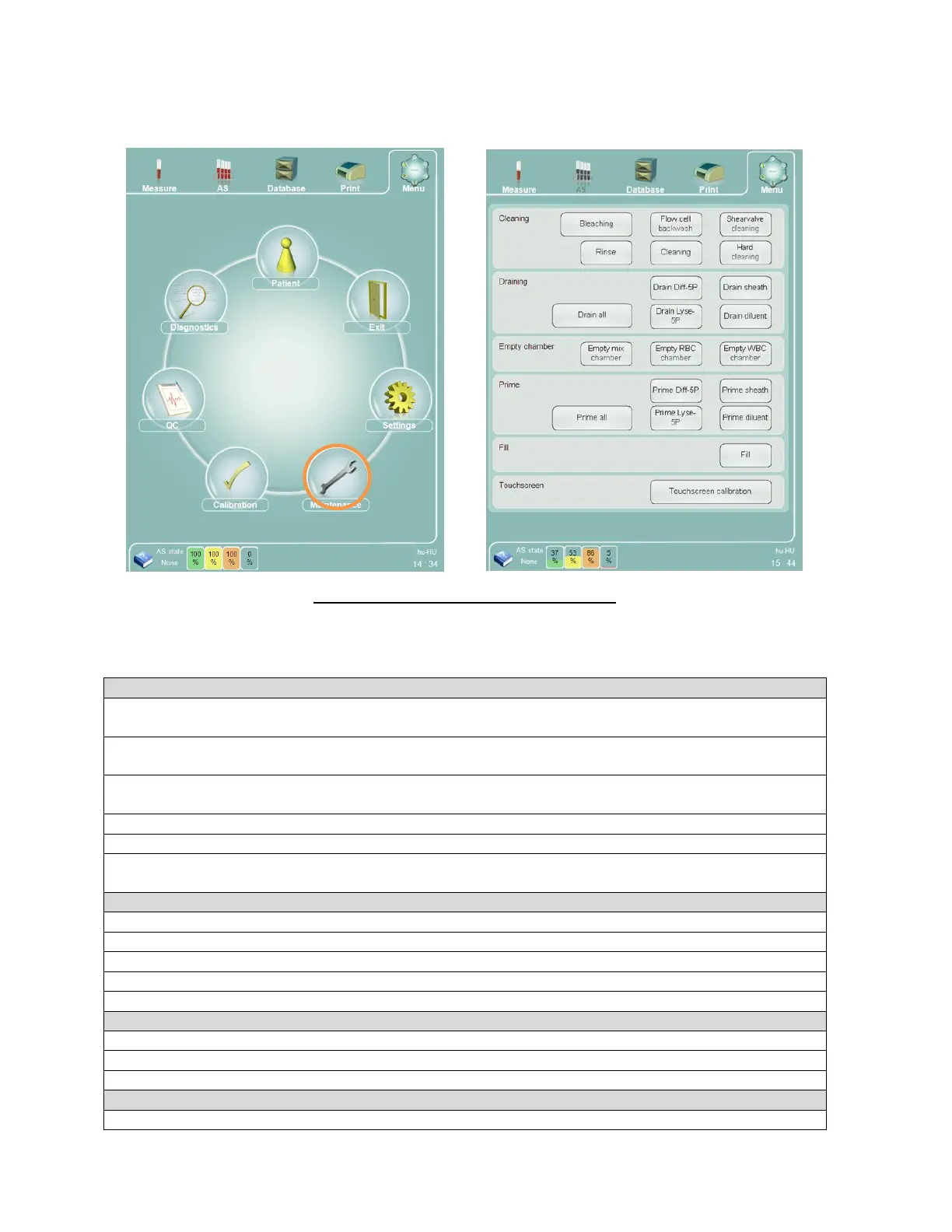
Maintenance functions can be accessed by clicking or tapping the “Maintenance” main menu item. This opens the
maintenance function panel.
Figure 93. Software Maintenance Functions
Clicking or tapping any of the function buttons initiates the corresponding maintenance functions. The maintenance
functions are grouped into the following categories.
Bleaching: cleans the diluent buffer and the connecting tubes with external cleaner reagent introduced
through the sample rotor
Flow cell backwash: cleans the optical head and the flow cell by draining the sheath buffer through the
optical head with a frequently used back flush through the flow cell, then refills and rinses the system
Shearvalve cleaning: drains the shear valve so the operator can open it to clean the ceramic valve, then
refills and rinses the system
Rinse: washes the tubing system with diluent
Cleaning: cleans the system with external cleaner reagent introduced through the sample rotor
Hard cleaning: extended cleaning of the system with external cleaner reagent introduced through the
sample rotor
Drain Diff-5P: drains the Diff-5P buffer
Drain sheath: drains the sheath buffer
Drain Lyse-5P: drains the Lyse-5P buffer
Drain diluent: drains the diluent buffer
Drain All: Drains all of the above buffer
Empty Mix chamber: <help needed with this one. What is the “mix” for?>
Empty RBC chamber: empties the RBC counting chamber
Empty WBC chamber: empties the WBC counting chamber
Prime Diff-5P: primes the Diff-5P buffer and tubing with Diff-5P reagent



 To Next Page