101
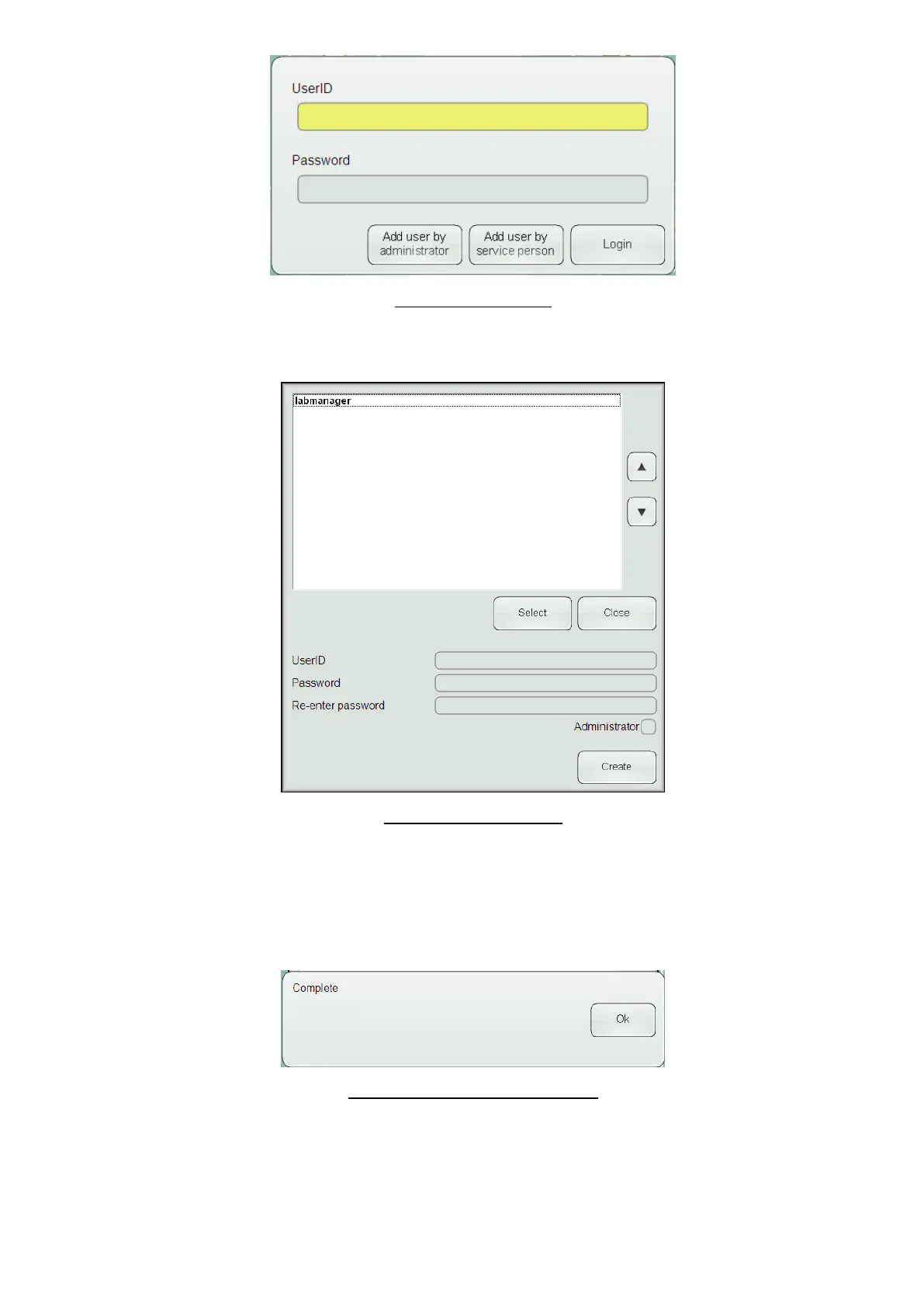
Figure 69. Logon Panel
Enter your user ID and password, then press or click the ‘Add user by administrator’ button. This will bring up the
add user panel.
Figure 70. Add User Panel
To create a new user, enter a new user ID in the ‘UserID’ text field, then enter the new user password into the
‘Password’ text field, then again in the ‘Re-enter password’ text field. If you want to create a administrator
regular user, click or tap the ‘Administrator’ check box. To create a regular user, leave the ‘Administrator’ check
box unchecked. Click or tap the ‘Create’ button when you have finished entering the user information. This will
display a panel indicating the operation is complete.
Figure 71. Add User Complete Panel
Click or tap the ‘Ok’ button to acknowledge. You can continue to create users, or press or click the ‘Close’ button
when you are finished creating users. Pressing the ‘Close’ button will display the logon panel again.



 To Next Page