132
18 Reagent Locking
The reagent locking feature assures you that the ‘Abacus 5’ analyzer always produces quality results and operates
optimally by ensuring that only genuine Diatron reagents are used in your ‘Abacus 5’ analyzer. The ‘Abacus 5’
analyzer measuring system and data analysis software are designed to work only with genuine Diatron reagents.
Diatron cannot guarantee optimal performance of the ‘Abacus 5’ analyzer with incompatible reagents.
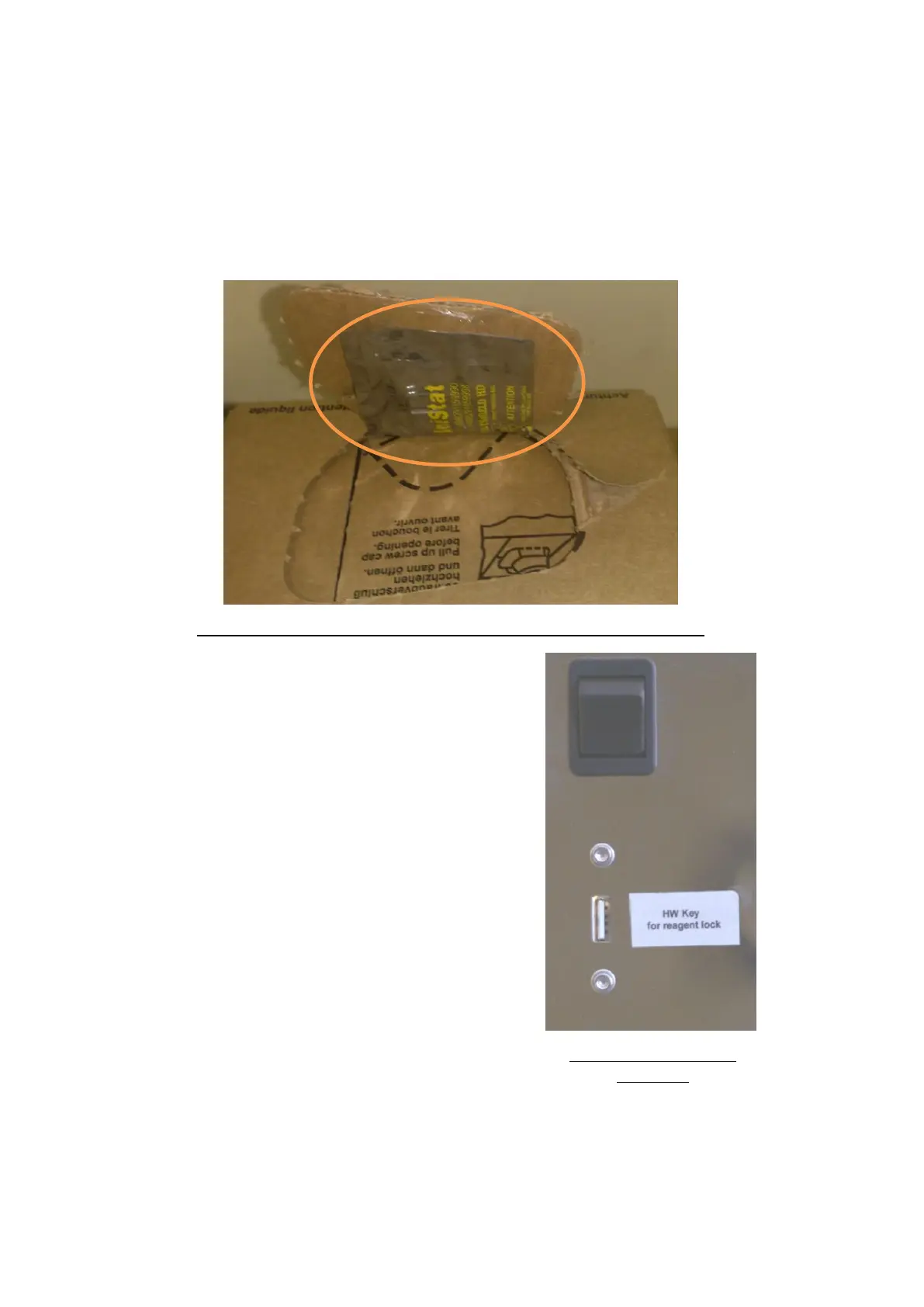
Each Diatro•Lyse-5P reagent container comes with a reagent key. The key is in contained in an electrostatic
plastic envelope located underneath the tear-out flap on the top of the reagent container cardboard box. Each
key contains a license for 800 measurements.
Figure 104. Location of Reagent Key in Diatro•Lyse-5P Reagent Container
The ‘Abacus 5’ analyzer tracks the number of measurements
performed, and warns the operator when the stored number of
measurements counts down to a 50 measurements, and will stop
performing sample measurements when the stored measurements
are exhausted. Blank, Calibration and QC measurements are
included in the overall measurement count.
The new hardware key included in your new Diatro•Lyse-5P reagent
container is used to replenish the stored measurement count. To
replenish the stored measurement count, replace the reagent key
before replacing the Diatro•Lyse-5P reagent container.
Remove the old reagent key from the reagent lock connector
located on the rear panel. Remove the new reagent key from its
electrostatic envelope and insert it in the connector. Proceed with
the replacement of the Diatro•Lyse-5P reagent container as usual.
Clicking or tapping the ‘Reset Lyse-5P’ button will upload the new
license for 800 measurements as well as reset the software counter
for the Diatro•Lyse-5P to 100%.
Figure 105. Reagent Key
Connector
The hardware-key looks similar to a USB memory device in appearance, but is not a USB device. Do not insert the
reagent key into a USB device connector, Only insert it into the special connector pictured above. Used reagent
keys cannot be re-used. Collect them and return them to your Diatron certified service engineer or your sales



 To Next Page