107
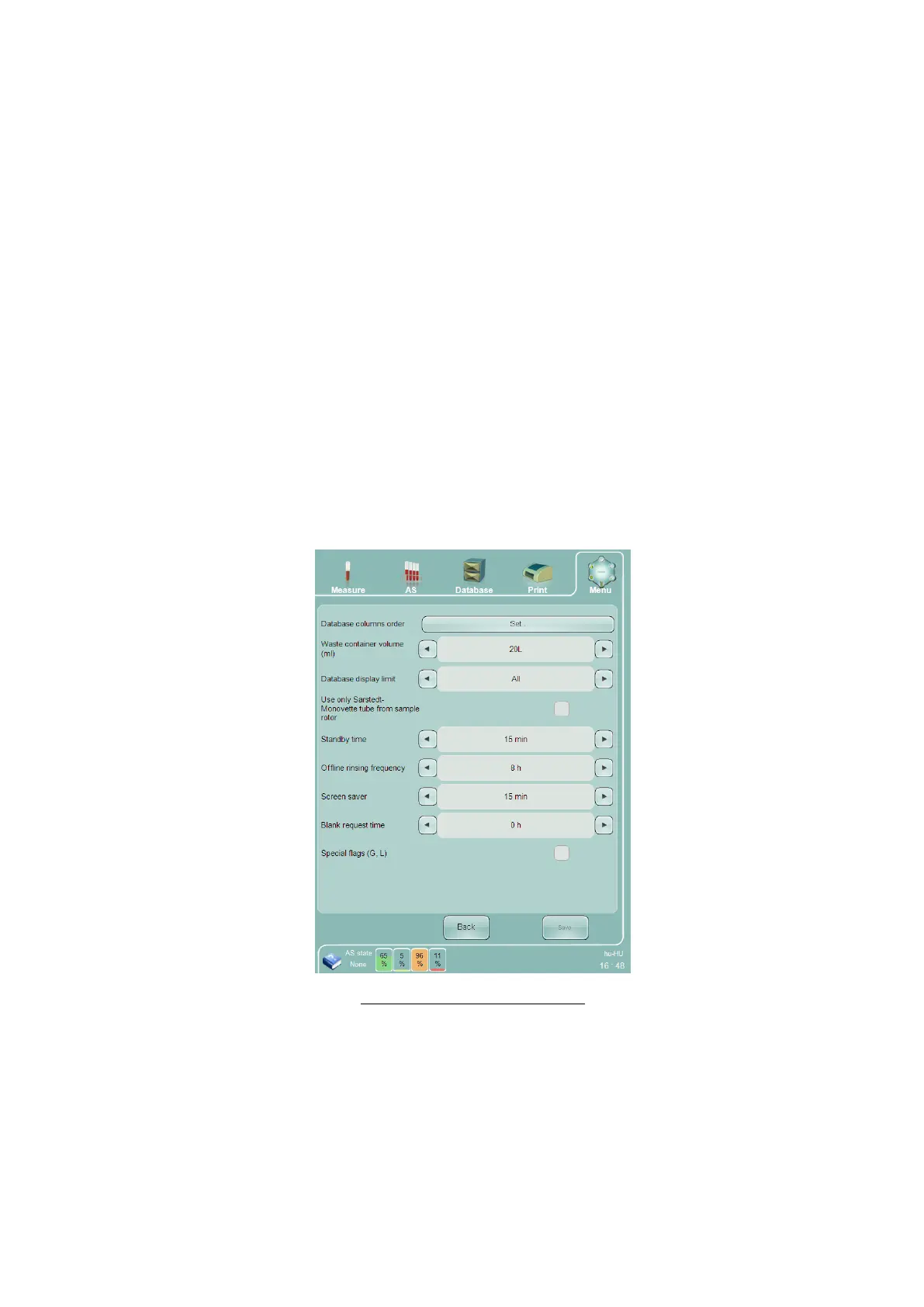
Database display limit – select All or Last month to change the number of database records displayed in
the database panel. Last month only displays the last 30 days of measurement results, and All displays all
measurement results stored in the ‘Abacus 5’ database.
Use only Sarstedt Monovette tube from sample rotor – Check this check box to change the sampling
depth for manually presented tubes at the sample rotor to accommodate Sarstedt Monovette tubes.
Uncheck this check box to manually process standard sample tubes. This setting does not affect
automatic sample processing with the optional Autosampler, which is able to recognize tube types and
change sampling depth automatically.
Standby time – This defines the time period of inactivity before the analyzer automatically leaves the
ready state and drains the pneumatic components to prepare for overnight standby. If this time is set to
zero, the analyzer will never enter the standby state automatically.
Offline rinsing frequency – this defines the time period between automatic fluidic operations to ensure
that fresh reagents are available in critical pneumatic components so that the analyzer can quickly return
to the ready state from standby. If this time is set to zero, the analyzer will never perform automatic
fluidic operations while in the standby state, but may increase the amount of time needed to return to
the ready state from standby.
Screen saver – this defines the time period of inactivity before the analyzer automatically starts the
screen saver. Entering a time of zero prevents the analyzer from every starting the screen saver.
Special flags (G, L) – Checking the check box disables the generation, storage, LIS transmission and display
of the G and L flags on the screen, printout.
Figure 78. System Settings Panel



 To Next Page